GPSMAP
®
5000 Series Owner’s Manual 11
Using Charts
USinG
ChartS
Using the SD Card
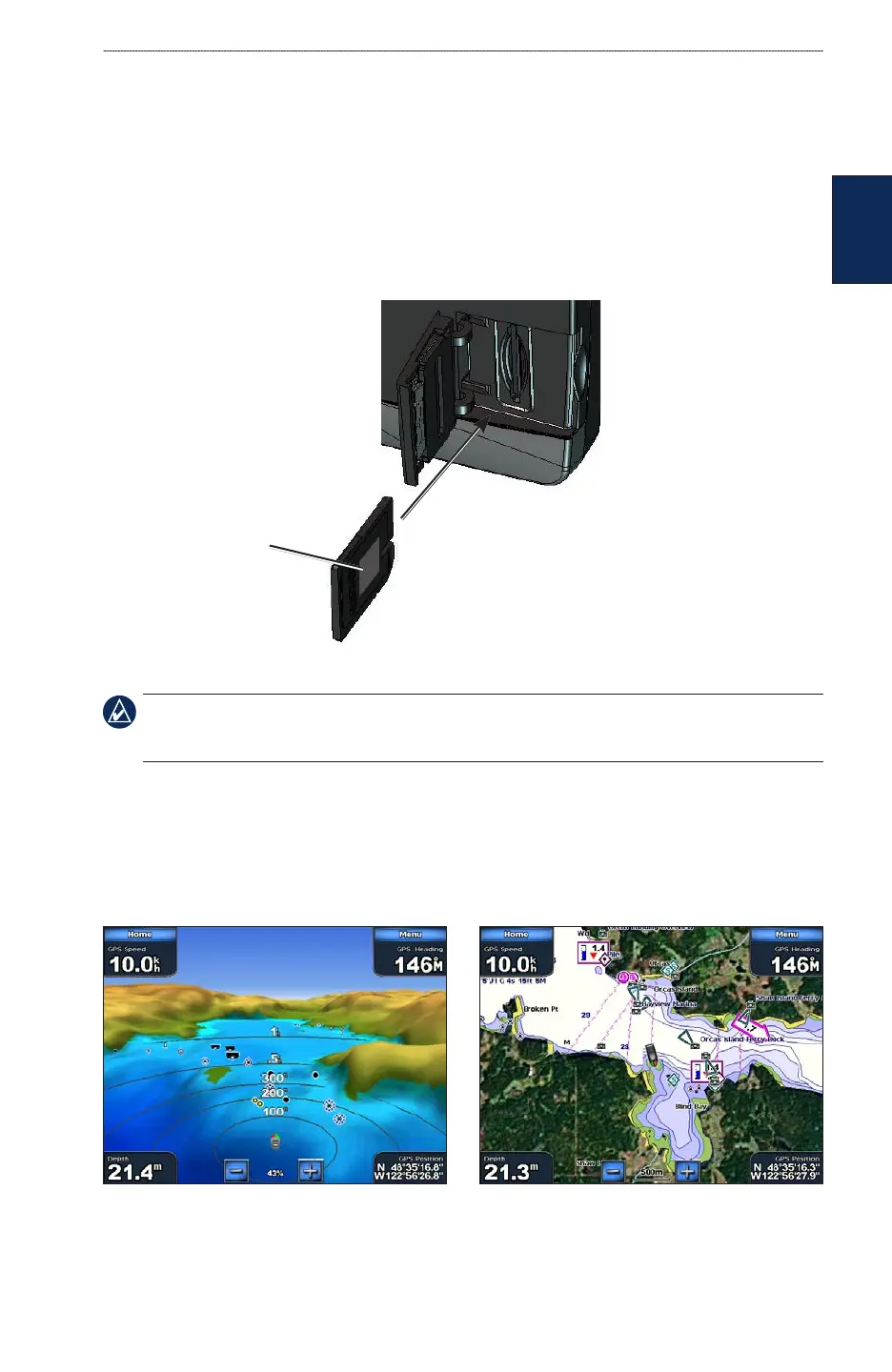
You can insert or remove a BlueChart g2 Vision SD card while your Garmin GPS unit is on or off.
To insert the SD card, open the access door and press the SD card in until it clicks. Press in again to
eject the SD card.
BlueChart g2 Vision SD cards are not waterproof. When you are not using the card, keep it in the
original packaging for safekeeping and store it away from exposure to sun and rain.
BlueChart g2 Vision SD cards are susceptible to damage from static electricity. In low humidity
environments, you should ground yourself on a large metal object before handling the card.
GPSMAP 5208
NOTE: BlueChart g2 Vision data cannot be transferred from the SD card to your computer for backup
or viewing purposes. You can use the SD card only on BlueChart g2 Vision compatible Garmin GPS
units.
Using Mariner’s Eye 3D
A BlueChart g2 Vision SD card offers Mariner’s Eye 3D, which provides a detailed,
three-dimensional view from above and behind the boat (according to your course) and provides a
visual navigation aid. This view is helpful when navigating tricky shoals, reefs, bridges, or channels,
and when trying to identify entry and exit routes in unfamiliar harbors or anchorages.
Mariner’s Eye 3D Navigation Chart
Card label



 To Next Page