GPSMAP
®
5000 Series Owner’s Manual 29
Viewing Information
VieWinG
information
Viewing Information
Use the Information screen to access information about tides, currents, celestial data, user data, other
boats, gauges, and video.
You can also select tide, current, and celestial information for a specic station directly from
the Navigation chart. Touch near the desired station > Information and either Tides, Currents,
Celestial, or Chart Notes.
Viewing Tide Station Information
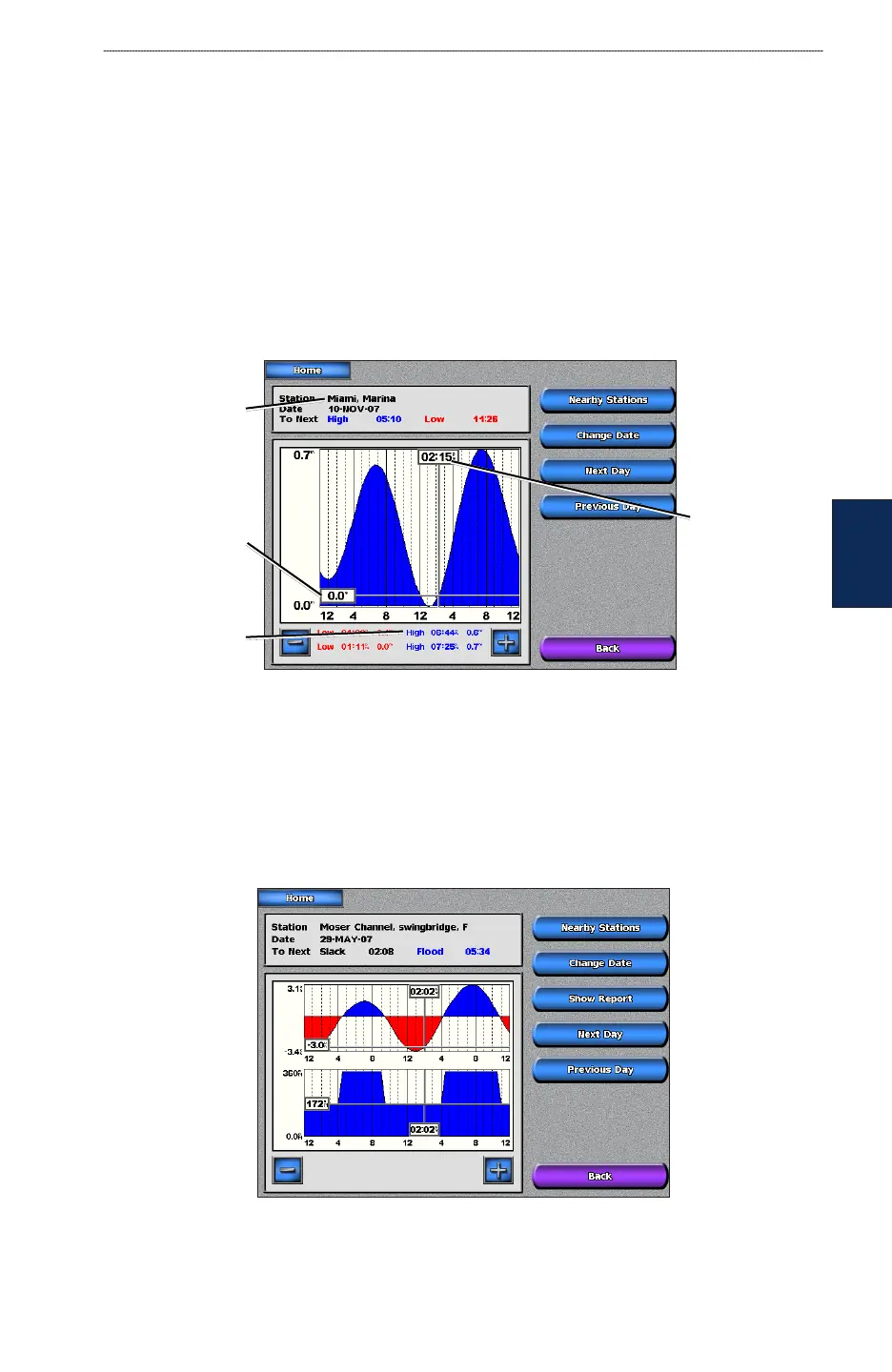
To view tide information from the Home screen, touch Information > Tides. Information for the
most-recently viewed tide station is shown.
Tide station
Local time
Current tide
height
Time of next
high tide
Touch Nearby Stations to view other stations close to the one you selected. Touch
Change Date > Manual to view tide information for a different date.
Viewing Current Information
Use the Current Prediction screen to view information for currents.
To view current information from the Home screen, touch Information > Currents. Information for
the most-recently viewed current station is shown.
Touch Nearby Stations to view other current stations close to your current location. Touch Change
Date > Manual to view tide information for a different date.



 To Next Page