GPSMAP
®
5000 Series Owner’s Manual 5
Using Charts
USinG
ChartS
Using Charts
The GPSMAP 5000 series chartplotters have a basic worldwide imagery map, and built-in detailed
BlueChart g2 offshore cartography for US waters.
Navigation Chart—displays navigation data available on your preloaded maps, including buoys,
lights, cables, depth soundings, marinas, and tide stations in an overhead view.
Mariner’s Eye
and Mariner’s Eye 3D—displays a view from above and behind your boat for a
visual navigation aid.
Fishing Charts and Fish Eye 3D views are available when using optional Blue Chart g2 Vision
preprogrammed SD cards (See page 10).
Fishing Chart—removes navigational data from the chart and enhances bottom contours for
depth recognition.
Fish Eye 3D—provides an underwater view that visually represents the sea oor according to the
chart’s information.
The unit selectively displays navigation data after you select the type of navigation you want.
Using the Navigation Chart
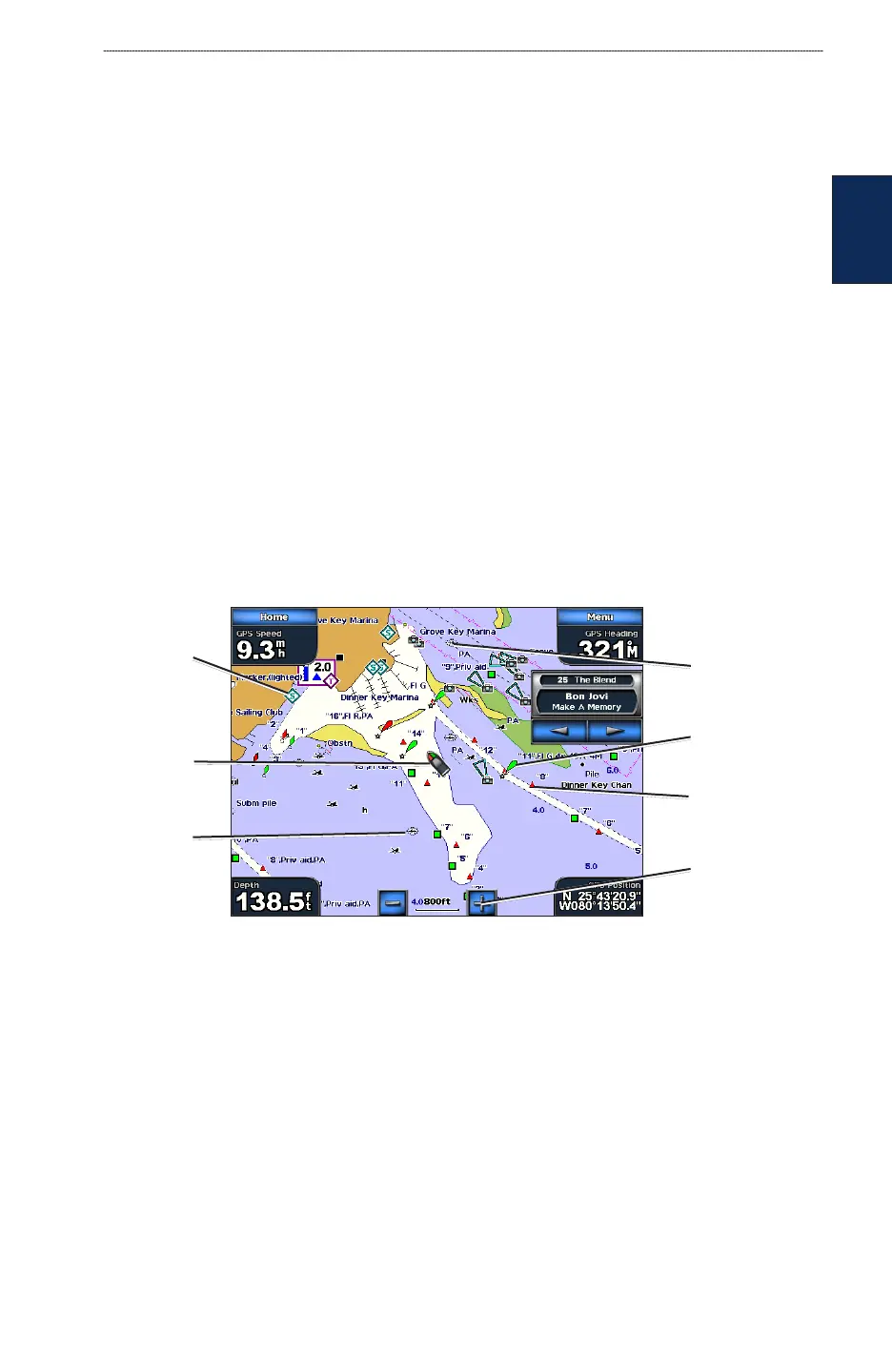
Use the Navigation chart to plan your course, to view map information, and as a navigational aid.
To access a Navigation chart from the Home screen, touch Charts > Navigation Chart.
Navigation Chart on a GPSMAP 5208
Buoy
Beacon
Your boat
Exposed
wreck
Marine
services
Zoom scale
Submerged
wreck
Navigation Chart Settings
To access additional settings or options for the Navigation chart, touch Menu.
Weather—turns the NEXRAD weather overlay on or off. Only available when connected to a
Garmin XM network device. See page 53 for more information.
•
•
•
•



 To Next Page