GPSMAP
®
5000 Series Owner’s Manual 45
Using Radar
USinG
radar
Understanding the Cruising Screen
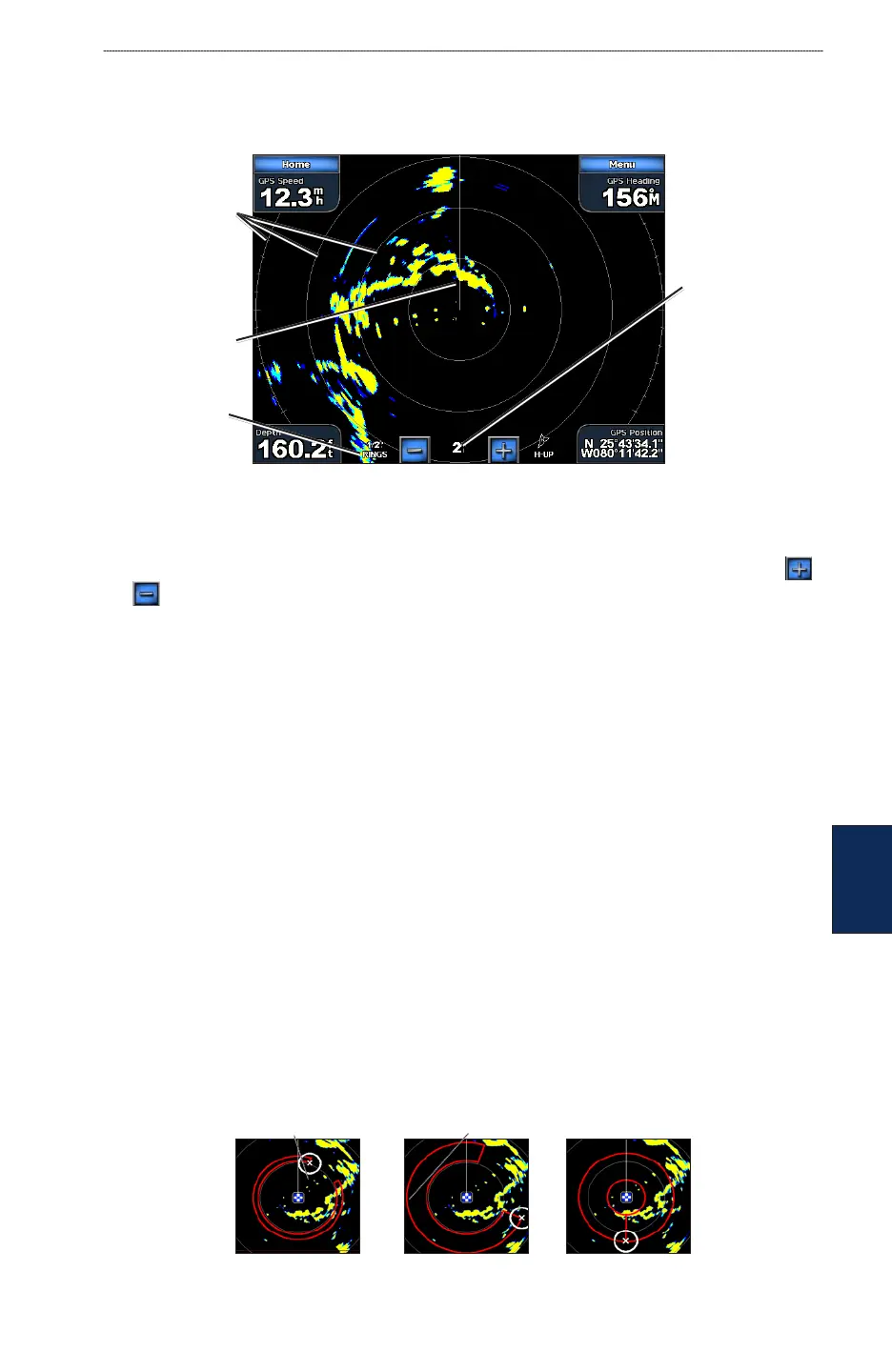
Use the Cruising screen to view a full-screen image of the gathered radar information. Your position
is in the center of the screen, and the rings provide distance measurements.
Radar - Cruising Screen
Range rings
Heading line
Zoom scale
The zoom scale represents the distance from your position (the center) to the outermost ring. Each
ring represents an even division of the zoom scale. For example, if the zoom scale is set at three
miles, each ring represents one mile from the center out. Adjust the zoom scale by touching the
and buttons.
Cruising Screen Settings
To access additional settings or options for the radar cruising screen, touch Menu.
Gain—
controls the sensitivity of the radar receiver. The default setting, Auto, adjusts automatically
to provide optimal performance. Touch Up or Down (or drag the adjustment bar) to manually adjust
the gain. Touch Auto to return the gain to the default setting.
Rain Cltr—adjusts the gain for unwanted clutter caused by rain at close ranges. Touch Up or
Down (or drag the adjustment bar) to adjust the rain clutter sensitivity.
Sea Cltr—adjusts the gain for clutter caused by choppy sea conditions. Touch Nxt Prset to cycle
between Rough, Medium, Calm, or Off. Touch Up or Down (or drag the adjustment bar) to
manually adjust the sea clutter sensitivity.
Guard Zone—denes a safe zone either fully or partially surrounding your boat. An alarm sounds
when a detected object enters this zone. Touch On or Off. If the guard zone is on, you can dene the
boundaries by touching Adjust Guard Zone:
Corner 1 (and Corner 2): Touch Corner 1, and then touch the point on the screen where you
want the rst corner of the guard zone. Repeat this with Corner 2.
Circular: Joins the guard zone to completely encompass the boat. Touch Corner 1 or Corner 2
to adjust the size.
Corner 1 Corner 2 Circular
•
•
•
•
Distance
between rings



 To Next Page