GPSMAP
®
5000 Series Owner’s Manual 47
Using Radar
USinG
radar
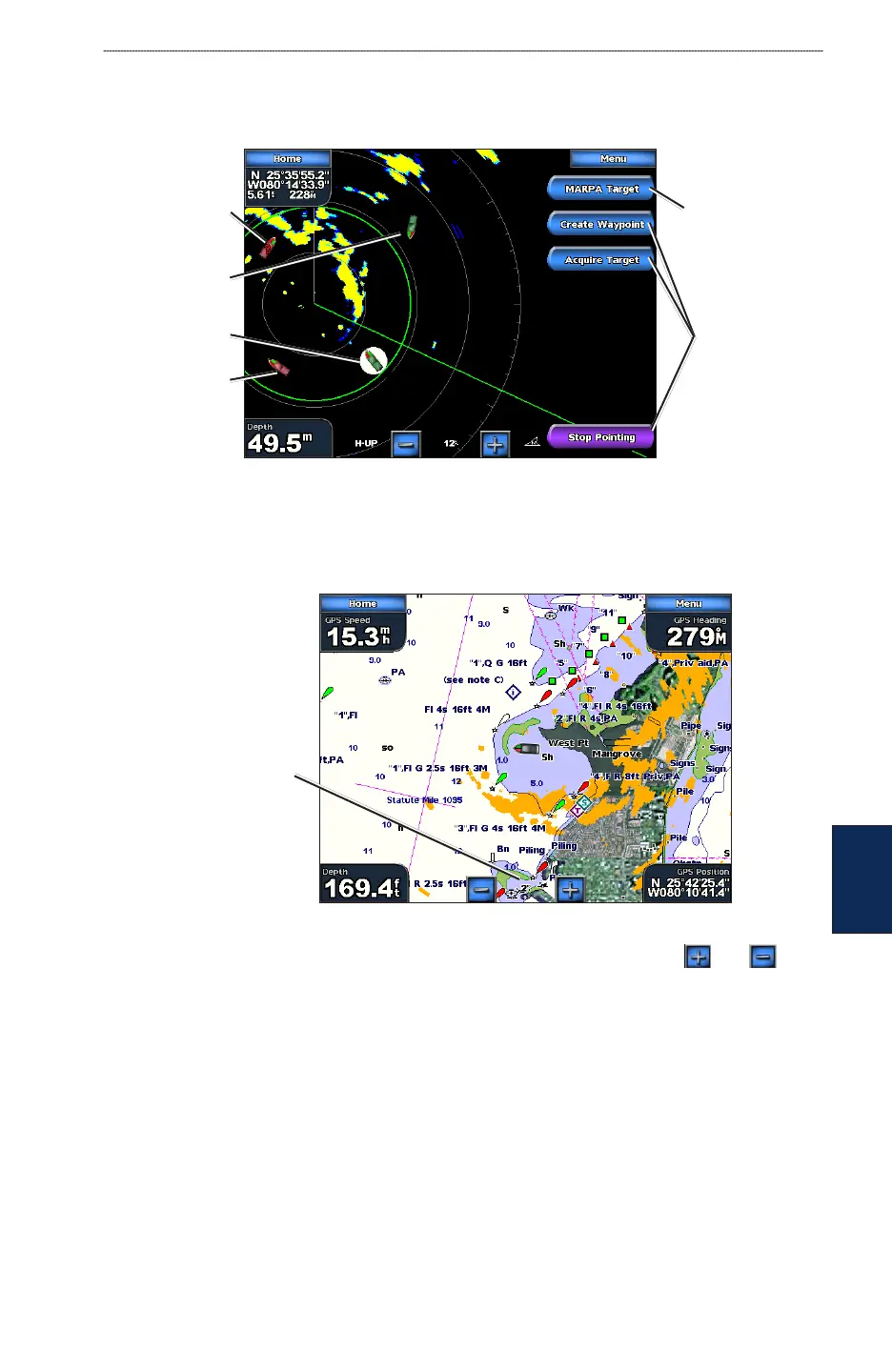
MARPA Target (only appears when you are targeting a tagged MARPA object)—opens the
MARPA target information window. You can get MARPA information or remove MARPA objects
from this window.
MARPA Targeting
Tracking
MARPA object
Target options
MARPA object
targeted
Opens MARPA
target information
window
MARPA target
status unknown
(Lost)
Dangerous
MARPA object
Understanding the Radar Overlay Screen
Use the radar overlay option to overlay radar information on the Navigation chart. From the Home
screen, touch Radar > Radar Overlay.
Radar Overlay Screen
Radar range
The radar picture appears in orange and overlays the Navigation chart. Touch the and
buttons to zoom in and out. Zooming while panning the map only affects the zoom scale of the
map. The radar range remains the same. Zooming while the map is locked on the boat (not panning)
affects the zoom scale of the map and the radar range.
To access additional settings or options for the radar overlay screen, touch Menu. There are two sets
of options you can access, radar or chart. The radar setup options are the same as the radar cruising
screen (page 45). Touch Adjust Chart > Chart Setup to access the chart options. The chart options
are the same as the Navigation chart (page 5). Touch Radar Setup to access the radar setup options.



 To Next Page