www.gateway.com
43
Replacing the hard drive
To replace the hard drive:
1 Remove the side panel by following the instructions in
“Opening and closing the case” on page 37, then remove
the .
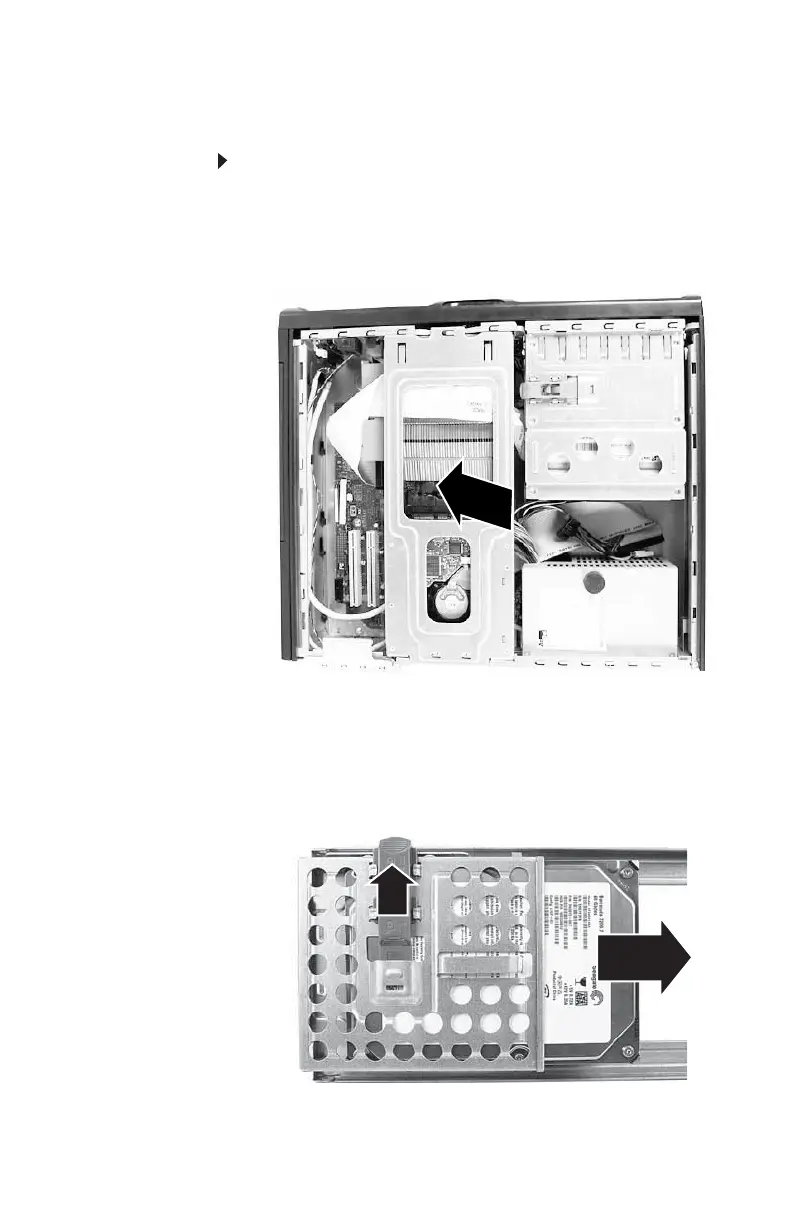
2 LIft the hard drive bracket out of the chassis.
3 Disconnect the drive cables, noting their locations and
orientation. (You will reconnect the cables after you
install the new drive.)
4 Move the drive release latch up (away from the center
of the bracket) to the Unlock position, then slide the drive
out of the drive bracket.
5 Note any jumper settings on the old drive and set the
jumper on the new drive to be the same.
8512732.book Page 43 Thursday, September 27, 2007 11:33 AM



 To Next Page