JF-240UV User Manual
111
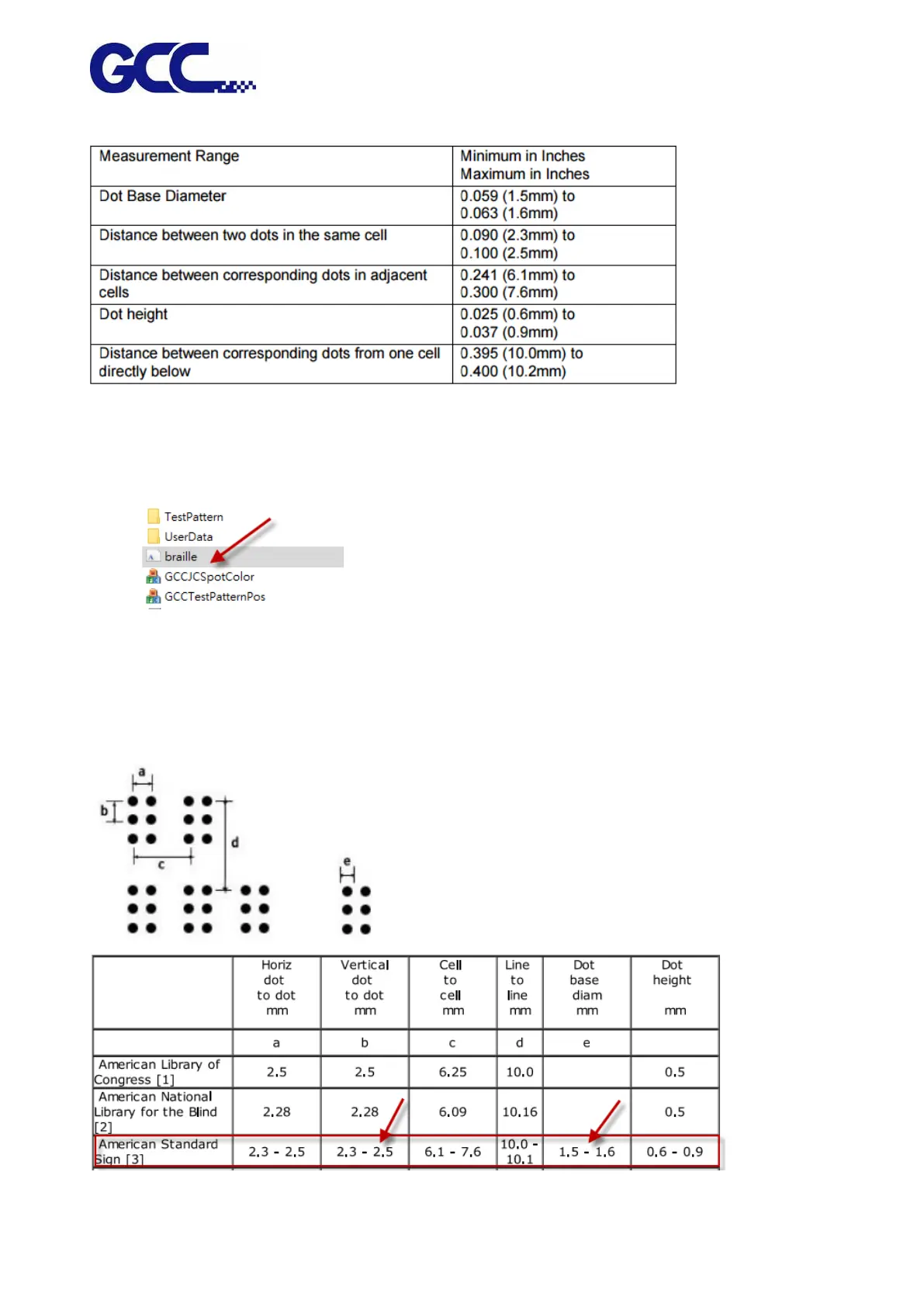
2. ADA (Braille sign) Dimension
3. Insatll Braille Font for Printing
Step 1 Insert the installation disc and go to :\Program Files (x86)\FlexiPRINT 10.5.1 GCC Edition
E14-29 Usb\Program\GCCJF240UV
Step 2 Double click the "braille" icon to install the font.
4. How to Set ADA/Braille Printing
If creating Braille sign in Illustrator or CorelDraw, set the font type to Braille at 24pt to meet the
requirements set by the ADA (Americans with Disabilities Act); if using FlexiPRINT EDITOR or
other software to create Braille sign, apply the following steps,






 To Next Page