JF-240UV User Manual
136
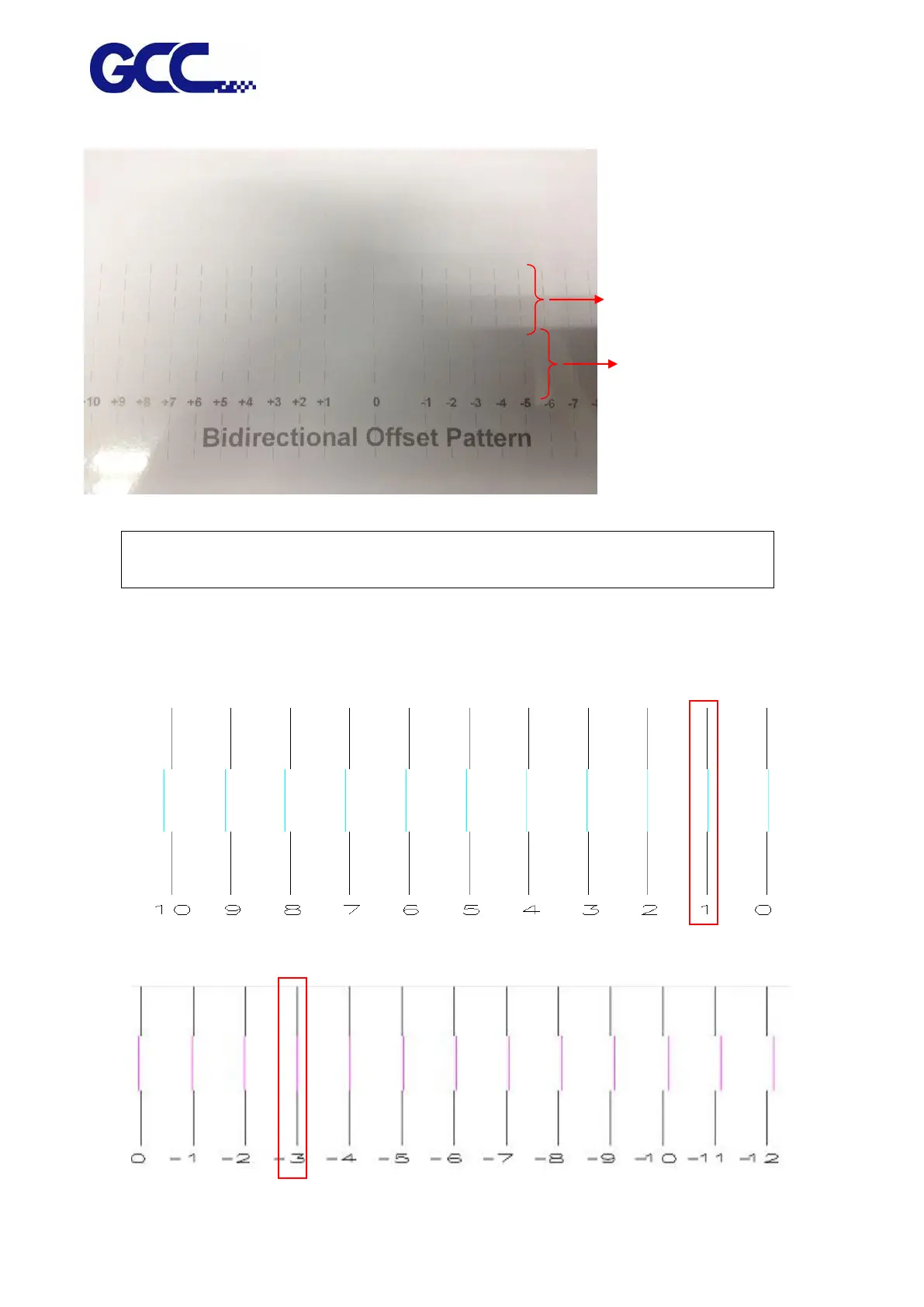
5. Confirm Bidirection Offset and adjust parameters as shown in the figure below.
Note : Please read the following information thoroughly prior you proceed the inkjet head
bi-directional alignment calibration.
Offset unit : 1 line = 0.0705mm (1 inch / 360 DPI = 0.0705)
Example 1: Bidirectional alignment calibration for the inkjet head of Cyan color.
Example 2: Bidirectional alignment calibration for the inkjet head of Magenta color.
First pass: printing from
right to left.
Second pass: printing
from left to right.






 To Next Page