Software modules
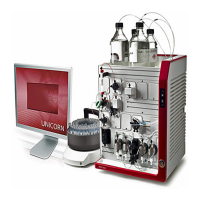
The UNICORN control software consists of four modules:
FunctionModule
File handling and administration tasks; for ex-
ample, definition of systems and managing
user profiles.
In UNICORN 5: UNICORN Manager
In UNICORN 7: Administration
Method creation and editing for prepro-
grammed control of ÄKTA ready.
Method Editor
Process online control and monitoring using
pre-defined methods or manual control.
System Control
Evaluation and presentation of stored results.Evaluation
The modules are active when the program is operating and are not closed
when minimized. A minimized System Control unit may control a process.
Note:
Workflow
The workflow for using UNICORN system for automatic control includes these general
steps:
ActionStep
Program an ÄKTA ready method run using the UNICORN software. It is pos-
sible to use an existing method or modify an existing method to meet your
run objectives.
1
Start the run using the method you created.2
Monitor the run's progress using the System Control module. All the data
about your run is displayed in the System Control module. You have a choice
of four different panes that can be open one at a time or all at once, in sep-
arate parts of the window.
3
After completing the run, you can display the data in a detailed report using
extensive tools provided by the UNICORN Evaluation Module.
4
Warnings
Warnings are generated to warn operating personnel that process parameters have
exceeded preset high and/or low limits, and that the process method continues.
ÄKTA ready Operating Instructions 28960345 AD 53
3 System description
3.5 UNICORN control system


 To Next Page