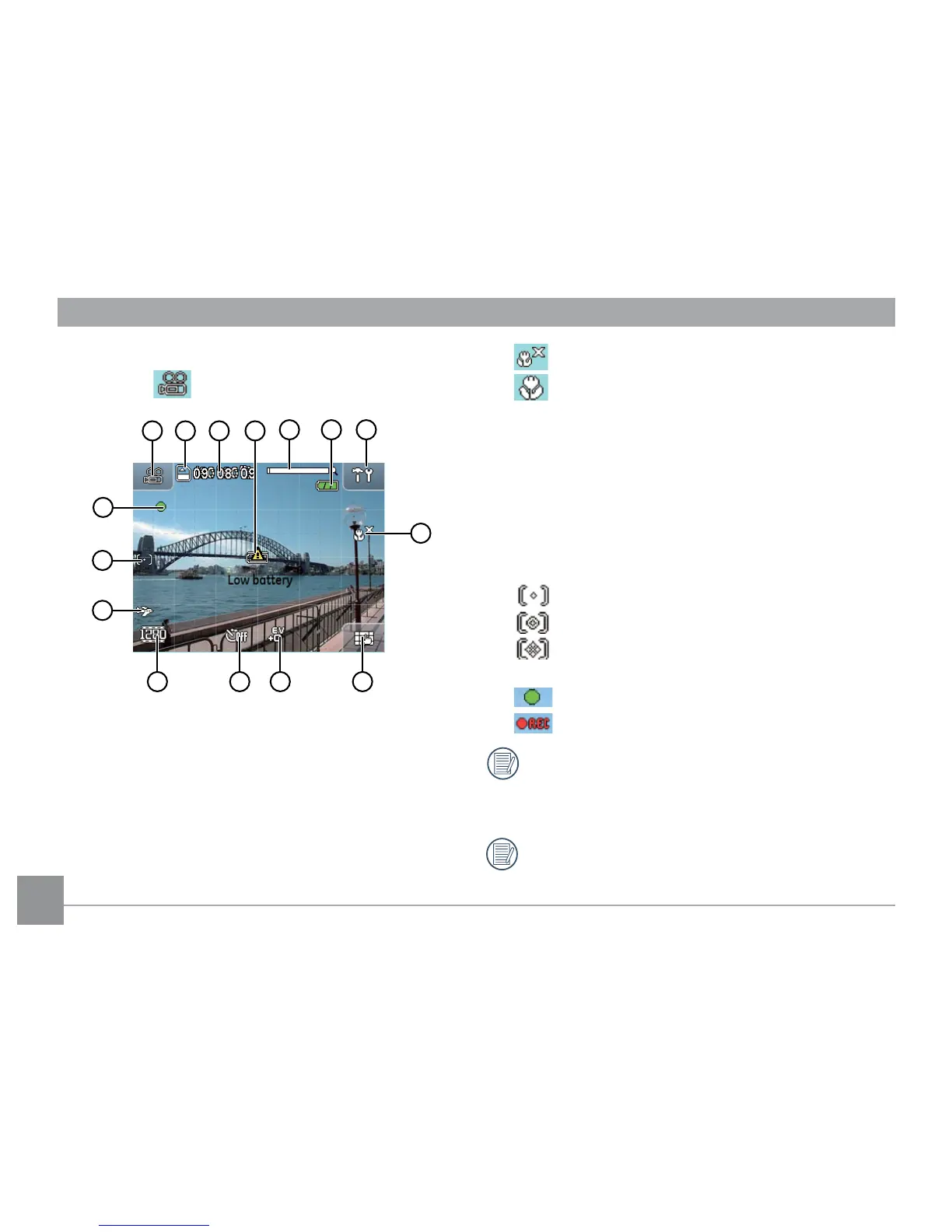
1 Shooting mode icon
2 Memory card / internal memory display
3 Remaining recording time
4 Low battery icon
5 Zoom indicator
6 Battery level indicator
7 Setup menu icon
8 Macro mode indicator
Macro mode o
Macro mode on
9 Screen display DISP icon (please refer to
Screen Display
on page 22)
10 EV indicator
11 Self-Portrait and Continuous Shot display
12 Movie size and quality display
13 Travel time icon
14 Expo Metering mode
Spot AE
Centered-Weight
Ai AE
15 Recording status icon
Recording standby
Recording
For best results the use of an SD memory card is
recommended when shooting a movie. The camera's
built-in memory is limited and may cause stuttering
and noise if used for movie recording.
While recording, the optical zoom is fixed but the
digital zoom can go up to the maximum 4.5x.



 To Next Page