46 4746 47
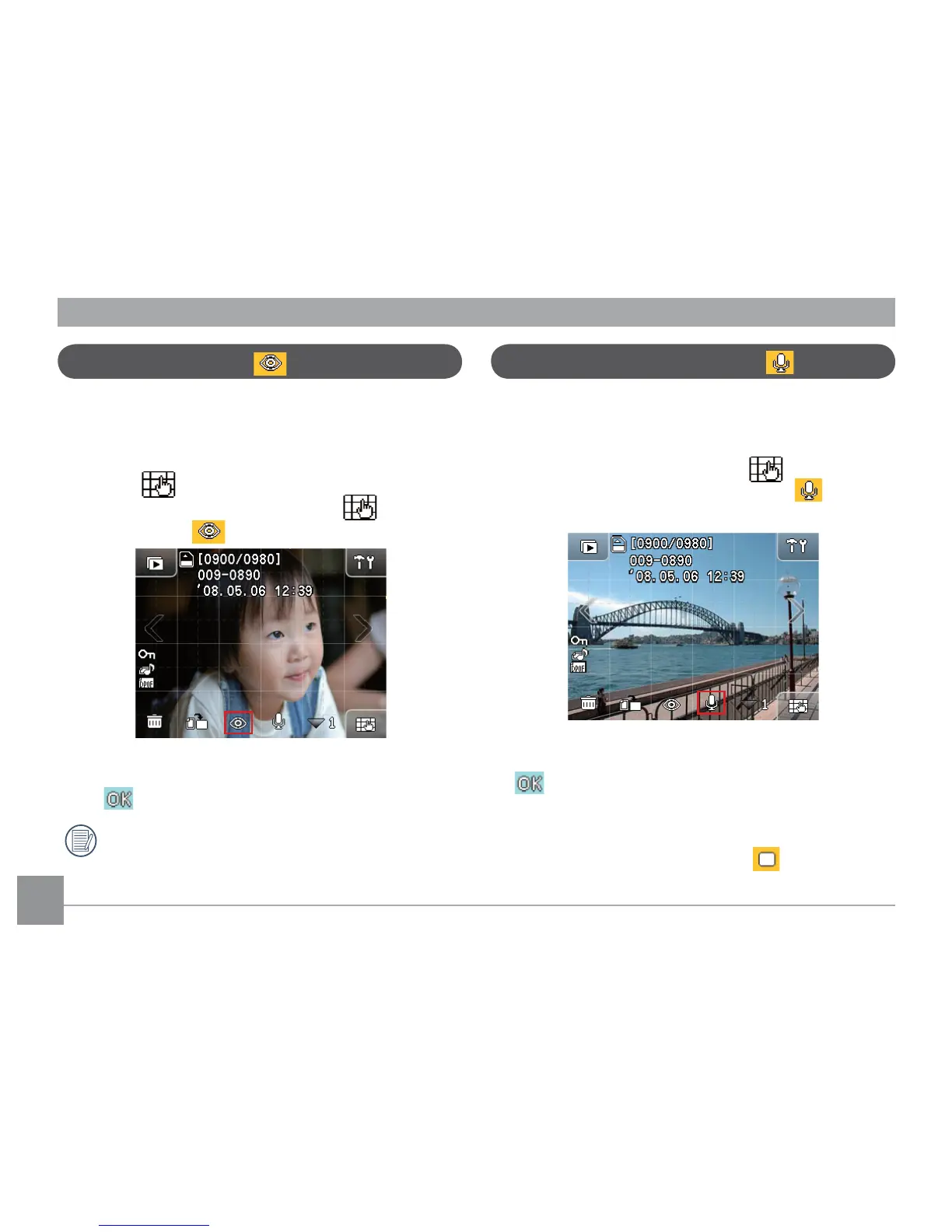
Red-eye removal
The camera provides the Red-eye removal function that
allows you to easily remove any red-eye eect in the
pictures.
1. In Playback mode, touch any place on the screen and
then the button will appear at the lower right
corner of the screen. After this, touch , Red-eye
Removal button will appear on the screen.
2. Press the left/right arrow key to browse the images.
Select the desired image with the red eye and press
the button to conrm.
When the function is active, the camera will
automatically skip the movie clip and play the
next image.
Sound recording/playing
The Sound Recording/Playing function allows you to
record or play sound quickly.
1. In Playback mode, touch anywhere on the screen to
see the menu buttons. Touch the , and then
touch the sound recording/playing icon
button
along the bottom.
2. Press the left/right arrow key to browse the images.
Select the desired image for recording and press the
button to conrm.
3. The camera will now be in recording mode. It will
record audio for 60 seconds and stop automatically,
or you can stop it by touching the button.



 To Next Page