Shooting in Auto mode
Auto mode is the easiest mode to use to take pictures.
While operating in this mode, the camera automatically
optimizes your picture for best results.
To take pictures in Auto mode:
1. Press power button to turn on the camera.
2. Touch the Auto mode ( ) button at the top left
corner of the screen to enter the mode selection
screen (the default mode at camera bootup is Auto
mode).
3. Compose your picture on the LCD screen and press the
shutter button halfway to focus on the subject.
4. When the subject is in focus, the green colored focus
frame appears on the center of the LCD screen.
5. Press shutter button fully to capture the image.
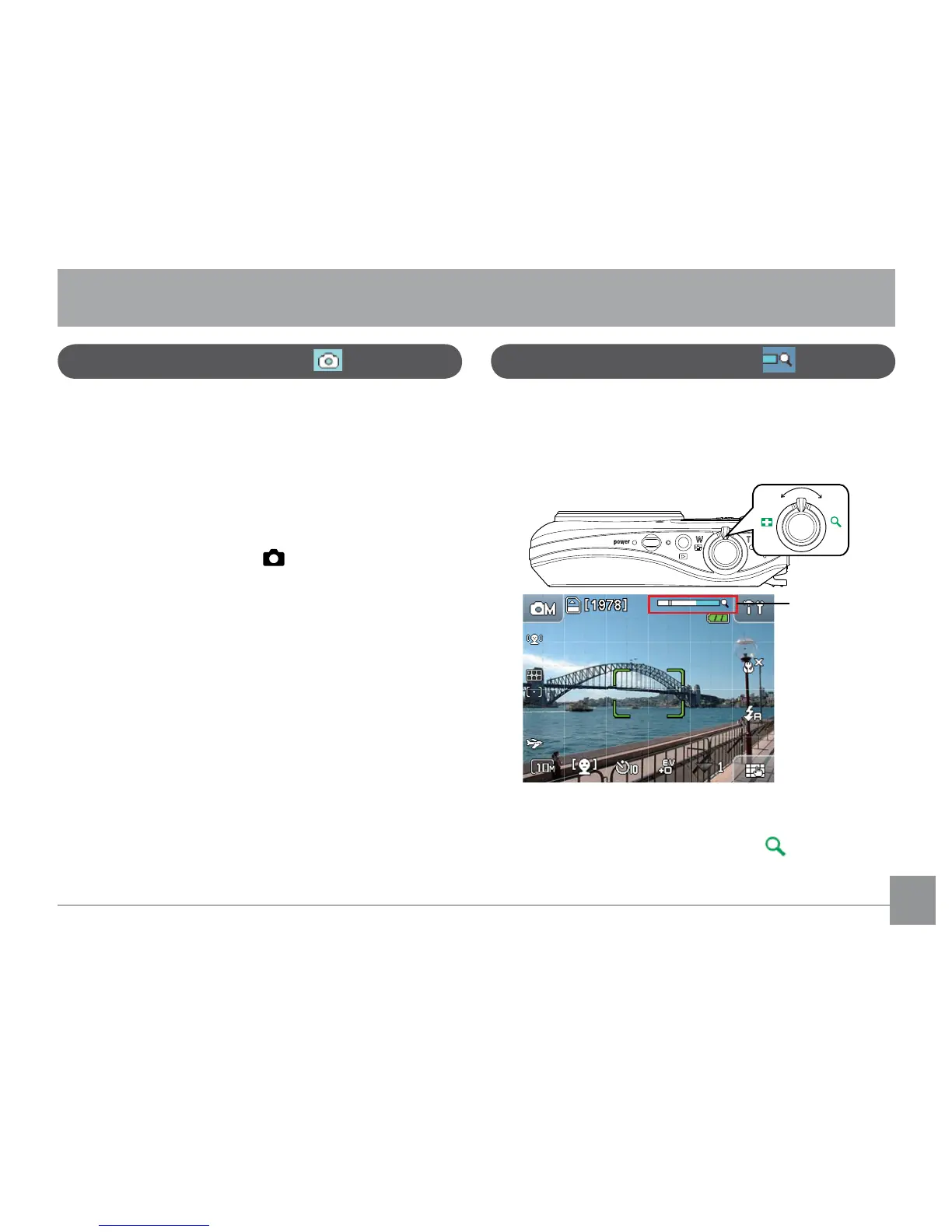
Using the Zoom function
Camera function controls
Your camera is equipped with two types of zoom:
optical zoom and digital zoom. Use the zoom scroll
wheel at the top of the camera to zoom in or out on
your subject while taking pictures.
Zoom indication
scale (please refer
to
digital zoom
on page 54)
When the optical zoom factor reaches its maximum
value, it stops momentarily. Press and hold the zoom
scroll wheel to the furthest position and the zoom
will switch over to digital zoom automatically.



 To Next Page