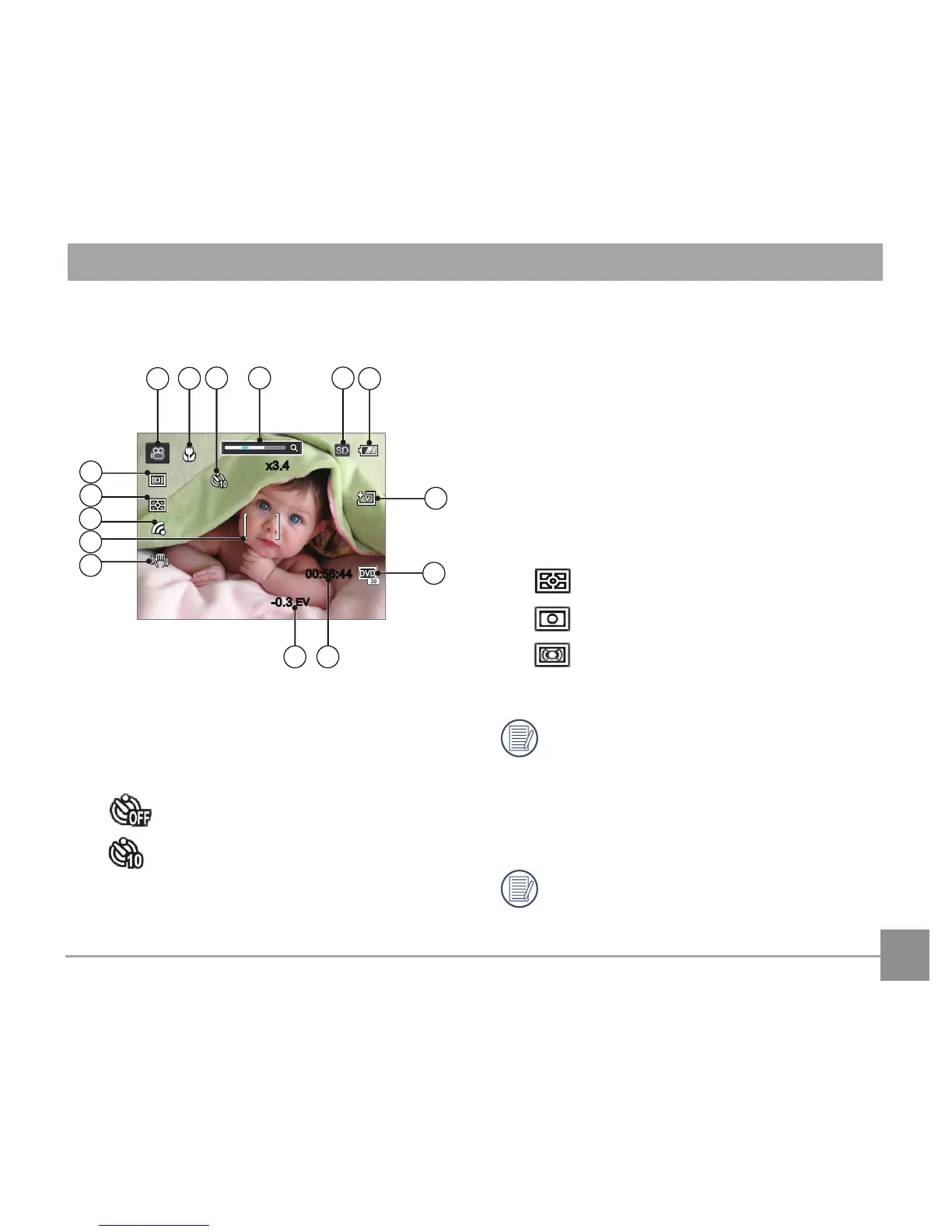
1 Movie Mode Icons
2 Macro Mode
3 Self-Timer
Self-timerO
10 sec
4 Zoom Display (by turning the Zoom Lever)
5 SD Memory Card/Built-In Memory
6 Battery Status
7 ColorEect
8 Video Quality
9 Remaining Recording time
10 ExposureCompensation(EVvalue)
11 Image stabilization
12 Focus Frame
13 Eye-Fi ON (insert the Eye-Fi card)
14 ExpoMetering
AiAE
Spot
Center
15 AF Mode
For optimal video shooting, it is
recommended that an SDHC memory card
be used. If you shoot video using only the
camera's internal memory, the end results
may have image jitter, noise and vastly
shorter recording times.
Optical Zoom and Digital Zoom can be
adjusted. Digital Zoom can be adjusted to 4X
(100X in total).



 To Next Page