51
Thumbnail View
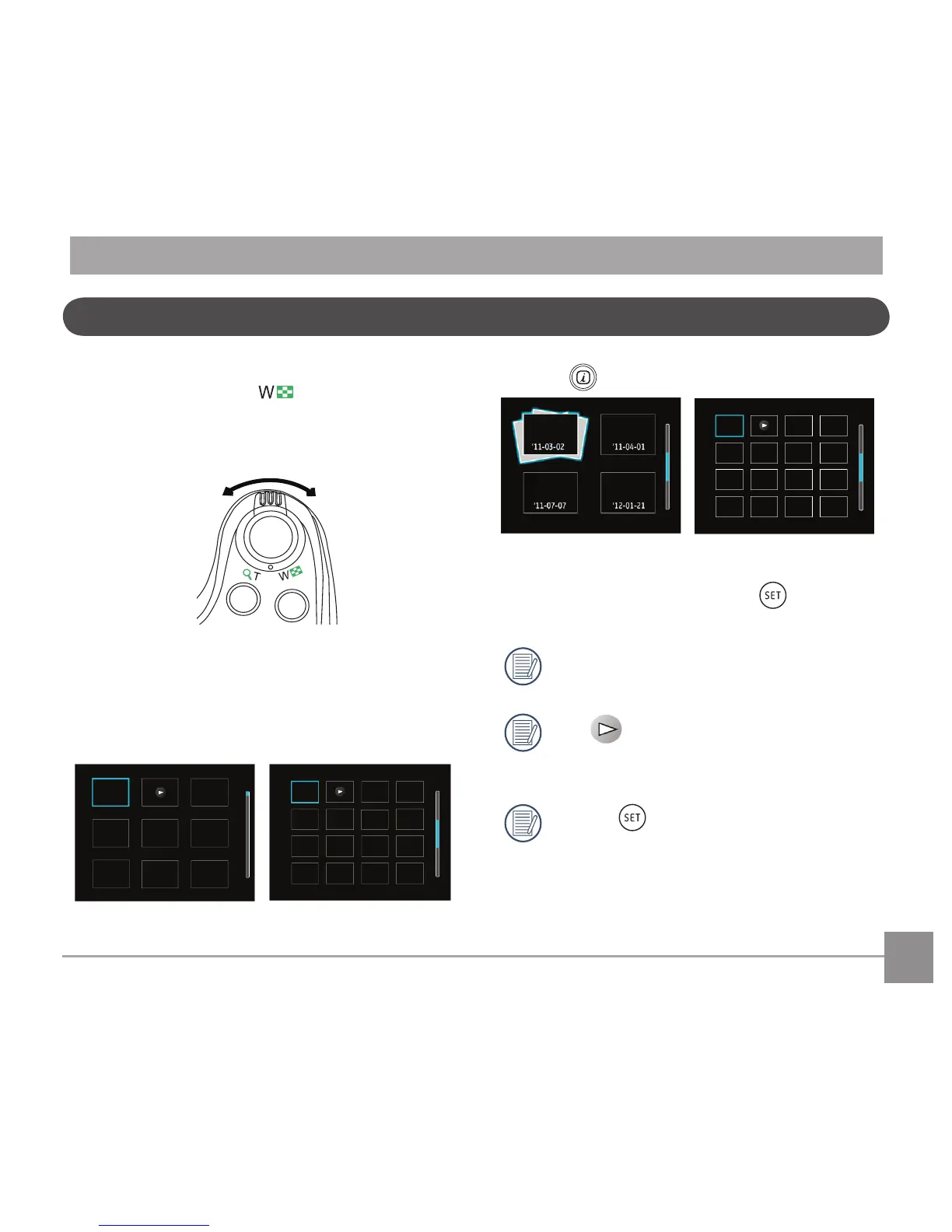
When in Playback Mode, rotate the Zoom Lever
counter clockwise to the position to display
thumbnail images of the photos and videos on the
screen.
W Zoom Out
T Zoom In
1. SlidetheZoomLevertoswitchbetween3x3
and4x4thumbnails.
2. Whena3x3or4x4thumbnailisdisplayed,
press the arrow buttons to select a picture or
video clip to view.
3 Press button to select date playback.
4. Press the arrow buttons to select a picture or
video clip to view and press the button to
restore it to the original size.
The Date Folder is displayed in date order
based on camera's Date/Time Settings.
If the indicator appears on the
LCD,thenamovieleiscurrentlybeing
displayed.
Press the button to restore a preview
icon to its original image size.



 To Next Page