43
Flash Mode
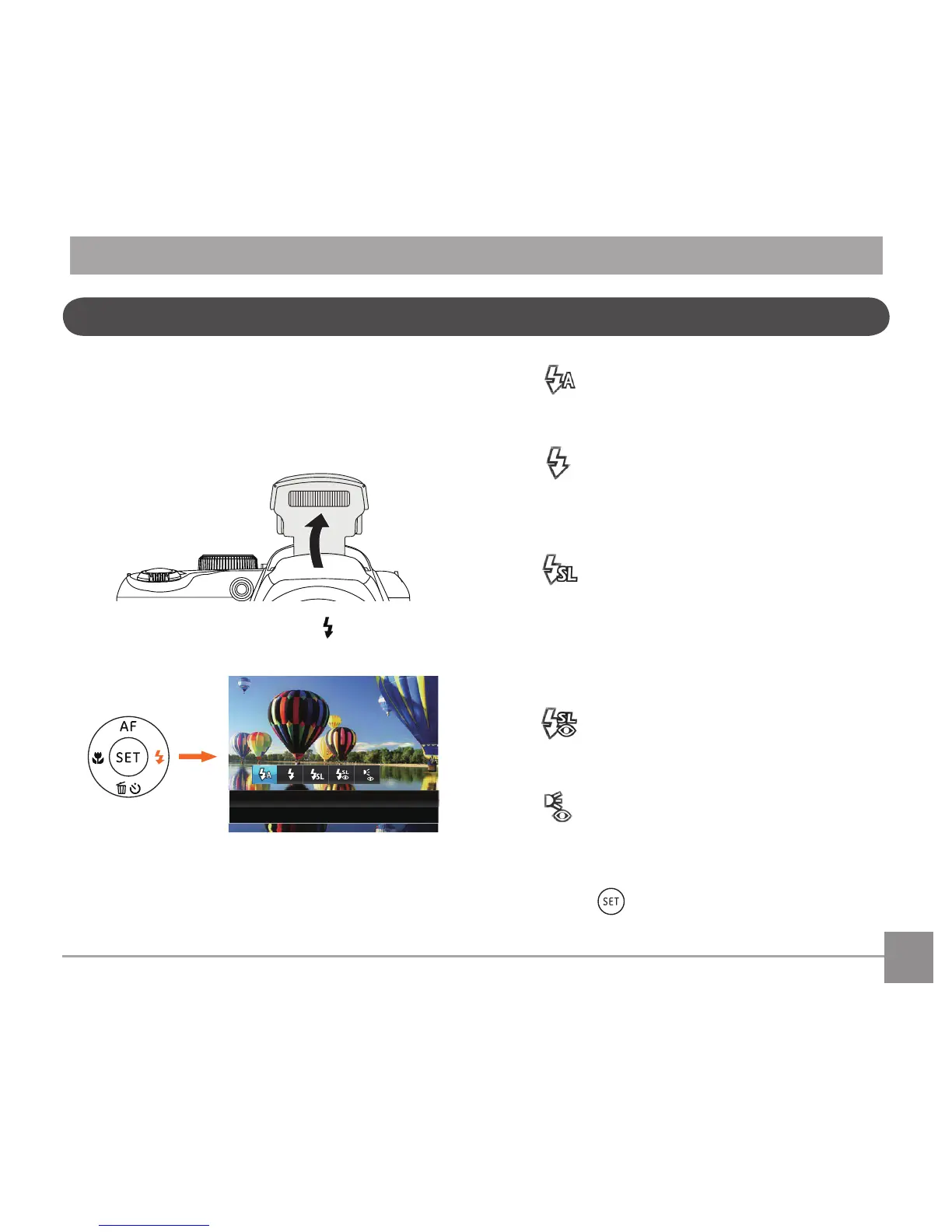
The Flash is used to illuminate a subject in low light
orforll-inlightingtoachievebetterillumination
of a subject with pronounced shadows.
1. Popuptheashmanuallyasshownbelow.
2. Press the right arrow button to enter the
Flash Settings Menu.
3. Press the left/right to select the following 5
modes:
• Flash Auto
Cameraashgoesoautomatically
basedonexistinglightconditions.
• Force Flash
Theashwillengagewitheachshot
even if there is enough available light
totakethephotowithoutash.
• Slow Sync.
This allows for night scenery
photos that include people in the
foreground. The use of a tripod is
recommended when shooting with
this setting.
• Slow Sync. + Red-Eye
Use this mode for slow synchro shots
with red-eye reduction.
• Red-Eye Reduction
Thecameraemitsabriefpre-ash
before the picture is taken to reduce
red-eyeeects.
4. Press the
buttontoconrmthesettings
andexittheoption.



 To Next Page