Preparation for Printing
15
1
Preparation for Printing
Loading Paper
A
AA
A
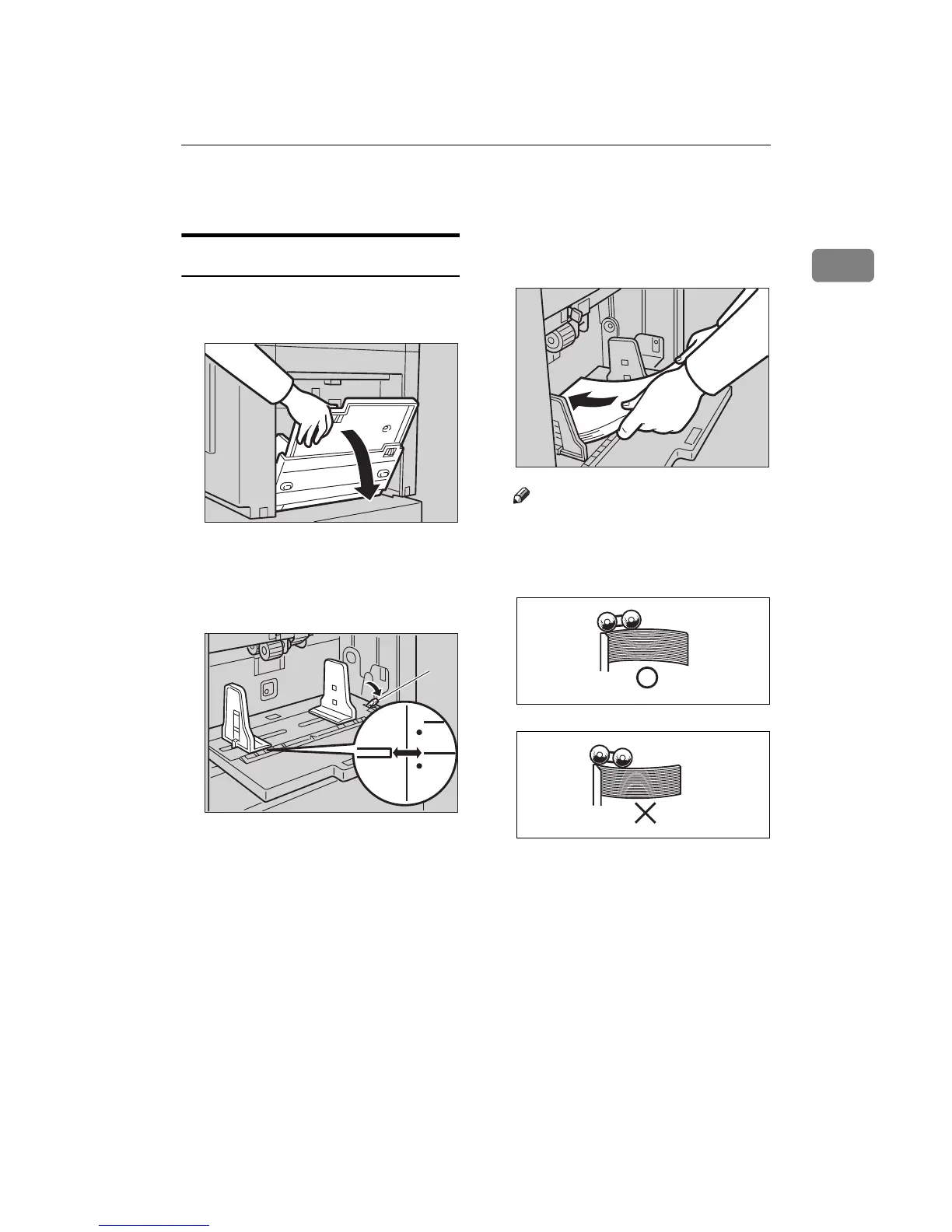
Carefully open the paper feed
tray.
B
BB
B
Shift the paper feed side plates
lock lever forward. Adjust the
side plates to match the paper
size.
1: Paper Feed Side Plates Lock Le-
ver
C
CC
C
Load paper into the paper feed
tray.
Note
❒ Correct the paper curl before
setting the paper. If you cannot
do so, stack the paper with the
curl face down as shown.
TSLH026E
TSLH01AE
1
TSLY013E
GRMARU0E
GRBATS0E



 To Next Page