Printing on Thick or Thin Paper
35
1
Printing on Thick or Thin Paper
When you make prints on thick (127.9
to 209.3 g/m
2
, 34.0 to 55.6 lb), stan-
dard (52.3 to 127.9 g/m
2
, 13.9 to 34.0
lb) or thin (47.1 to 52.3 g/m
2
, 12.5 to
13.9 lb) paper, perform the following
steps.
Pressure Lever Position
A
AA
A
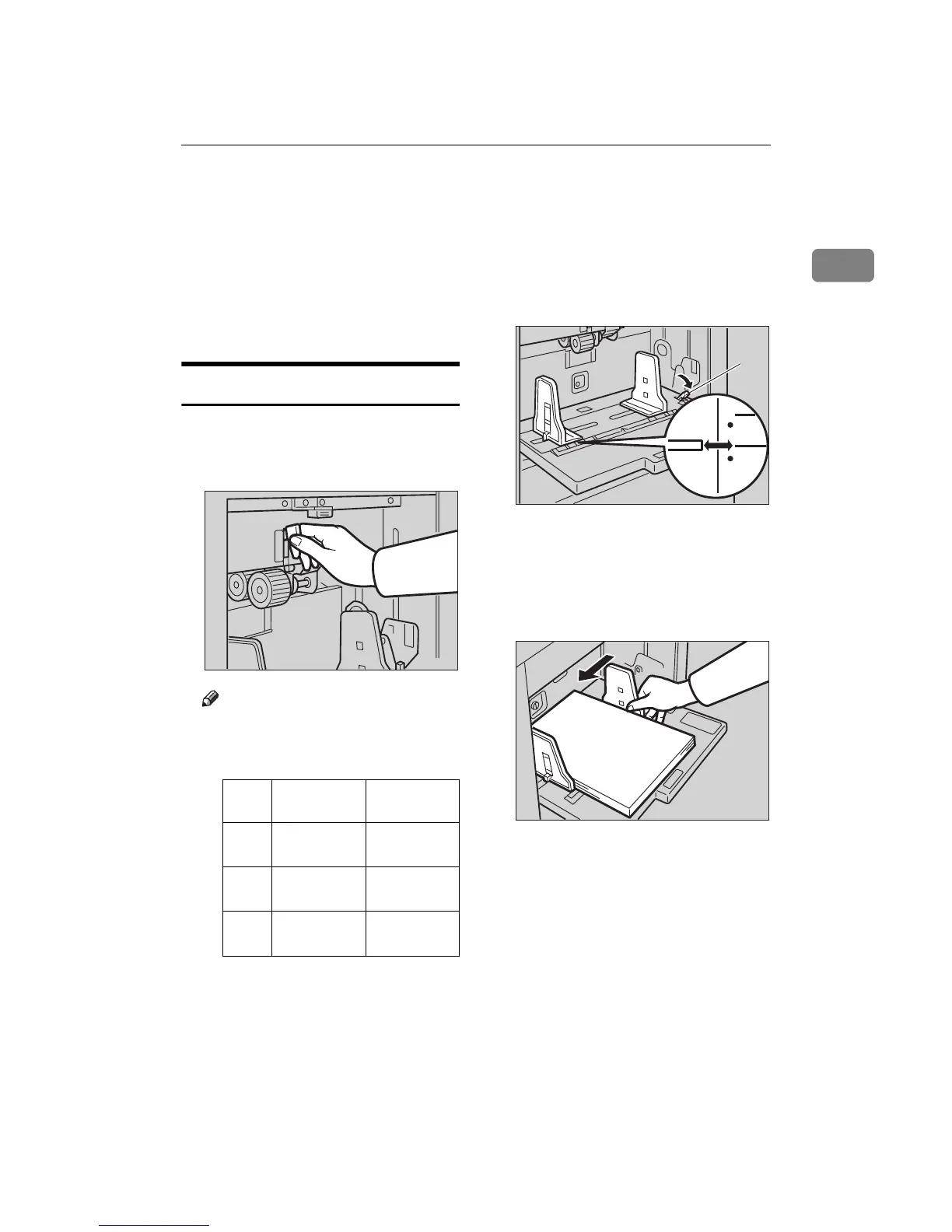
Shift the feed roller pressure le-
ver to the Thick, Standard, or
Thin paper position.
Note
❒ Shift the lever according to the
paper weights as shown in the
following table.
*1
When paper is smaller than B5,
5
1
/
2
" × 8
1
/
2
" and heavier than
81.4 g/m
2
(21.6 lb.), move the
feed roller pressure lever to the
Thin paper position.
B
BB
B
Shift the paper feed side plates
lock lever forward. Adjust the
side plates to match the paper
size.
1: Paper Feed Side Plates Lock Le-
ver
C
CC
C
Make sure that the paper feed
side plates touch the paper light-
ly.
Metric ver-
sion
Inch version
Thick 127.9 — 209.3
g/m
2
34.0 — 55.6
lb.
Stan-
dard
52.3 — 127.9
g/m
2
13.9 — 34.0
lb.
Thin
*1
47.1 — 52.3
g/m
2
12.5 — 13.9
lb.
TSLH01CE
TSLH01AE
1
ZCTH150E



 To Next Page