Skip Feed Printing
49
1
Skip Feed Printing
If the backs of prints are dirty, you
can increase the time between two
prints using the {
{{
{Skip Feed}
}}
} key. In
the default setting, when one sheet of
paper is fed the drum rotates twice.
However, you can select the number
of rotations of the drum. This gives
you the chance to remove prints one
by one from the paper delivery tray
or insert one sheet of paper between
two prints.
A
AA
A
Set your originals on the exposure
glass or in the optional document
feeder.
B
BB
B
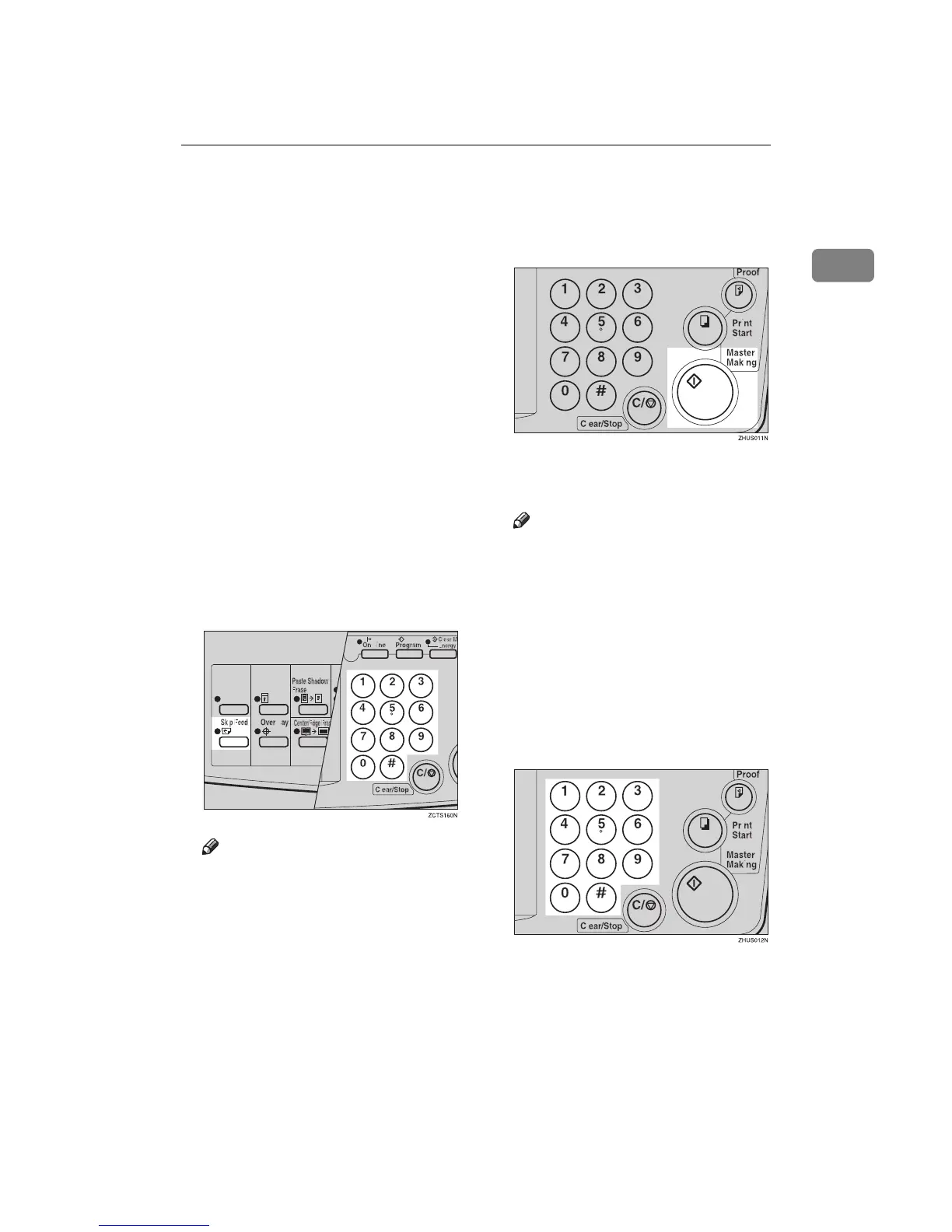
While holding down the {
{{
{Skip
Feed}
}}
} key, select the number of
rotations of the drum while one
sheet of paper is fed with the
number keys.
Note
❒ You can select from 1 to 9 rota-
tions.
❒ The beeper sounds after you set
the number of rotations.
C
CC
C
Press the {
{{
{Master Making}
}}
} key.
D
DD
D
Check the image position of the
trial or proof print.
Note
❒ If the image position is not cor-
rect, adjust it using the {
{{
{Image
Position}
}}
} keys (see ⇒ p.21
“Shifting the Print Image Posi-
tion Forward or Backward”) or
the side tray fine adjusting dial
(see ⇒ p.21 “Shifting the Print
Image Position to the Right or
Left”).
E
EE
E
Enter the number of prints with
the number keys.
F
FF
F
Make your prints.



 To Next Page