Installation Instructions
4–18 INS 61301607027 Rev A US
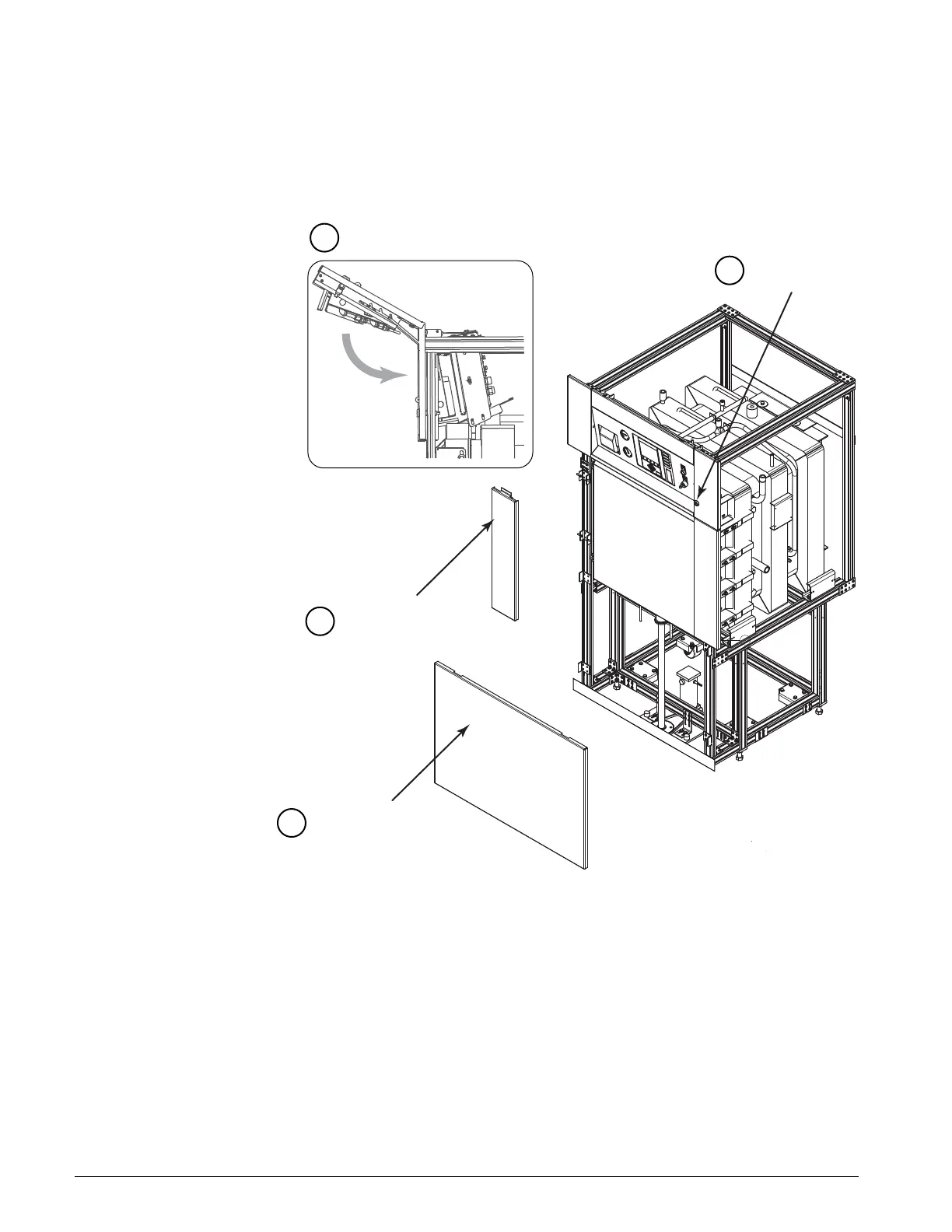
RE-ATTACHING THE FRONT
PANELS
To re-attach the front panels:
1. Place the bottom panel back onto the unit, aligning the holes in the
panel with the frame pins.
FIGURE 4–18. STERILIZER FRONT PANELS
2. Place the pin at the bottom of one of the side panels into the slot in the
base panel and slide the side pin through the slot on the panel until the
panel is secure. Repeat the process for the other side.
3. Lower the prop rods on the top panel and close the panel.
4. Use a screwdriver to turn the latch to the locked position.
14
Lock latch with
screwdriver.
Unlatch and lower front panel.
Install side panels
on frame pins.
Install bottom panel
on frame pins.
4
3
2
1
A07027-M



 To Next Page