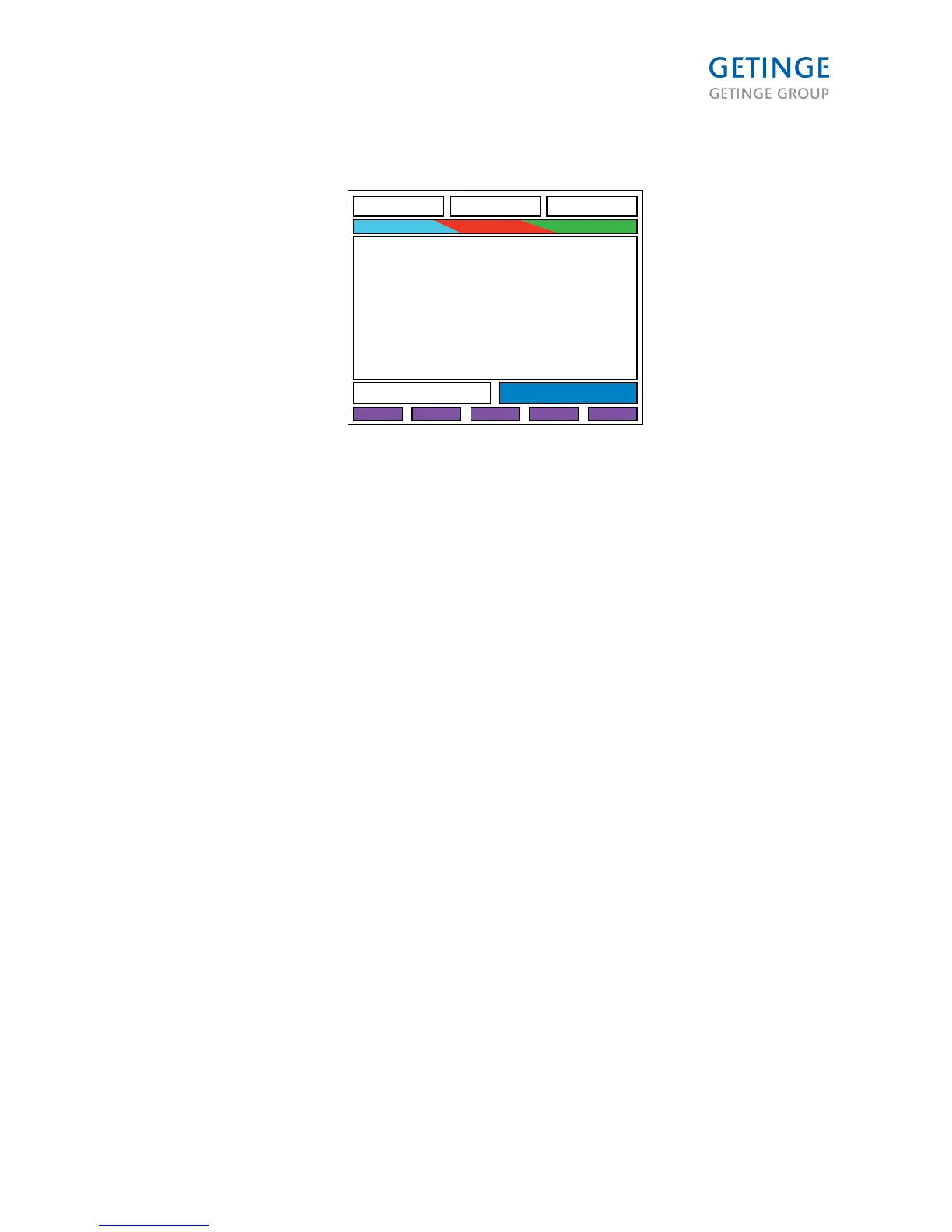
Section 4 If the phase is in progress, the area showing the current phase, is displayed in light blue.
• If there is an alarm when a normal sterilization process is running, the area is displayed in red. *
• If there is an alarm when a test process is running, the area will blink in red. *
• After normal sterilization process is completed, the area is displayed in green. *
• After a test process is completed, the area is blinking in green. *
* Those functions are linked to the LEDs on the panel and can be programmed with the application
software.
Button description
The following buttons/keys are panel controlled:
• 5 program buttons
• 4 cursor buttons
• 1 ENTER button
Following buttons/keys are program-controlled:
• 1 acknowledge alarm key
• 1 door open
• 1 door close
• 1 start
LED description
Following LEDs are program-controlled:
• Start Available
• Door(s) Closed
• Door(s) Locked
• In Progress
• Process Error
• Process Complete
• Door Open Available
• Door Close Available
Page 29 of 166
<Doc_TEC><Doc_6001341502><Rel.A><Lang_en>



 To Next Page