EasyManua.ls Logo

Getinge 9128 - DIP Switches

Getinge 9128
168 pages
Print Icon
To Next Page IconTo Next Page
To Previous Page IconTo Previous Page
Loading...
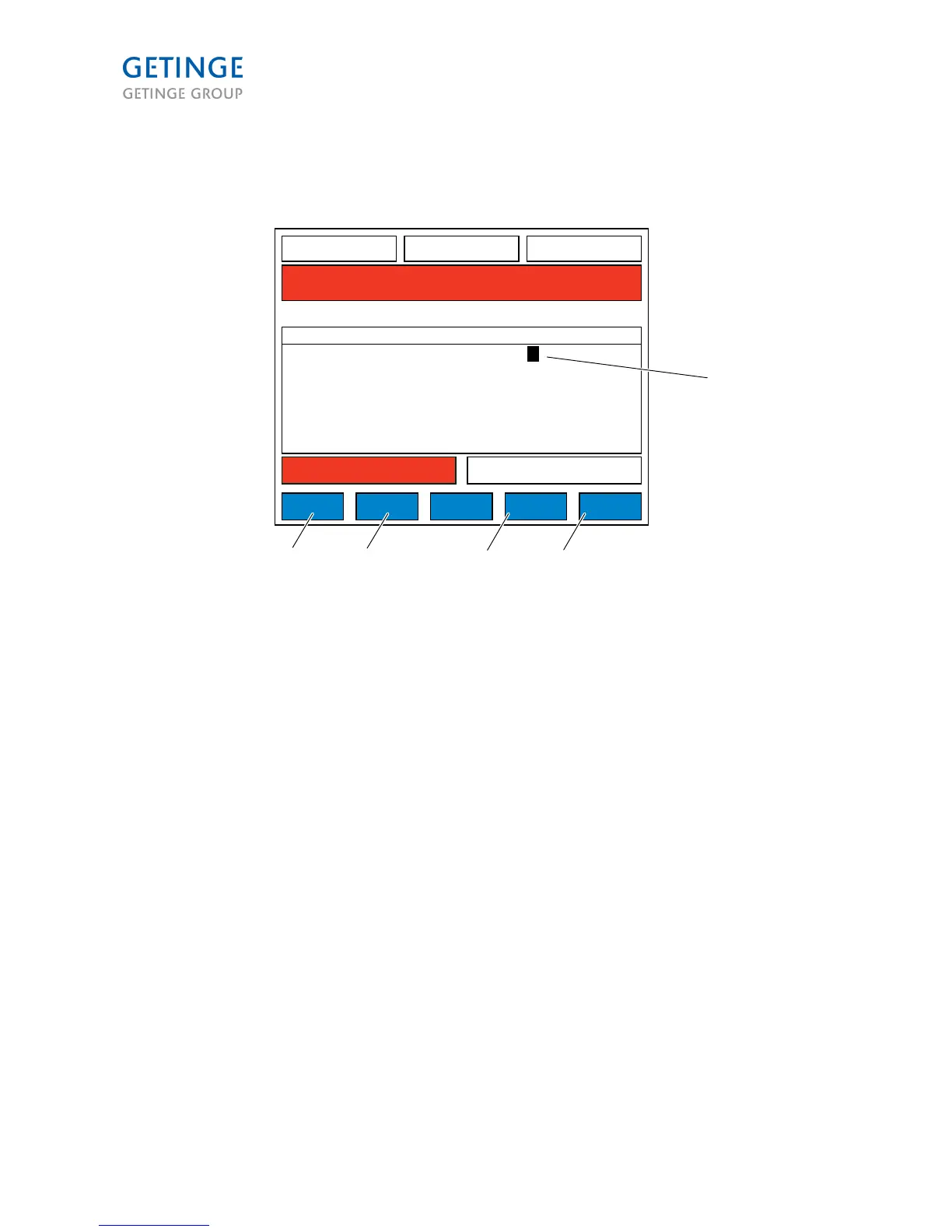
DIP switches (2.1.6.7)
49,1 C
WASH1 TEMP SP
P1 HC SHORT 00:12:24
01 STANDBY 00:02:22
A34 I/O FAULT
00:03:00
WASH1 TIME
128,1 C
DRYER TEMP
CANCEL HOME PRINT OK
001810
DIPSWITCHES
DS00
DS01
DS02
DS03
DS04
DS05
CLEAN SIDE DOOR
BOOSTER TANK
PC DISK LOG
DETERGENT 3
DETERGENT 4
WASTE WATER COOL
DESCRIPTION STATUS
1
1
0
0
0
0
1
5 4 3 2
1. STATUS 1/0
2. OK
3. PRINT
4 HOME
5. CANCEL
The STATUS field is a toggle field where 1 = active and 0 = inactive.
CANCEL opens the System menu screen (2.1.6)
HOME opens the process screen.
PRINT prints that DIP switch list.
OK activates SAVE mode.
Page 88 of 166
<Doc_TEC><Doc_6001341502><Rel.A><Lang_en>

Table of Contents

Other manuals for Getinge 9128

Related product manuals