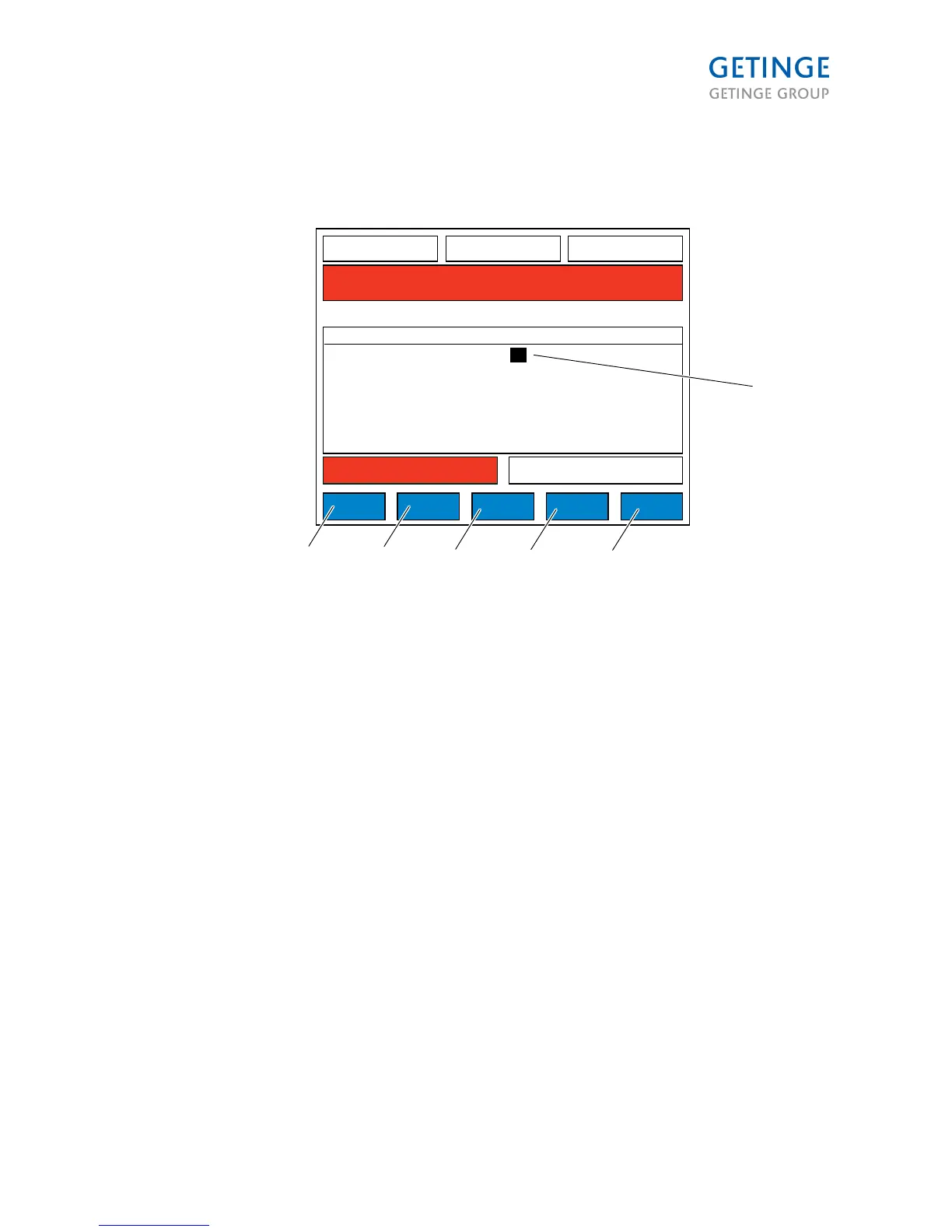
1. ADDRESS
2. OK
3. ADD PACS
4. DELETE PACS
5. HOME
6. CANCEL
This list is used in screen PACS to select from.
DELETE PACS removes selected PACS from the list.
All addresses in list can be deleted. If no addresses exist in list, CANCEL, HOME and OK buttons are
hidden to prevent jumping to another menu. ADD PACS inserts empty line after selected PACS and
opens NEW PACS ID screen (2.1.6.8.3.1).
When adding a new address to list, the panel will continue the communication with the same PACS it
communicated with before adding new address.
Page 99 of 166
<Doc_TEC><Doc_6001341502><Rel.A><Lang_en>



 To Next Page