EasyManua.ls Logo

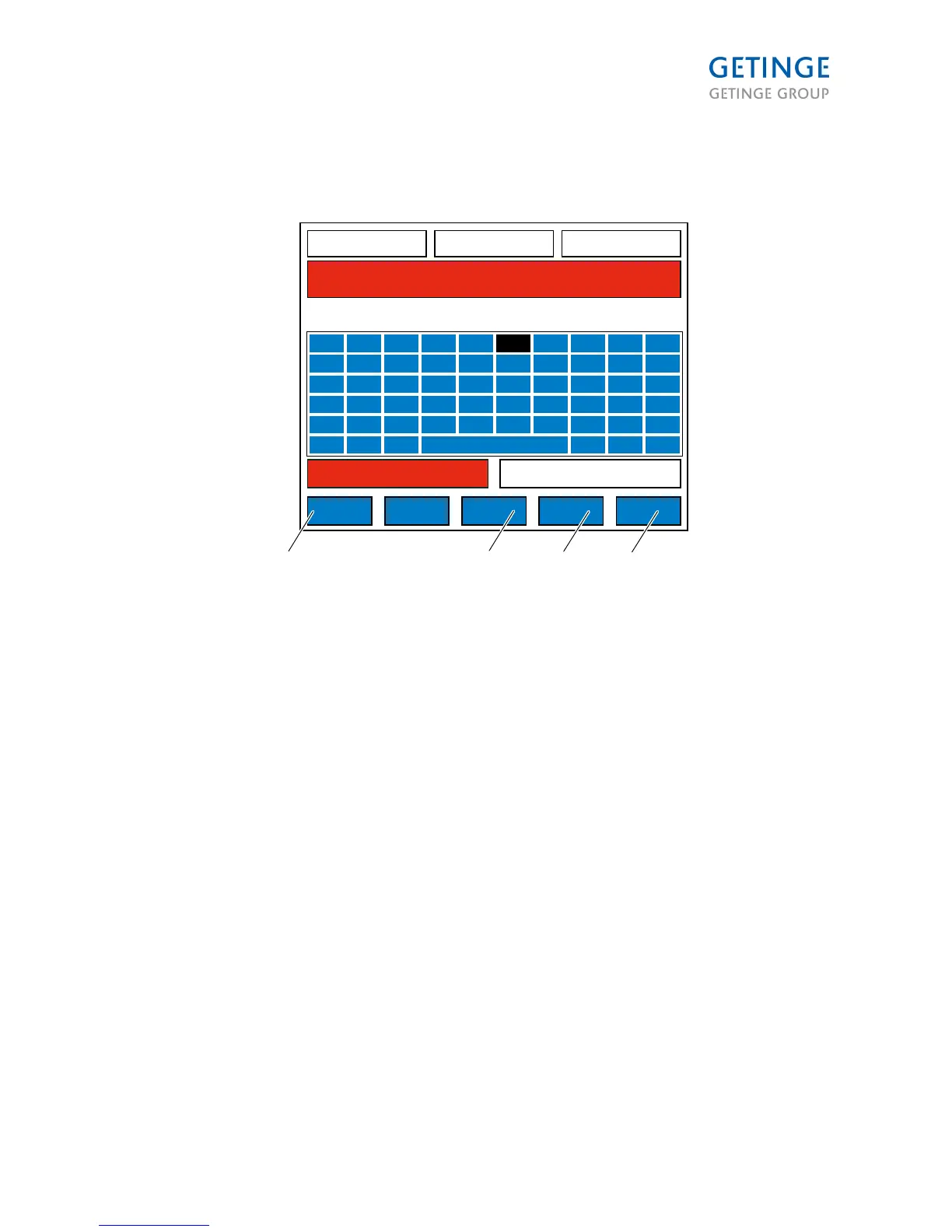
Getinge 9128 - Machine Name Entry

Getinge 9128
168 pages
Print Icon
To Next Page IconTo Next Page
To Previous Page IconTo Previous Page
Loading...
Machine name entry (2.1.6.4.2.1)
49,1 C
WASH1 TEMP SP
P1 HC SHORT 00:12:24
01 STANDBY 00:02:22
A34 I/O FAULT
00:03:00
WASH1 TIME
128,1 C
DRYER TEMP
ENTER NAME
NAME:
CANCEL DELETE
CAPS
LOCK
OK
A
K
U
!
.
2
B
L
V
:
3
C
M
W
#
+
4
D
N
X
%
SPACE
5
E
O
Y
&
F
P
Z
(
7
G
Q
Å
)
8
H
R
Ä
\
-
9
I
S
Ö
,
/
0
J
T
Ü
;
=
000739
1 6
3
2
1
4
1. OK
2. DELETE
3. CAPS LOCK
4. CANCEL
CANCEL opens the previous screen (2.1.8.4.2) in the Read mode.
SHIFT LOCK activates the caps lock.
DELETE removes the last character in the string.
OK closes the screen and opens (2.1.8.4.2) in Save mode, and insert the field NAME.
Page 65 of 166
<Doc_TEC><Doc_6001341502><Rel.A><Lang_en>

Table of Contents

Other manuals for Getinge 9128

Related product manuals