16
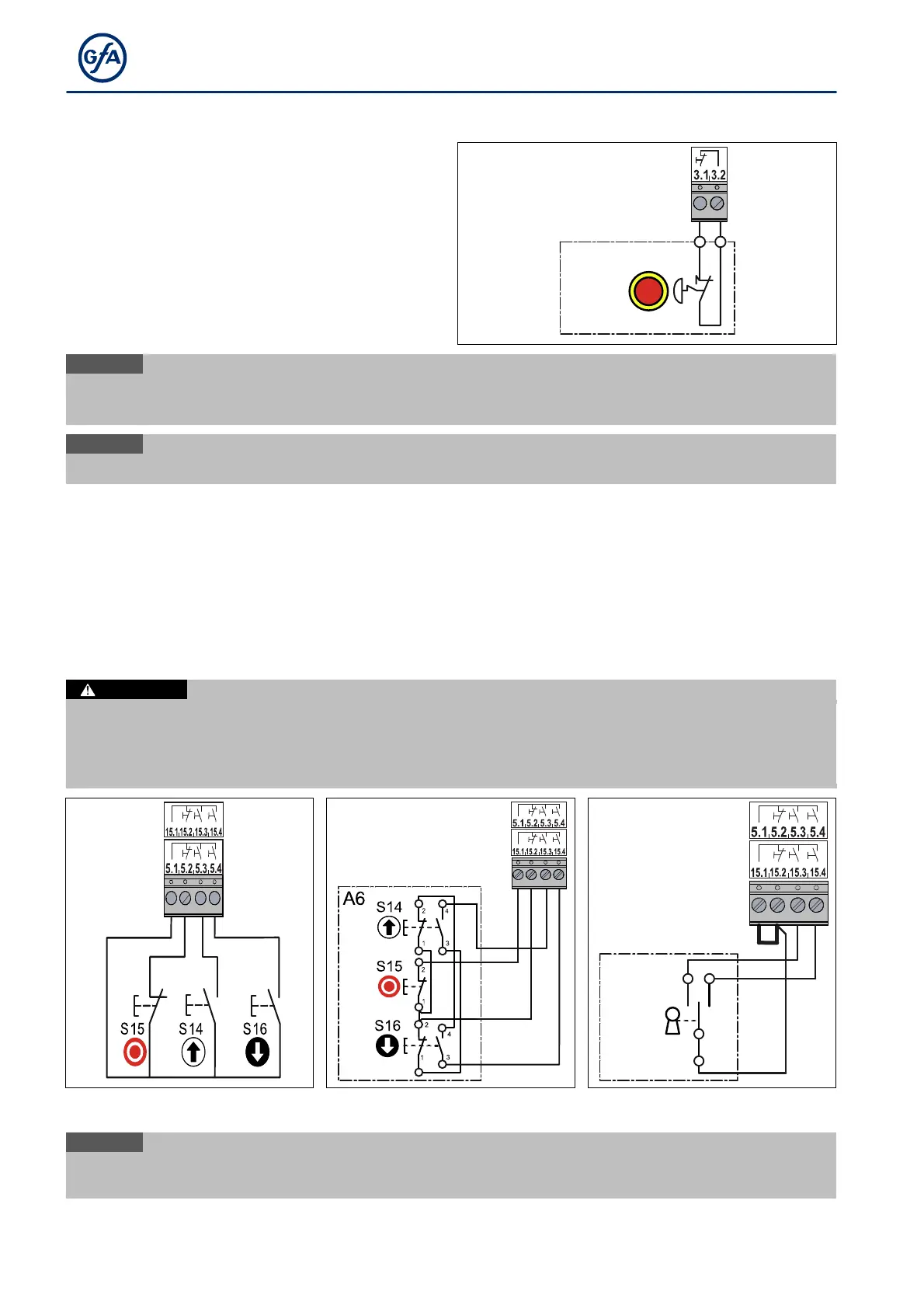
X3 - Emergency Stop
The emergency STOP control device is connected to a
safety circuit with Performance Level c
(Plc) according to ISO 13849-1.
Alternativly you can connect an emergency STOP
control device as per EN 13850 or an evaluation unit
for an anti-trap safety device.
Install the product according to the manufacturer‘s
instructions.
X3
A2
2
1
S15
i
a drive unit with a frequency i
nverter, the door control can only be operated again 30
after the emergency stop switch has been unlocked. Meanwhile, the gate control display flashes.
i
When activating the emergency stop
F 1.4
X5/X15 - External control device
You can connect an external control device for operating the door to terminals X5.1 to X5.4 or to terminals
X15.1 to 15.4.The control device loses its function when faults occur on the safety edge, light curtain or
photocell.
Install the product according to the manufacturer‘s instructions. Several examples of control devices are
shown.
Danger due to unattended door movement!
The safety devices are deactivated in operating mode hold-to-run. People or objects in the movement path
are not detected.
Install and operate the control device only with a clear view of the door.
X15
X15
X15
P
1
S17
2
A4
Triple pushbutton
Triple pushbutton with command interlock
Key pushbutton
i
If you connect a control device
a STOP button to terminals X5, you need to install a jumper


 To Next Page