17
X6/X16 - Photocell and light curtain
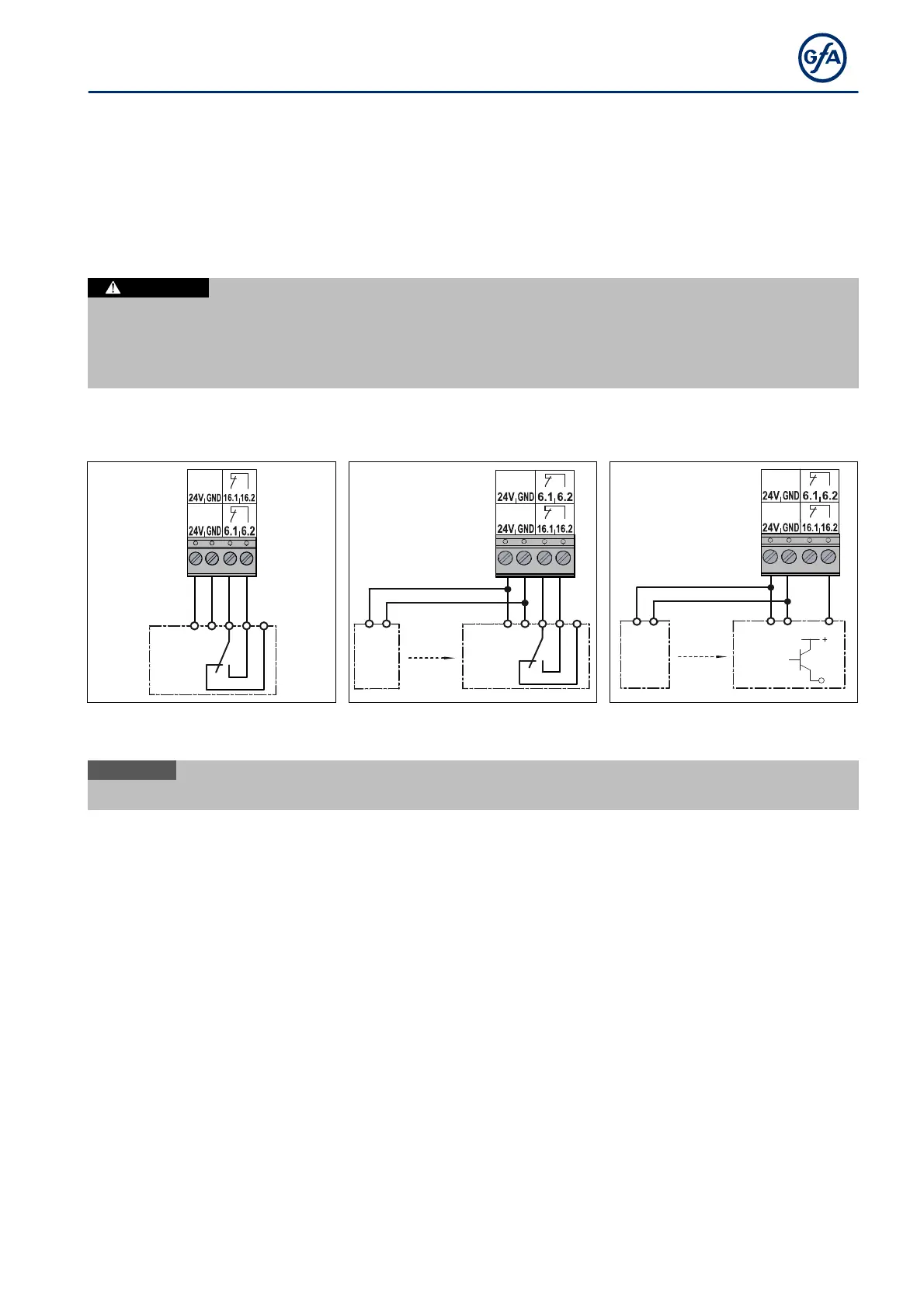
You can connect a light curtain or a reflective or through beam photocell to terminals X6.1/X6.2 and
X16.1/X16.2 as well as 24V and GND.
Mount the product according to the manufacturer's instructions.
Various examples of photocells and light curtains are shown. Connect your product accordingly.
After completion of the electrical installation, activate the product with menu item 0.1.
You can select other functions of the photocell under menu item 2.4.
Injuries caused by uncontrolled movement or damage to property.
The controller does not detect defects on photocells or light curtains in blanking mode. Failure of the
photocell or light curtain may result in injuries due to crushing, shearing or bumping.
Use photocells and light curtains only in unblanking mode.
Photocells
A photocell is used for object protection and activated with operating modes 0.3 / 0.4. The photocell only
switches in the final limit position OPEN and during CLOSE operation.
X6 /
X16
1 2 3 4 5
24V
A8
X6 /
X16
1 2
24V
A9
1 2 3 4 5
24V
A10
1
2
24V
A11
1
2
3
24V
A12
PNP
X6 /
X16
A8: Reflective photocell Through photocell
A9: Transmitter
Through photocell
A11: Transmitter
i
When the photocell is activated, fault indication
F 2.1


 To Next Page