25
8 Setting the final limit positions
The following explains how to set the final limit positions of the door at the initial commissioning.
i
You can correct the final limit positions later with menu items
P 1. 1 - P 1.4.
Setting the final limit positions - DES (digital limit switch)
If you have already connected a safety edge, the pre-limit is automatically set with the final limit positions.
Turn on the power using the main switch for the
following steps.
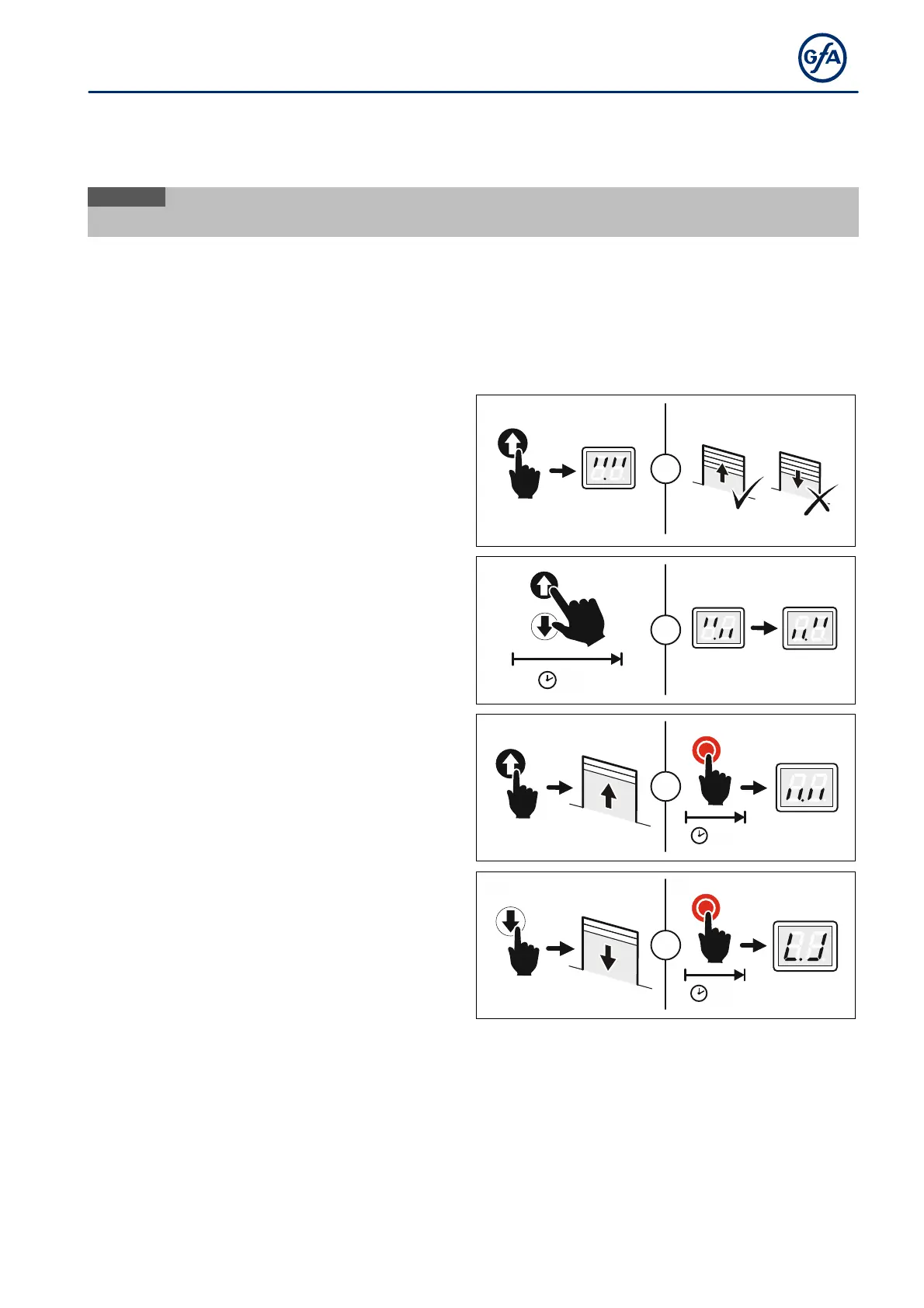
Checking the output rotating direction:
Press the OPEN button.
If the door moves upwards, the output rotating
direction is correct. Proceed with step 4.
If the door moves downwards, change the
output rotating direction. Proceed with step 3.
=
Changing the output rotating direction:
Carry out this step only if the door moves
downwards after step 1.
Press the OPEN and CLOSE buttons
simultaneously for 3 seconds.
The display changes as shown in the figure.
3s
=
Setting the final limit position OPEN:
Press the OPEN button until the door has
reached the desired position. Press the button
for at least 1 second.
Save the final limit position OPEN by pressing
the STOP button for 3 seconds.
The display changes as shown in the figure.
3s
+
Setting the final limit position CLOSE:
Press the CLOSE button until the door has
reached the desired position. Press the Button
for at least one second.
Save the final limit position CLOSE by pressing
the STOP button for 3 seconds.
The display changes as shown in the figure.
3s
+
Setting the final limit position is complete. You can now operate the door in hold-to-run mode and program
the door control.


 To Next Page