Instruction Manual ProfiLux 4 / 4e
EN 2019-01-22 40
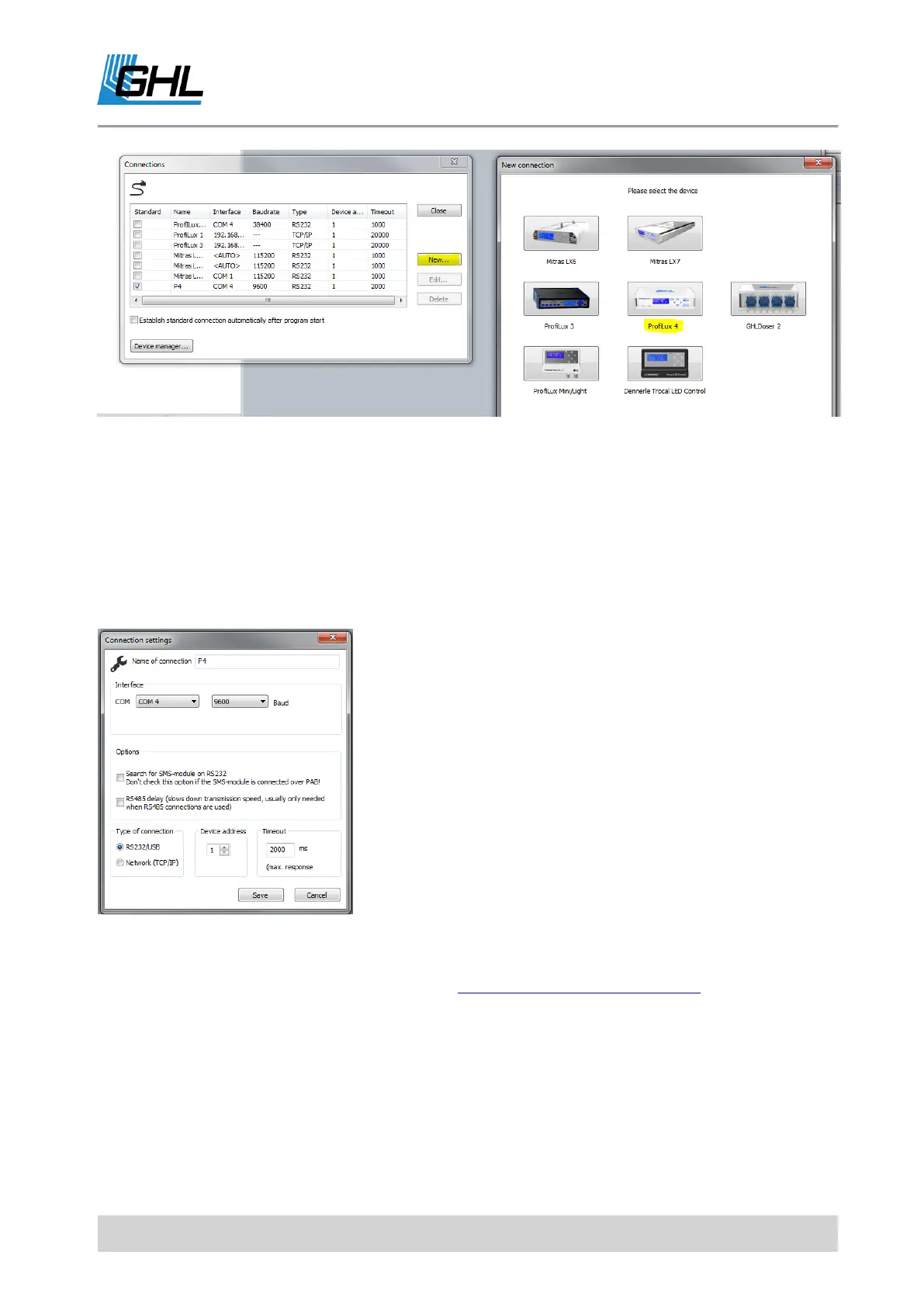
The "Connection settings" window pops up automatically.
Now enter any connection name (For example, "ProfiLux
4") and set the previously determined port (COM4) via the
selection window (<Auto>). Press "Save".
ProfiLux 4 is now visible in the sidebar. By double-clicking
the device or by pressing the "Connect" button in the upper
ribbon bar, the connection between the device and your PC
is established.
Once connected, you can view the menus of the ProfiLux 4,
in which you can make all desired settings.
For further settings and programming, e.g. of the Powerbar, please refer to the "Programming
manual for aquarium computers model ProfiLux 4 " which you can download in the download
area (Support-> Downloads) of our homepage www.aquariumcomputer.com.
Once successfully established, GHL Control Center examines the connected Controller and
displays the start screen.
The available setting options are displayed in a tree structure in the sidebar.



 To Next Page