Configuring FlexPay IV Pre-requisites for Installing Omnia in FlexPay IV
Page 4-4 MDE-5369G FlexPay™ IV (with Omnia V04.07) Programming and Service Manual · March 2021
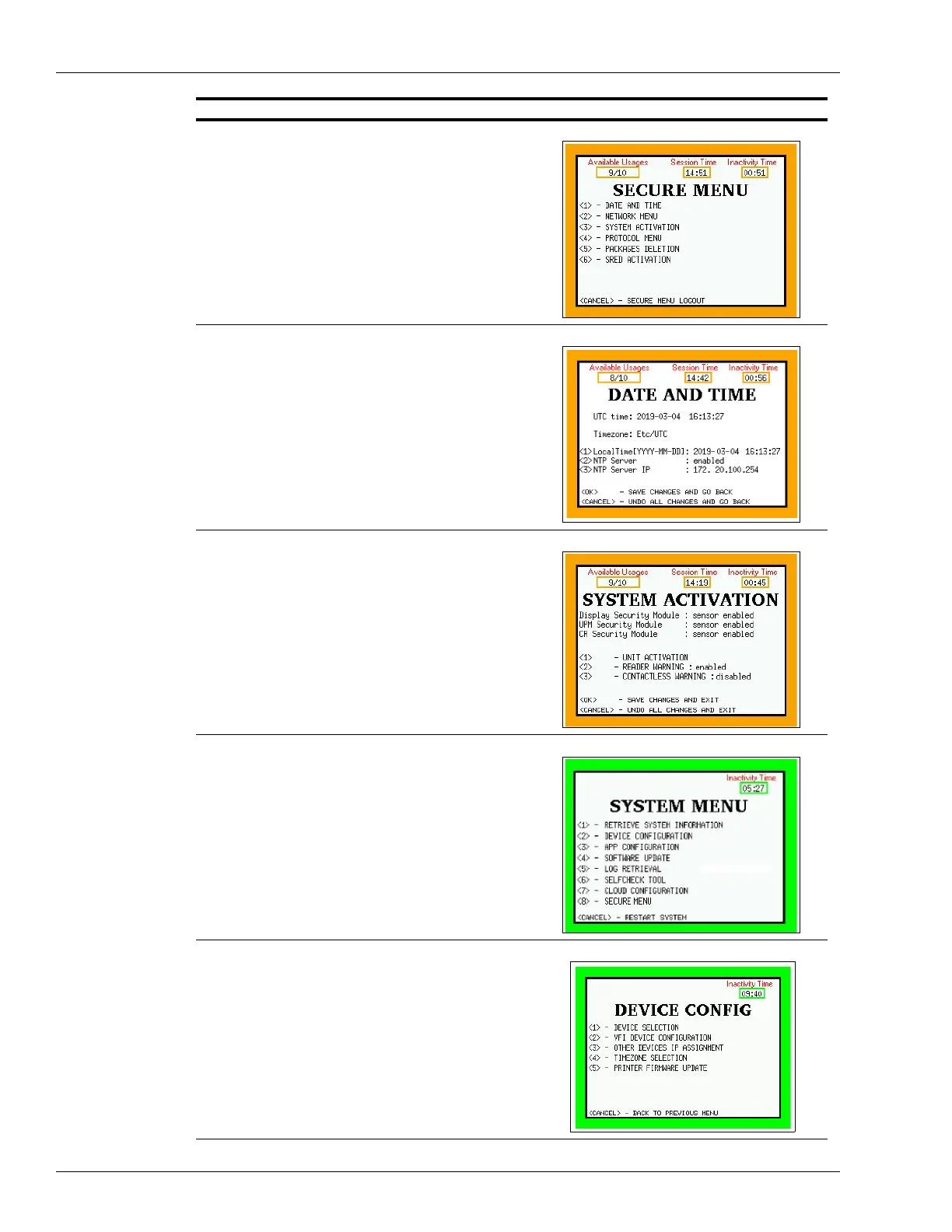
2Press <1> to open the Date and Time.
3 Set date and time and press <OK> to return to the
Secure Menu.
4 If PIP3 was replaced, an activation is required. Press
<3> System Activation from the Secure Menu.
5 In the System Menu, press <2> for Device Configuration.
6 In the Device Config, press <2> for VFI Device
Configuration.
Description Screen



 To Next Page