Omnia Configurator - Creating a New Configuration Configuring Omnia PCB
MDE-5369G FlexPay™ IV (with Omnia V04.07) Programming and Service Manual · March 2021 Page 5-23
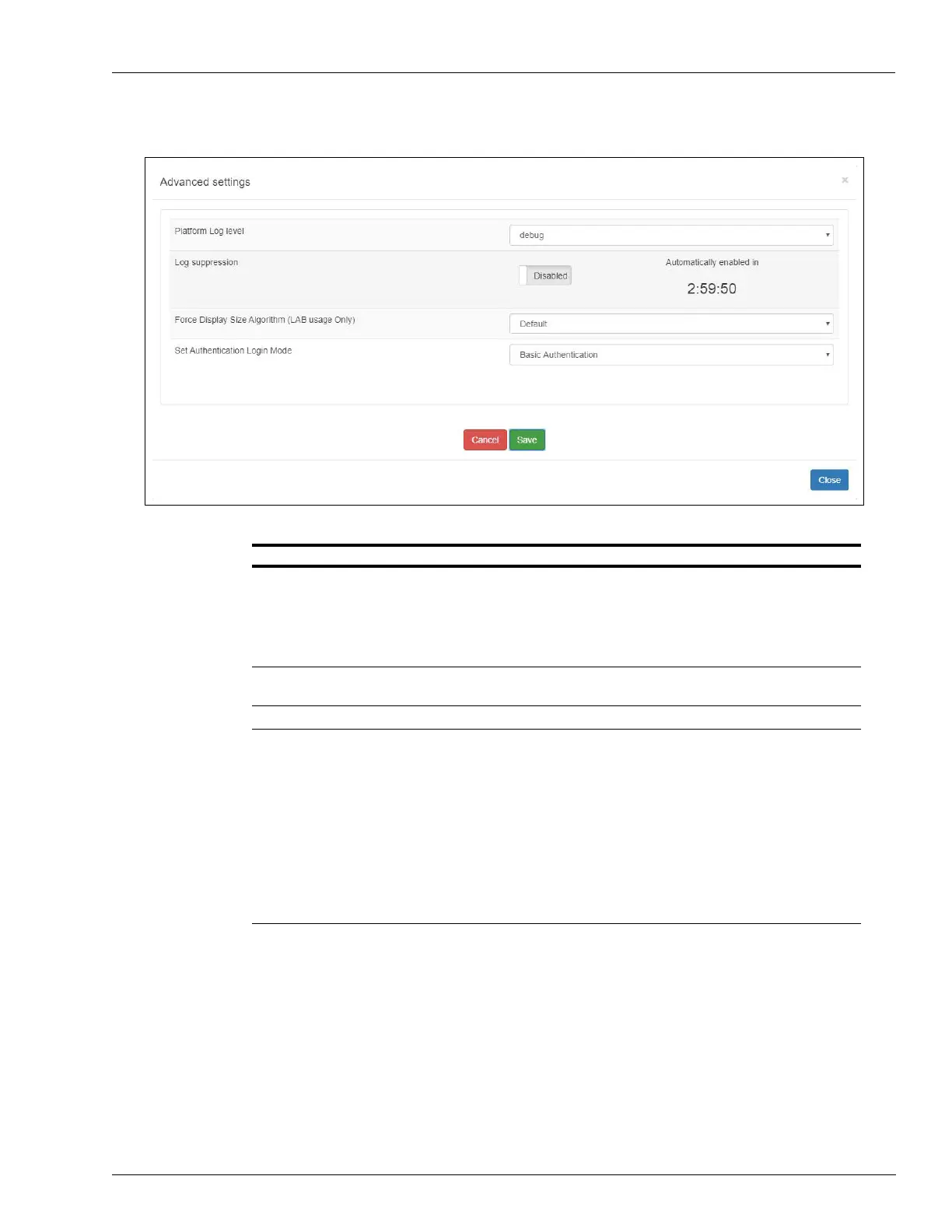
Figure 5-28: Log Suppression Disabled
Note: If “Access code” login mode is chosen, an access code is requested and should be
entered by the customer (see “Omnia Configurator - Diagnostic”
on page 5-31).
Field Description
Logging level There are two modes: standard and debug.
• Standard is the default logging level during Omnia installation and initial
startup, or during an Omnia software upgrade.
• The Debug setting can be requested by Engineering or Service. It can be
used for field trial monitoring or troubleshooting. The log level can be set
remotely using Insite360.
Log suppression Can be set to Enabled or Disabled using the toggle button. If disabled, a
countdown until timeout will be shown.
Force Display Size Algorithm Includes the following three options: Default, ForceA, and ForceB
Set Authentication Login
Mode
Includes the following three options:
• No Authentication - This is the default option.
• Access Code - Access code is provided by the customer. The access code
must meet the following requirements: Between 6 and 40 characters that
can include lowercase and uppercase letters, numbers, and special
characters, and excluding spaces.
• Rolling Password is generated from “System date”, “PPN” and
“Technician ID”, and provided by Gilbarco Help Desk through the ASC
Online Activation Tool.
Select “Allow Rolling password as a secondary access method” if the
customer wants to fall back to Rolling password rolling mode in case
Access code is lost (see Figure 5-29 on page 5-24)



 To Next Page