41
Fryer Operation
EOF 10-10/20
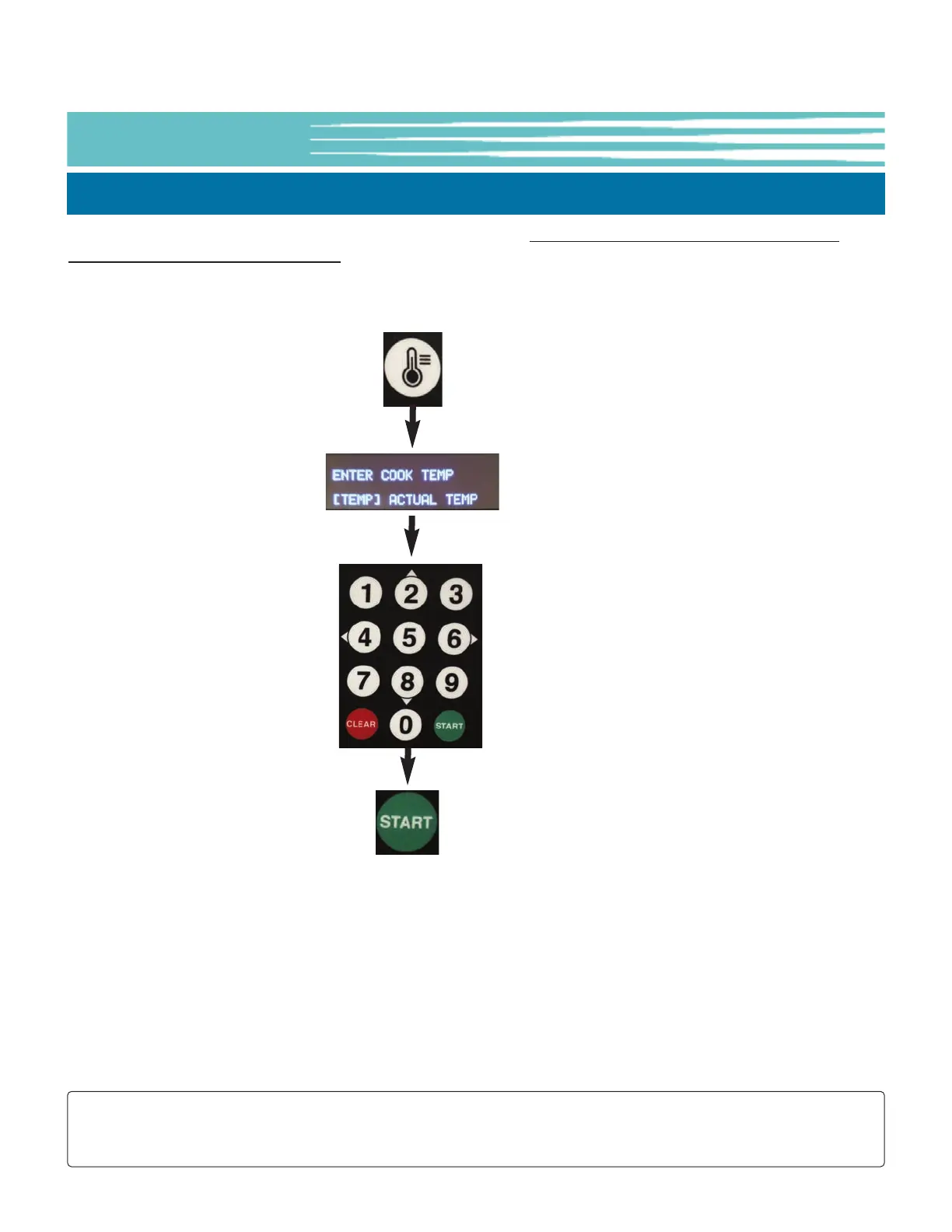
5-01.3. Setting the Cooking Temperature, EOF-20 Single Display
Press the
[TEMP] key
Use keypad to
enter cooking
temperature
setpoint (°F).
Ex: 325 = 325°F
Press the
[START] key
to Save
FOR EOF-20 FRYER
Cooking temperature setpoint is input manually as shown below. Menu Item presets in this Controller do not
contain a cooking temperature setting.
Instructions are shown on the OLED Display to help guide User through the process.
NOTE:
Pressing the [TEMP] key twice (2x) will display the actual oil temperature for 20 seconds.
The default unit for Temperature is °F ... this can be changed in USER SETTINGS, see Section 5-01.8.
● If actual oil temperature is lower than the entered setpoint temperature when [START] is pressed, the Controller
enters PREHEAT mode (red HEAT indicator beside 7-Segment Display turns ON), however before oil will actually
begin heating, the Heat Switch must be placed in the [HEAT] position; the amber HEAT indicator on the Fryer
Control panel should turn ON.
● If the oil temperature is already equal to or greater than the entered setpoint, an alarm sounds and the message
SETPOINT REACHED is displayed. Press the [ALARM] key and the Controller will enter READY state. Fryer is ready
for cooking.
While heating, real-time actual oil temperature will show on the 7-Segment Display. After setpoint is reached, the
display shows the temperature setpoint.



 To Next Page