57
Fryer Operation
EOF 10-10/20
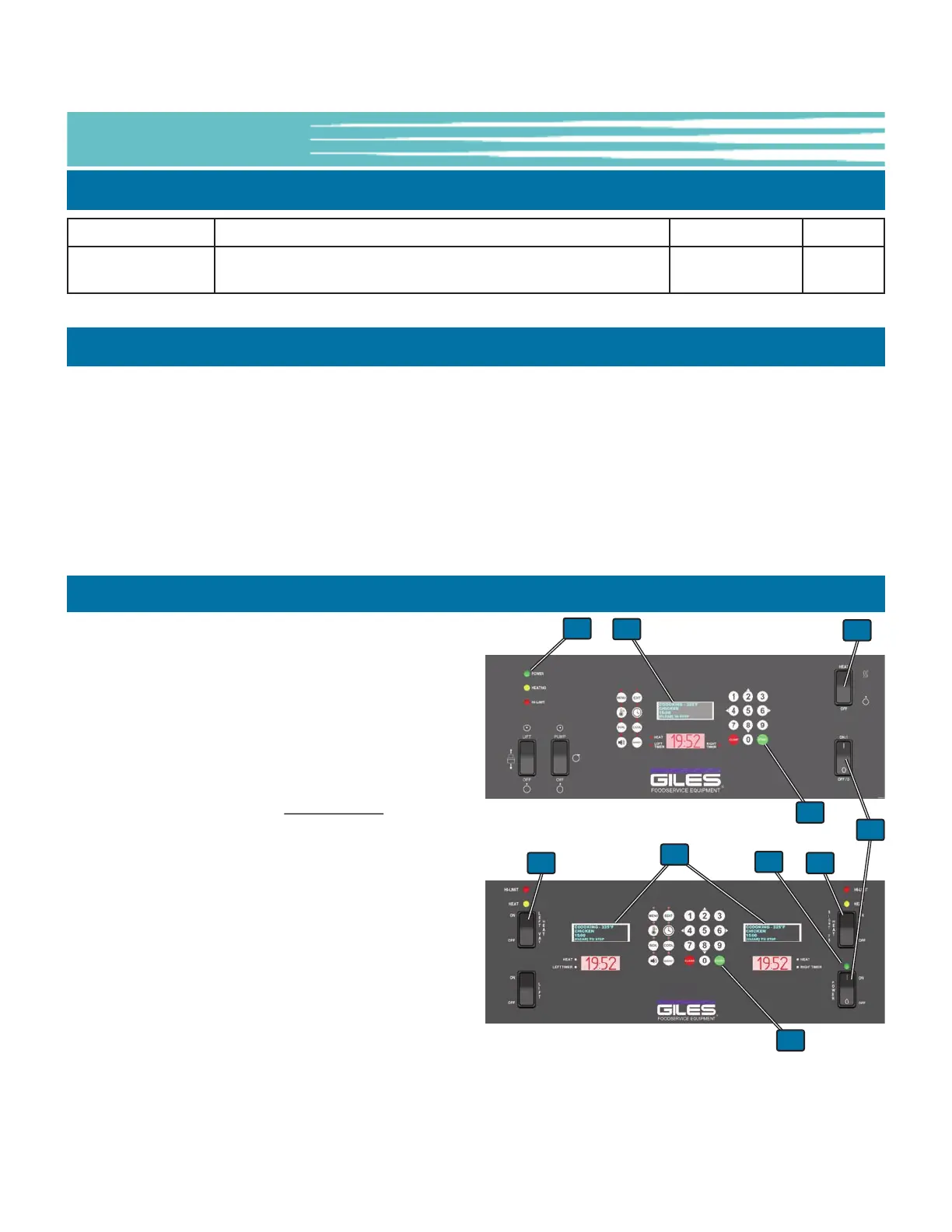
1. Initially, ensure that Heat Switch
① is in the [OFF]
position.
2. Place Power Switch
② in the [ON] position.
The green Power Light
③ will illuminate; Computer
Cooking Controller will power-up, perform a memory
check and then an audible alarm sounds. The message
POWER FAILURE [PRESS START TO PREHEAT] is shown
on the OLED Display
④
. This is normal
, intended to
prevent the Fryer from beginning to heat after a power
interruption until attended by an operator. Pressing the
[START] key
⑤ silences the alarm and puts the Fryer
into the PREHEAT state. The Temperature setpoint or
any Menu Item presets shown on the OLED Display
will be the last ones used. The Controller indicates
that the Fryer is heating, but until the Heat Switch
①
is placed in the [HEAT] position, the heating elements
will not turn ON. DO NOT place Heat Switch in the
[HEAT] position until the fry vat has been filled with
cooking oil.
3. See Section 5-02, Cooking Procedures.
5-01.8 User Settings - Access & Edit - Continued
NAME DESCRIPTION RANGE DEFAULT
LANGUAGE Sets the Controller language
English-Spanish-
French
English
5-01.9 PASSWORD Protection
It is possible to enable PASSWORD protection for certain Controller functions and settings. This feature is typically
factory-set as DISABLED. When the PASSCODE ENABLE setting is ON (enabled) in FACTORY SETTINGS, the
Controller prompts the user for a password before they can add or edit Menu Item Presets, enter a manual
temperature setpoint, enter or change a manual cook time setting, or access the User Settings Menu.
If you desire to have Password protection enabled, or have questions concerning this feature, call Giles Technical
Services at 800.554.4537 to request the passcode and instructions as to how to enable this feature.
5-01.10 Power-Up Procedure
1
4
3
11
2
3
4
5
5
EOF10-10
EOF-20



 To Next Page