55
Fryer Operation
EOF 10-10/20
5-01.7.3 AUTO-COOL Feature
5-01.7.4 BOIL OUT Mode
IMPORTANT! Fryer must be properly drained, rinsed and prepared for cooking after a Boil Out cycle. See Section
6, Cleaning.
AUTO-COOL feature automatically places the Fryer into COOL Mode if NO cook cycles are started during an amount
of time specified by a setting in USER SETTINGS. This feature is factory-set to OFF...AUTOCOOL TIME default = 30
minutes. It can be turned ON and time can be edited to any value within the range of 1 to 510 minutes. See
Section 5.01.8, Edit User Settings.
Exiting from AUTO-COOL is same as exiting from regular COOL Mode.
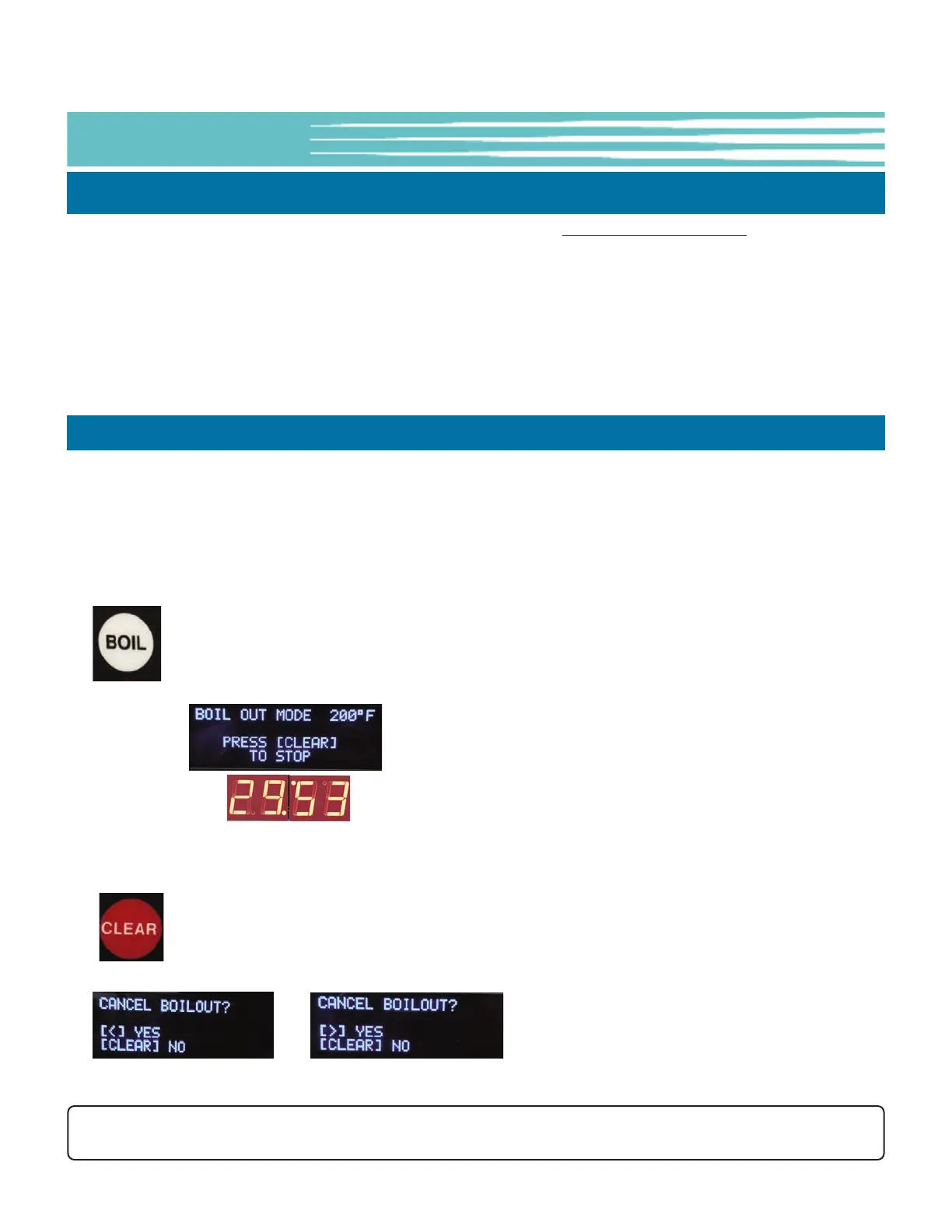
BOIL OUT Mode is a pre-programmed cleaning cycle for the cooking Vat that can be started by simply pressing the
[BOIL] key while the Controller is in PREHEAT state. Temperature and time setting change to the BOIL TEMP and
BOIL OUT TIME specified in USER SETTINGS (see Section 5-01.8). Factory-setting: BOIL TEMP = 200°F ... BOIL OUT
TIME = 30 minutes. Settings can be edited by the User within the ranges of BOIL TEMP = 185° to 208°F ... BOIL OUT
TIME = 1 to 45 minutes.
Fryer must be in PREHEAT to enter BOIL OUT Mode ... Press [BOIL] key once.
• Temperature setting changes to 200°F.
• Time setting changes to 30 minutes and begins to countdown.
• EOF10-10: Both Vat sides will enter BOIL OUT at the same time.
• To exit BOIL OUT Mode: press the [CLEAR] key once, then ...
EOF-20: press [4] key to STOP the BOIL OUT cycle.
EOF10-10: press [4] key to STOP left side ... [6] key to STOP right side.
-OR- press [CLEAR] again to continue BOIL OUT Mode.


 To Next Page