65
EOF 10-10/20
Fryer Operation
5-03. Filtering Used Cooking Oil
Never attempt to perform the filter process when shortening is cold. Doing so can clog the
filter pump and damage the unit. Oil must be heated to at least 200°F (93°C) for filtering.
Always wear thermal protective gear, such as oven mitts, while performing the filtering process. Fryer parts
inside the cabinet will be extremely HOT!
1. It is recommended that oil be filtered after every fourth (4th)
load has been cooked ... Force Filter is factory set ON to enter
Filter Mode after 4 cycles.
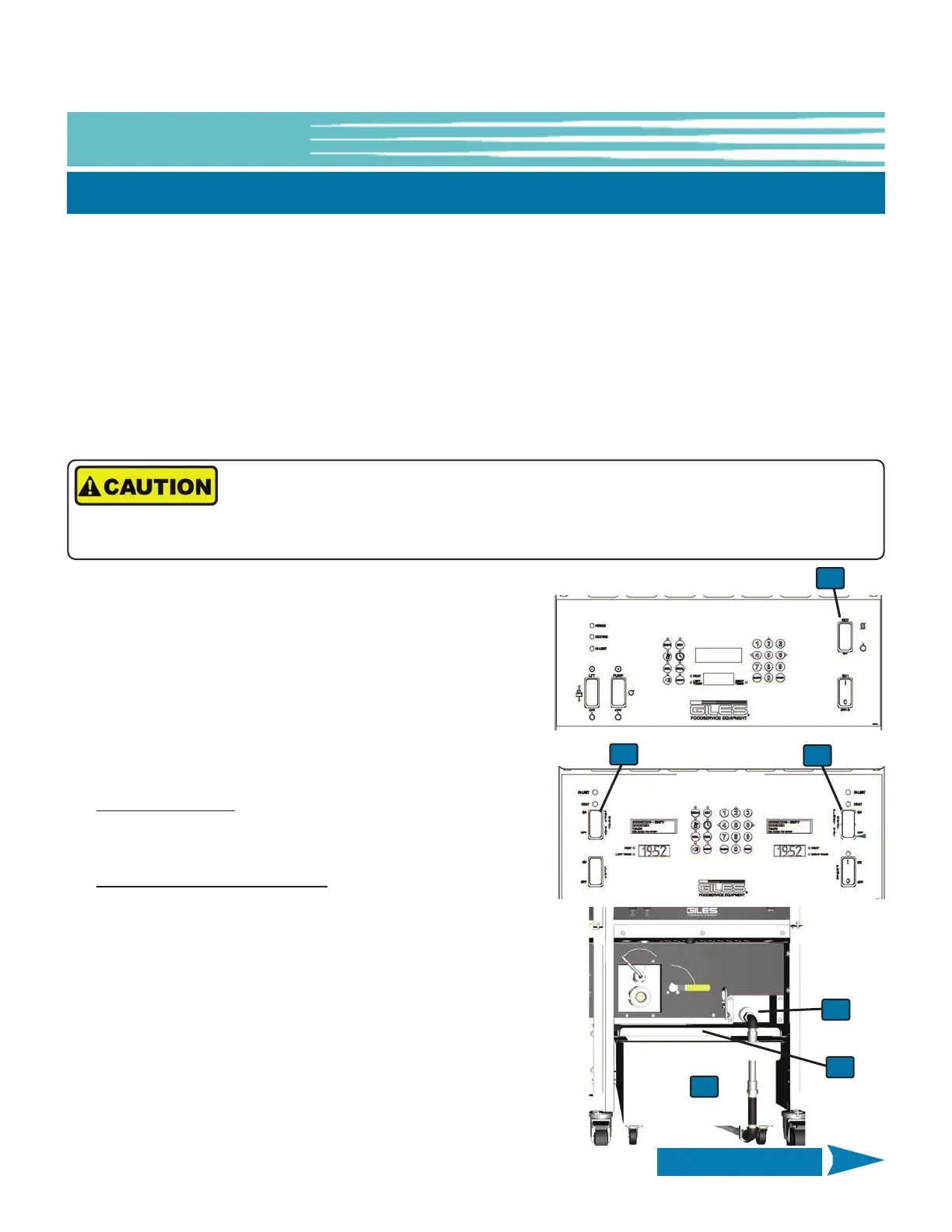
2. Place the Heat Switch
① of the unit requiring filtering in the
OFF position.
3. Open the right Cabinet Door. Wear thermal hand protection
and disconnect the Filter Pan hose
② by pushing in on the
white slip-ring while pulling the hose from connector. Remove
Filter Pan
③ from unit.
4. If using Filter Paper
: Ensure that (1) sheet of Filter Paper is
installed correctly in Filter Pan and that Hold-down Frame is
securely locked in place.
If using Renewable Mesh Screen
: Ensure the Screen is free of
residue and properly seated in the Filter Pan bottom. Be
certain that no debris is trapped underneath the gasket and that
Hold-down Frame is securely locked in place.
5. Add approximately 5 oz. of a suitable Filter Powder (available
from Giles, P/N 72004), distributing evenly over the filter media
surface. Use of a good quality filter aid is important for
removing soluble impurities and reconditioning the oil.
6. Replace Cover
④, reposition Pan under unit and reconnect
Filter Pan hose by pushing in slip-ring while inserting brass hose
fitting in connector. Ensure fit is tight and secure.
This section explains use of the built-in Filtration System, which filters and reconditions used cooking oil by
circulating it through filter media in the Filter Pan and back to the fryer vat. Following this process can increase oil
life by as much as 50%.
The Computer Controller is programmed with a FORCE FILTER feature which places the Fryer into FILTER MODE after
a certain number of cook cycles are completed and forces User to perform the filtering cycle. When enabled, this
feature locks out the Fryer unit until a filter cycle is performed. By default, this feature is turned ON and the cycle
COUNT is set to 4. It can be turned OFF, or the COUNT can be changed to a value in the range 1 to 20. See USER
SETTINGS, Section 5-01.8.
A FORCE FILTER “SNOOZE” feature can allow one (1) additional cook cycle after the force filter count is exceeded.
The default is OFF; it may be enabled in USER SETTINGS, see Section 5-01.8.
EOF-20
EOF-10-10
1
1
1
2
3
4
Continued on Next Page



 To Next Page