37
Fryer Operation
GBF-70 Fryer
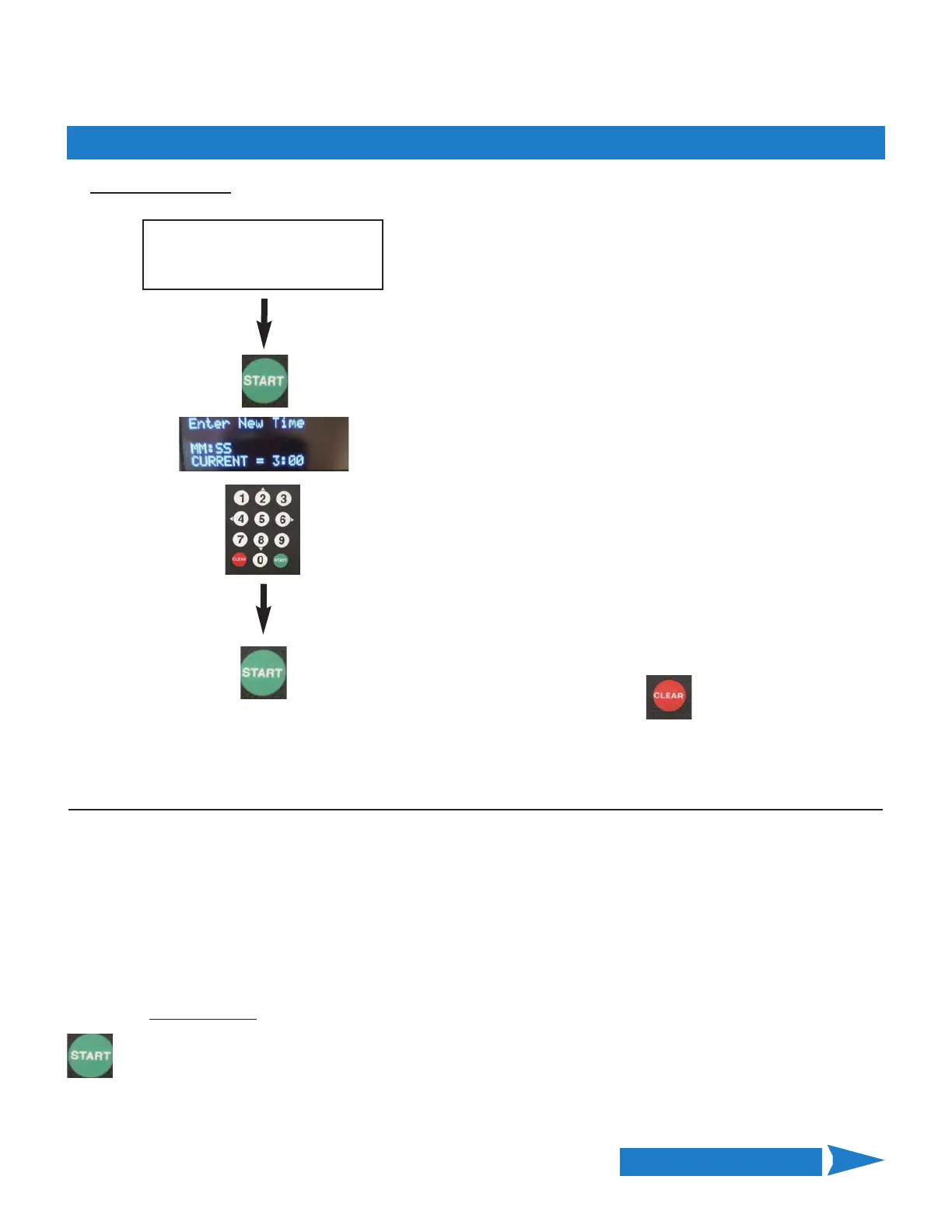
Edit COOKING TIME:
Current time setting is displayed.
Using numeric keypad enter new TIME (mm:ss)
NOTE: All digits must be entered, e.g. 500 = 5:00.
While entering time, [CLEAR] key will backspace to remove
an incorrect entry.
After entering new TIME value press
[START] to Save
• OR •
Press CLEAR to exit without saving
4.01.5.1 Editing a Menu Item Preset - continued
Continued on Next Page
After entering EDIT, select TIME
to edit as shown on previous
page.
Edit STIR OVERRIDE Setting:
Regardless of the global STIR ALARM setting in User Settings (Section 4.01.10), you may want to have a menu item
stirred or not stirred during the cook cycle. The STIR OVERRIDE setting overrides the global setting for a menu
item. The options are [NORMAL] • [SKIP] • [FORCE].
[NORMAL] = alarm is issued as specified.
[SKIP] = alarm is NOT issued for this item, regardless of global setting.
[FORCE] = alarm is ALWAYS issued for this item, regardless of global setting.
Factory‐default = [NORMAL]
To edit the STIR OVERRIDE
setting, select [STIR] as described previously ... [—>] points to [STIR]
Press the [START] key to toggle between the available options.



 To Next Page