MANUAL DISMOUNTING PROCEDURE
1. Open the purge valve on the PPMM by turning the
black knob counterclockwise.
2. Switch off the pump and disconnect it from the
power supply.
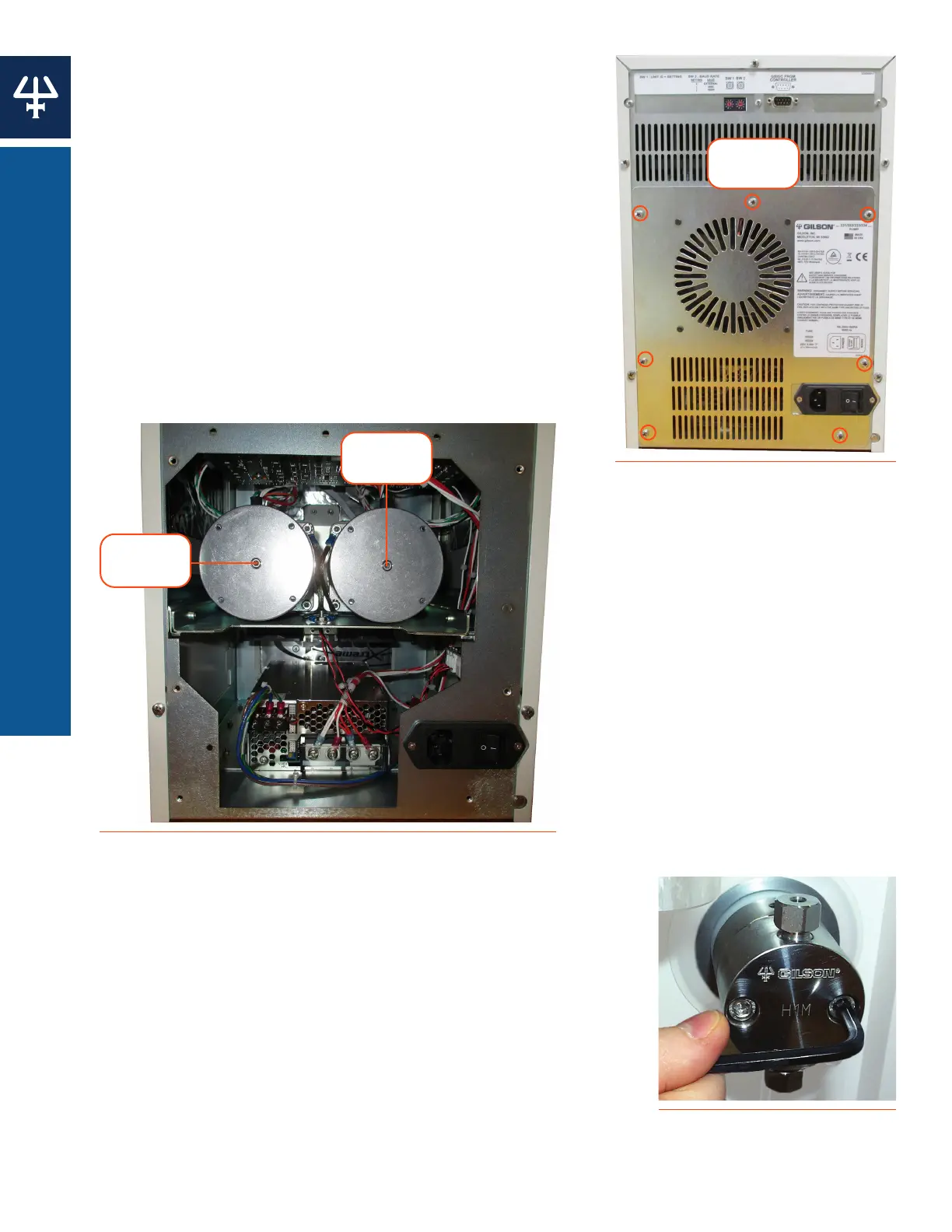
3. Remove the lower back panel (to which the fan is
attached) by removing the retaining screws. The
mounting screws for both heads are now visible.
4. Use the 3 mm Allen wrench to turn the mounting
screw in the clockwise direction, until you reach a
stop (you will hear a ‘thump’ as you hit the stop).
At this point, the piston engaging mechanism will be
withdrawn to a maximum distance into the interior
of the pump motor. Turn the wrench two turns
counterclockwise.
Mounting
Screw
Mounting
Screw
Figure 32
Loosen Mounting Screws
Remove Pump Head
1. Disconnect all solvent lines from the pump head.
2. Remove the two screws securing the pump head with the
supplied 5 mm Allen wrench. Support the pump head with
your other hand while loosening the screws, alternating
equally between the two. Moderate force may be required to
remove the pump head.
Figure 31
Removing the Lower Rear Panel
Retaining
Screws
Figure 33
Loosening Pump Head Screws
42
MAINTENANCE | 333/334 HPLC PUMPS
PUMP HEAD















 To Next Page