72
FRONT PANEL CONTROL | 333/334 HPLC PUMPS
FRONT PANEL CONTROL
Hardware Configuration
Adding Solvent and Injection
Pumps
A 333 Pump can control one or two
additional solvent pumps and an
injection pump. The controlled pumps
must be assigned as follows:
Extra Solvent (id2): 333 Pump or
334 Pump
Extra Solvent (id3): 333 Pump or
334 Pump
Injection (id4): 30X Pump if an
injection (sample) pump is present.
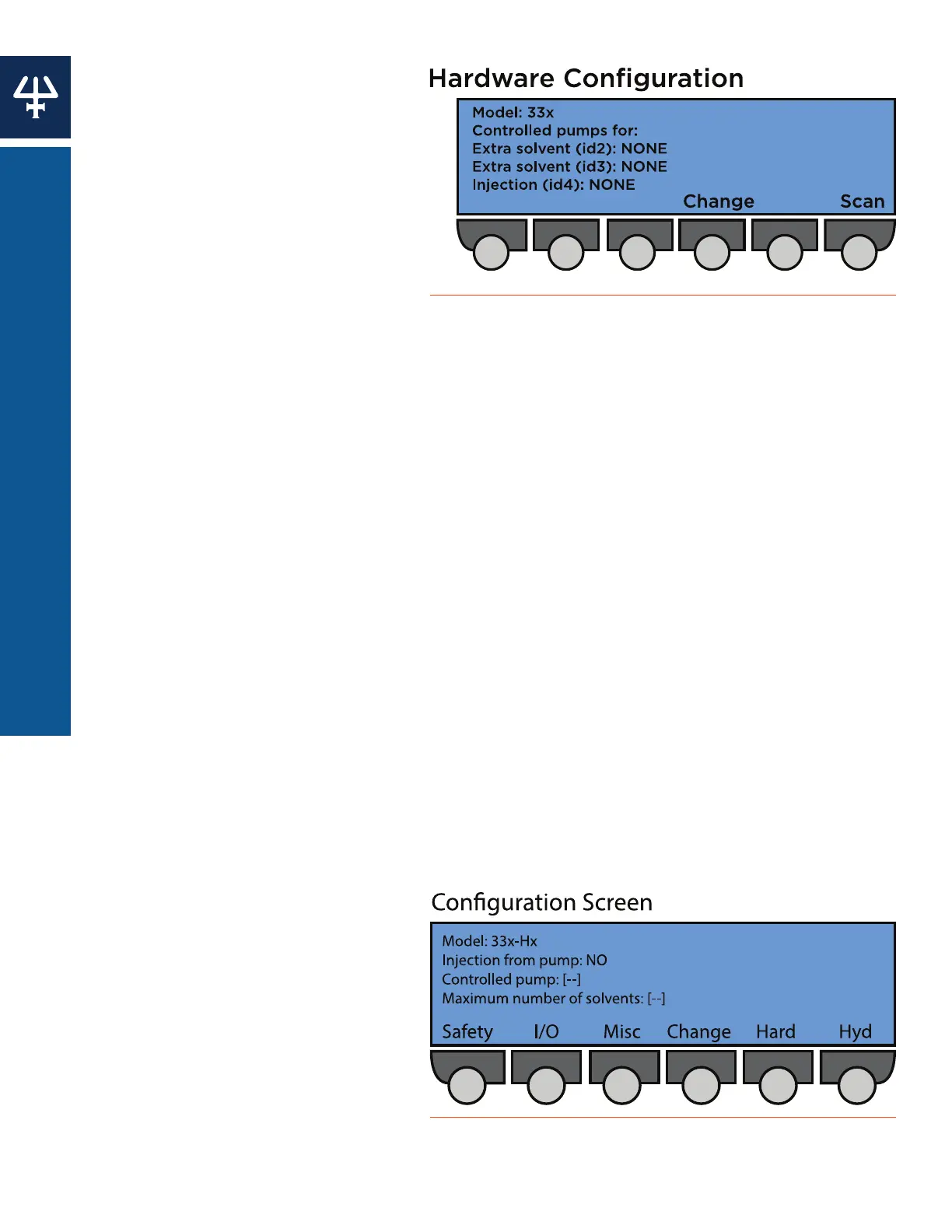
Navigate from the Start screen to the Hardware Configuration screen by pressing:
Edit > Config > Hard.
1. Press Change to switch the value of Extra Solvent (id2) from NONE to 33X.
2. Press Enter. An additional Extra Solvent (id3) line will appear.
3. Press the Up or Down arrows to navigate between Extra Solvent and Injection lines. A
blinking line will appear below the selected value.
4. Press Change to add or remove solvent or injection pumps, as needed.
5. Press Enter to confirm your selection.
6. Press Esc when finished to return to the Configuration screen.
Configuring a Solvent Pump
1. Check that the head corresponds to the type fitted; press Change to modify the type
configured, press ENTER to confirm. For 333/334 Pumps the head type must be H3.
2. You will see one solvent channel per pump (A, B, or C). For each select the solvent type
and enter a value for Inlet Pressure (0-50 MPa); that is the pressure at the inlet to the pump
head.
3. For each solvent channel (A, B, C), use the arrow keys to select a solvent name (or enter a
value for compressibility), press Change to select another solvent, press ENTER to confirm.
Configuring an Injection Pump
From the Start screen, press
Edit > Config to reach the
Configuration screen.
1. Ensure that the Injection from Pump
line is selected. If an injection
pump was not selected at the
Hardware Configuration screen,
this option will not be available.
2. Press Change to switch the value
from NO to YES.
Figure 66
Hardware Configuration Screen
Figure 67
Configuration Screen















 To Next Page