64
COLUMN HOLDER | 333/334 HPLC PUMPS
COLUMn HOLdeR
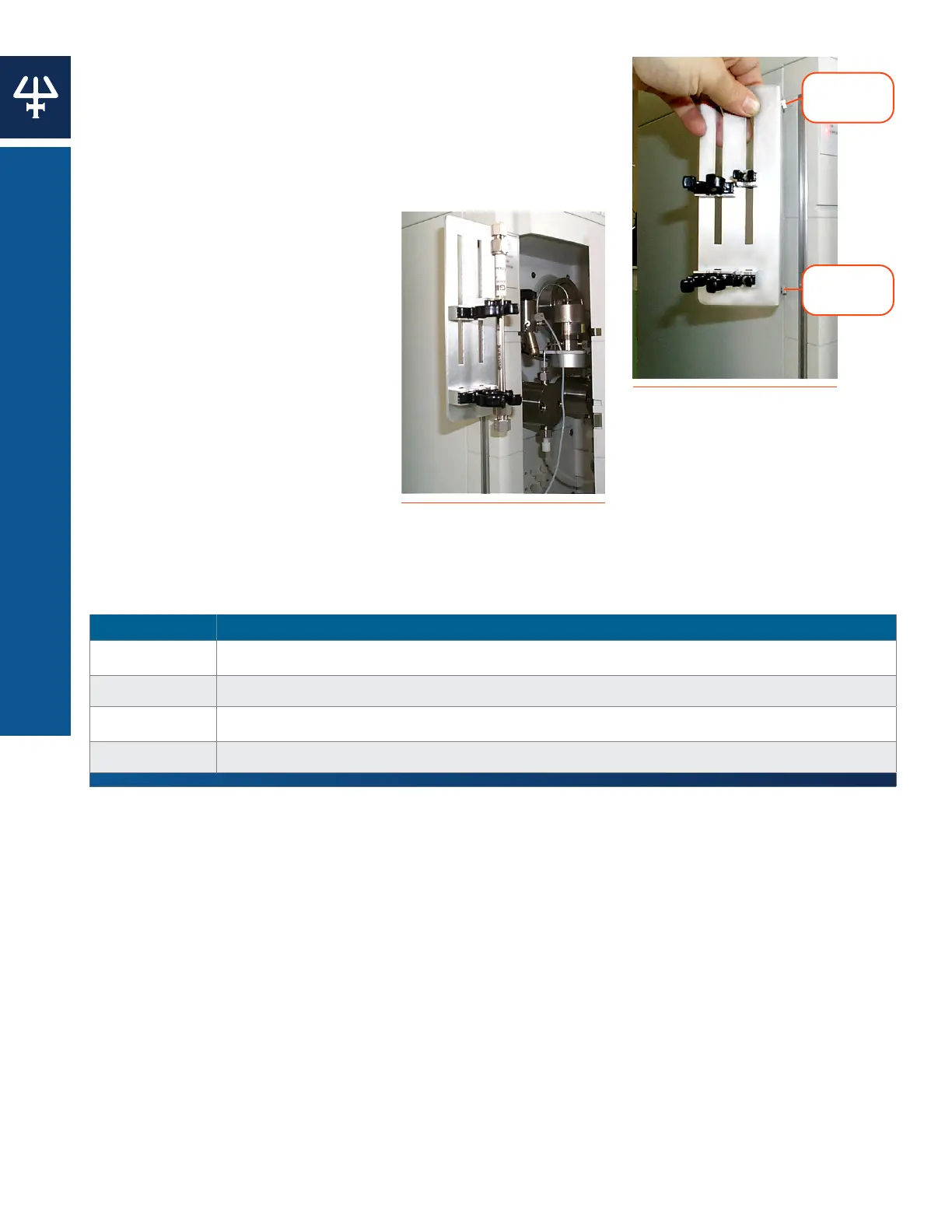
Holder Installation
1. Loosely fit the retaining stud.
2. Slide the studs into the tops of the retaining slots at the
side of the pump.
3. When the holder is correctly positioned, fully tighten the
retaining knobs.
Support Installation
1. Push one of a pair of column
supports into either of the
slots.
2. Fix the column support in
position using a knurled screw.
3. Repeat for the second column
support but don’t fully tighten
the screw.
4. Slide the second column
support along the long slot
to match the length of the
column.
5. Fully tighten the screws.
Part Numbers
PART NUMBER DESCRIPTION
38013203 Column holder, equipped for 2 to 20 mm ID column
380132661 Column holder clips, 1/4" (2 mm), 2/pk
380132662 Column holder clips, 1/2" (10 mm), 2/pk
380132663 Column holder clips, 1" (20 mm), 2/pk
Retaining
Stud
Retaining
Slot
Figure 58
Holder Installation
Figure 59
Support Installation















 To Next Page