68
FRONT PANEL CONTROL | 333/334 HPLC PUMPS
FRONT PANEL CONTROL
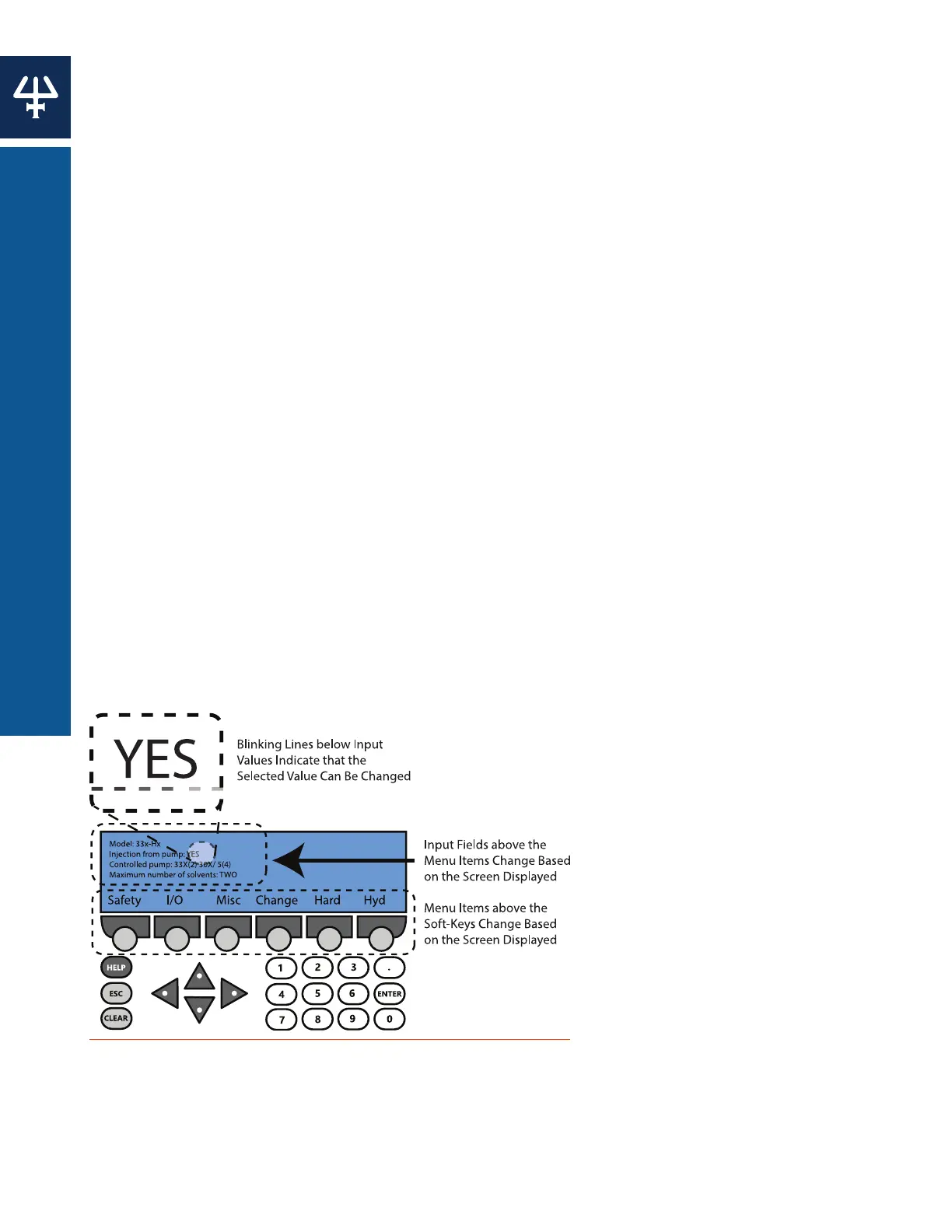
Using the Control Panel
Display Unit
The top of the screen displays input fields and configuration details. The bottom of the screen
displays up to six menu items above the soft key buttons.
Keypad
The keypad consists of the entire pressable area of the control panel.
SOFT KEYS
Six circular buttons below the menu items on the display unit. Pressing a soft key selects the
function displayed directly above it, such as Run, Edit, Misc, etc.
ARROW KEYS
Directional buttons used to navigate the screen.
NUMERIC KEYS
0 through 9 and a decimal ( . )
ENTER
Used to confirm selections and store values into memory.
HELP
Displays detailed help messages and indicates the screen number.
CLEAR
Cancels values before they are entered into memory.
ESC
Used to return to the previous screen.
Figure 63
Control Panel Diagram















 To Next Page