PROGRAMMING THE DOOR PANEL
129
Viewer module programming entry and exit:
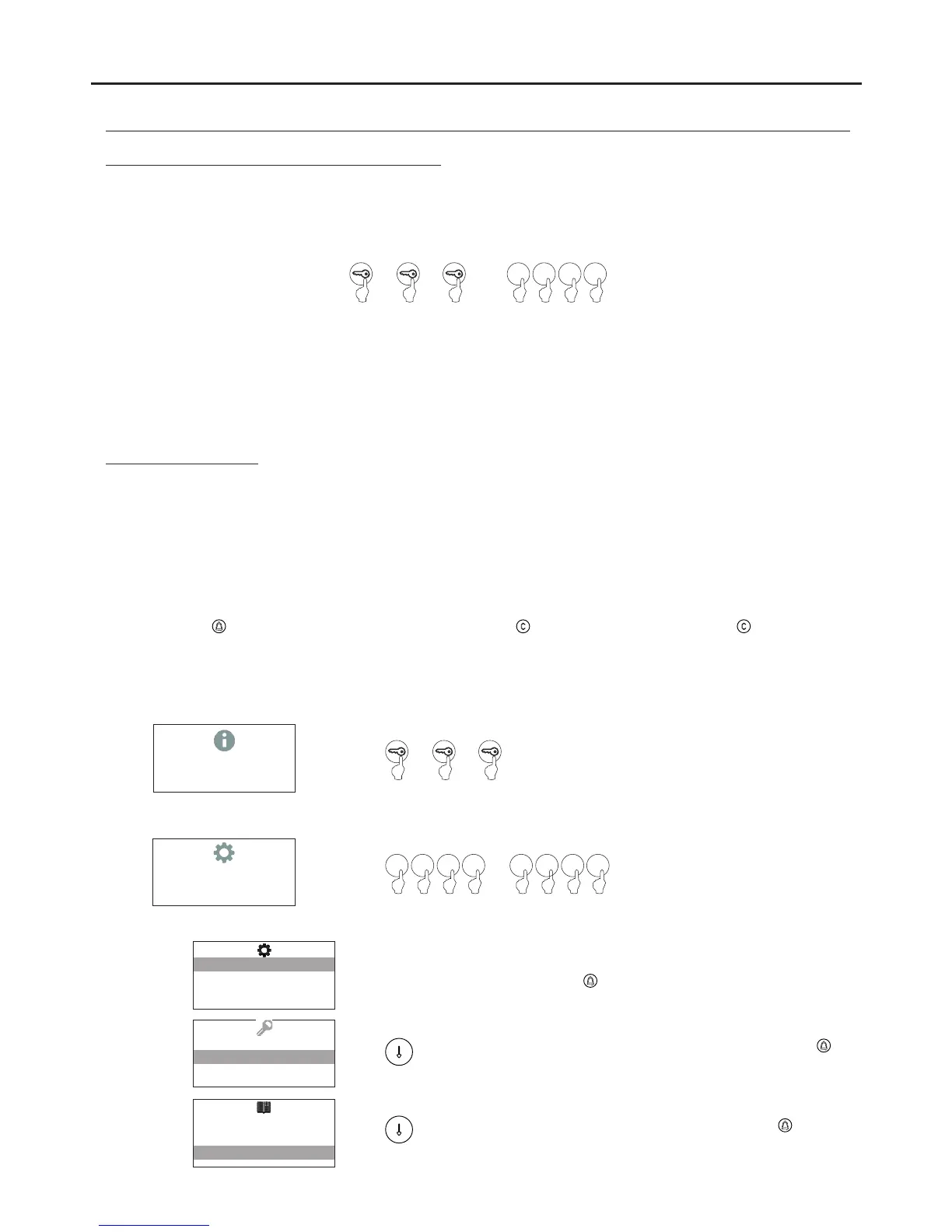
To enter programming mode, press the key button three times and then enter secret administrator pin “271800”.
Key button + key button + key button + administrator pin.
To exit programming mode, press the C button (cancel) once if it is in a programming field or twice if not.
If, after 15 minutes, no key has been pressed, it exits programming mode.
Important:
Bear in mind the number of digits in the configured code (factory setting 2718 = 4).
*
( )
*
( )
*
( )
2 7 1 8
To configure system settings, go to the programming menu. The menus marked with an must be configuredasterisk
for the system to function properly. There are two programming menus: , which allows all systemadministrator
settings to be modified, and , which only allows changes to settings that do not affect system operation.user
Programming settings with black text on a white background are available in both programming menus; settings
with white text on a black background are only available in the administrator menu.
Completion of residents list entries is not necessary for door panel operation, as long as the 2nd call table option is
deactivated.
To scroll through the options of the various menus, use the arrows. In any of these menus, option changes are saved
every time the button is pressed, regardless of whether the button is then pressed. Use the button to exit
the programming menu and save the changes.
Configuration menu
10:10
To enter configuration mode, press the key button
three times and then enter the secret
administrator pin (factory code 2718) or user pin
(factory code 4444)
CONFIGURATION
2 7 1 8 4 4 4 4
or
****
SYSTEM CONFIG
ACCESS CONTROL
RESIDENT LIST
SYSTEM CONFIG
ACCESS CONTROL
RESIDENT LIST
SYSTEM CONFIG
ACCESS CONTROL
RESIDENT LIST
Enables the system's configuration settings to be
changed. To access the configuration menu,
press . Page 130.
Allows the access control settings to be configured.
To access the access control menu, press .
Page 136.
Allows the resident list settings to be configured. To
access the resident list menu, press . Page
141.
AUDIO AND VIDEO DOOR ENTRY SYSTEM - CODED PANEL WITH DISPLAY



 To Next Page