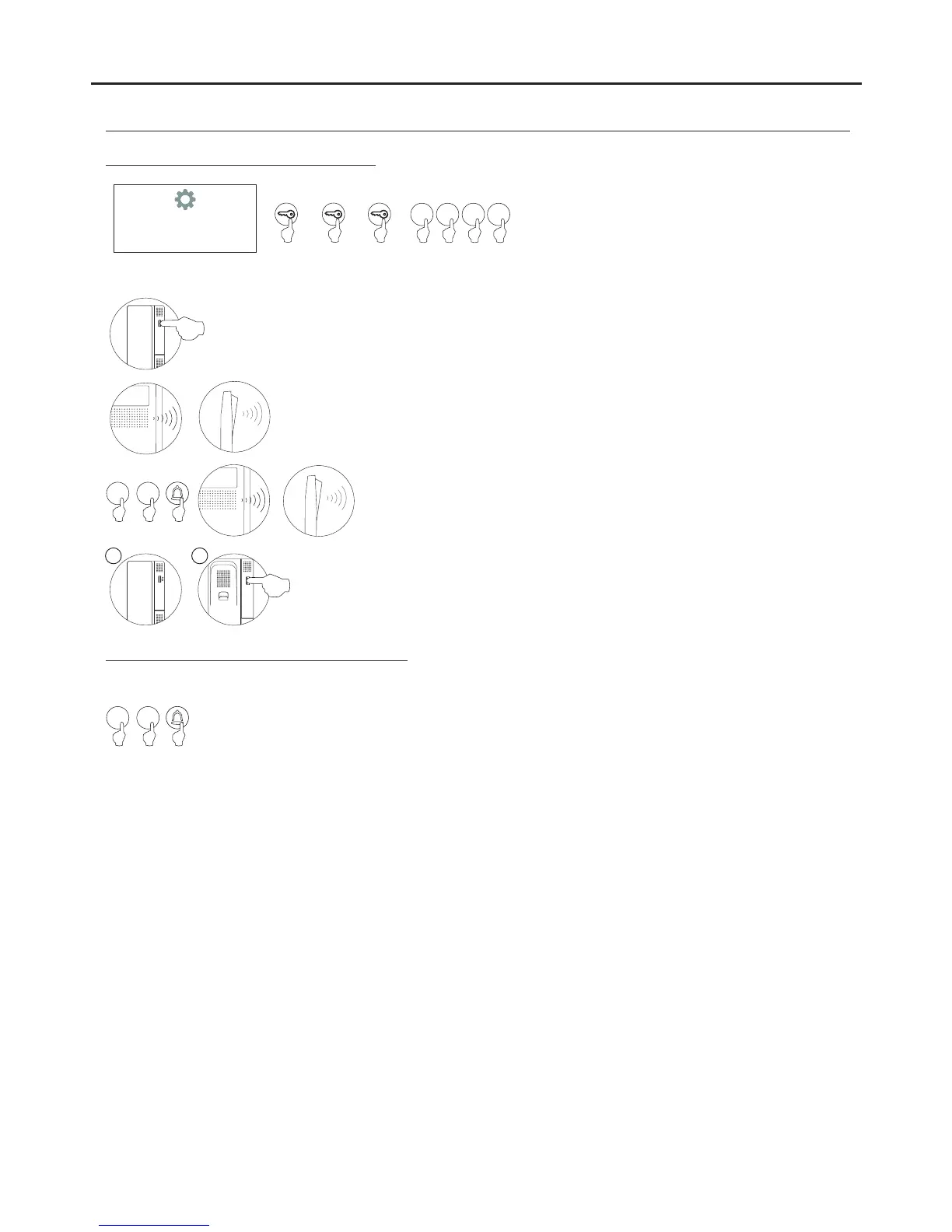
With the handset lifted:
If programming the telephone as master, replace the handset.
If programming it as slave, press the door release push button, then replace the
handset.
IMPORTANT:
If the installation has a CD-PLUS/R5 converter with coded door panel or guard unit, the programming codes assigned to
the telephones must be between 1 and 250. To make it easier for the user to make a call, another parallel code can be
assigned in a 2nd assignment table.
Make a call to check that the telephone has been successfully programmed. Programme the other
telephones in the same way.
After programming, press button C.
Each apartment must only have one master unit; if there are parallel units, whether monitors or telephones, they must be
configured as slaves.
With the door release push button pressed, pick up the telephone's handset.
To show that the system is ready for programming, the door panel and handset will emit a
number of tones, and audio communication can be established.
Release the door release push button.
Enter the code to be called by this telephone and press bell.
At this moment both door panel and handset will emit tones.
Programming T-530 R5 telephones:
PROGRAMMING THE TELEPHONES
160
M S
To enter configuration mode, press the key button
three times and then enter the secret
administrator pin (factory code 2718) as
described on p. 129.
CONFIGURATION
2 7 1 8
****
Master Slave
01
01
AUDIO AND VIDEO DOOR ENTRY SYSTEM - CODED PANEL WITH DISPLAY



 To Next Page