LOCKING MODE
LOCKING TIME
C 2 TIMEP
UNLOCKING CODE
PROGRAMMING THE DOOR PANEL
LOCKING MODE
06m
C 2 TIMEP
UNLOCKING CODE
LOCKING TIME
LOCKING OUTPUT
UNLOCKING CODE
LOCKING MODE
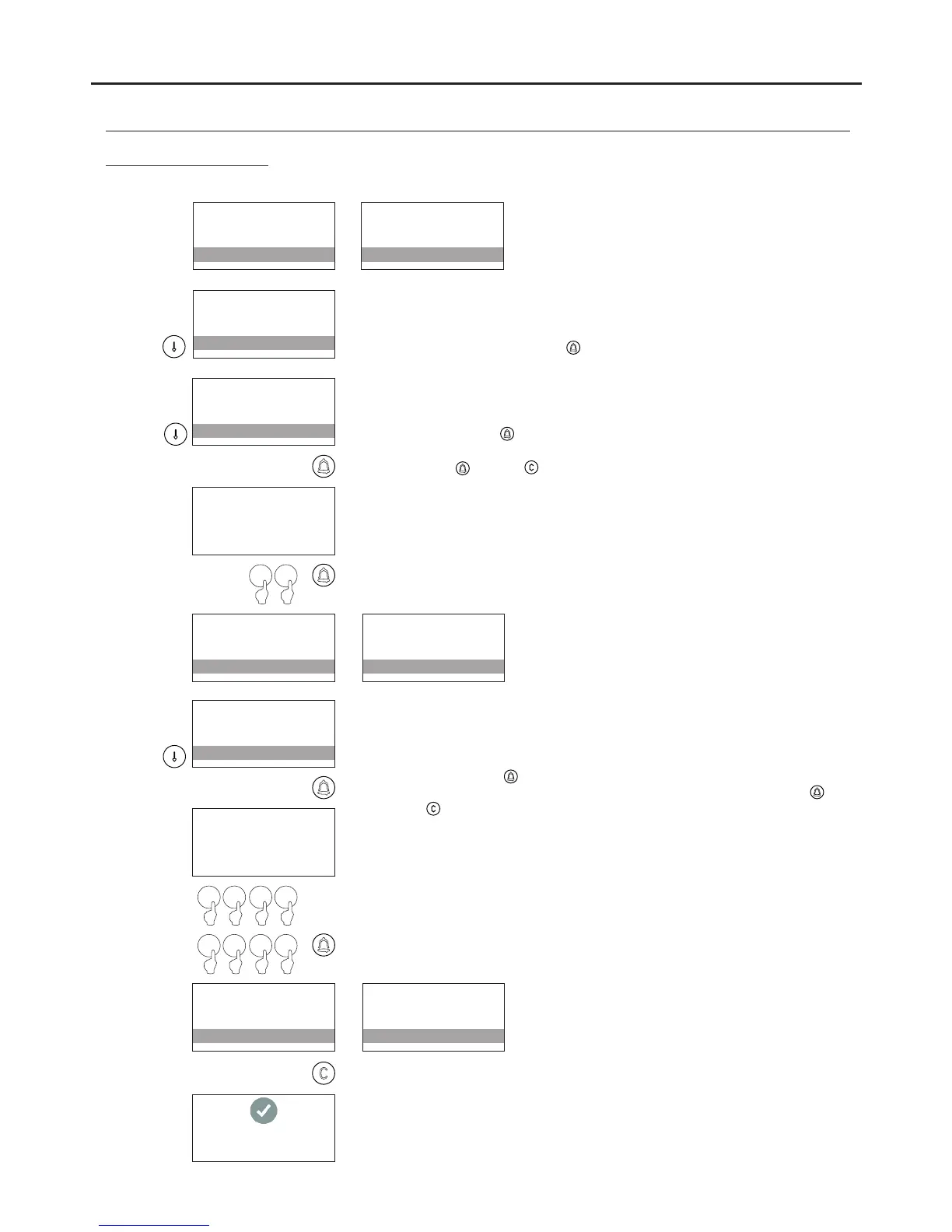
Determines the activation of panic output P (located on the N3301/AL
module) while the door panel is locked (the output is activated for 3
seconds every minute the door panel is locked).
To change the value, press .
LOCKING OUTPUT
ATTEMPTS TIME
LOCKING MODE
LOCKING TIME
Determines the minimum amount of time that must elapse between failed
attempts in order to not lock the access control module. Between 1 and
15 minutes can be selected.
To change, press and the message ENTER VALUE will appear; enter
the time between attempts using the numeric keypad and confirm by
pressing . Press to restore the previous value.
ENTER VALUE
:01
0 5
LOCKING OUTPUT
ATTEMPTS TIME
LOCKING MODE
LOCKING TIME
LOCKING OUTPUT
05m
LOCKING MODE
LOCKING TIME
ATTEMPTS TIME
TIME FRAME 1..8
LOCKING TIME
LOCKING OUTPUT
Enables a different time to be set for each time slot. It is possible to
define one time slot for each user in the CONTACTS RESIDENTS LIST
(see p. 141) from the 8 time slots available. This permits access with a
code only during the period indicated by the selected TIME SLOT.
To change, press and the message ENTER VALUE will appear; enter
the time slot using the numeric keypad and confirm by pressing .
Press to restore the previous value.
ENTER VALUE
00:00 23:59
0 00 8
0 01 5
ATTEMPTS TIME
TIME FRAME 1
LOCKING TIME
LOCKING OUTPUT
ATTEMPTS TIME
08:00 15:00
LOCKING TIME
LOCKING OUTPUT
140
Access control menu
SETTING RECORDED
Continued from previous page
AUDIO AND VIDEO DOOR ENTRY SYSTEM - CODED PANEL WITH DISPLAY



 To Next Page