CALL CODE
:000000
0 59 10 2
PROGRAMMING THE DOOR PANEL
142
BUS CODE
CALL CODE
VISIBLE
RESIDENT NAME
BUS CODE
029105
VISIBLE
RESIDENT NAME
BUS CODE
CALL CODE
VISIBLE
RESIDENT NAME
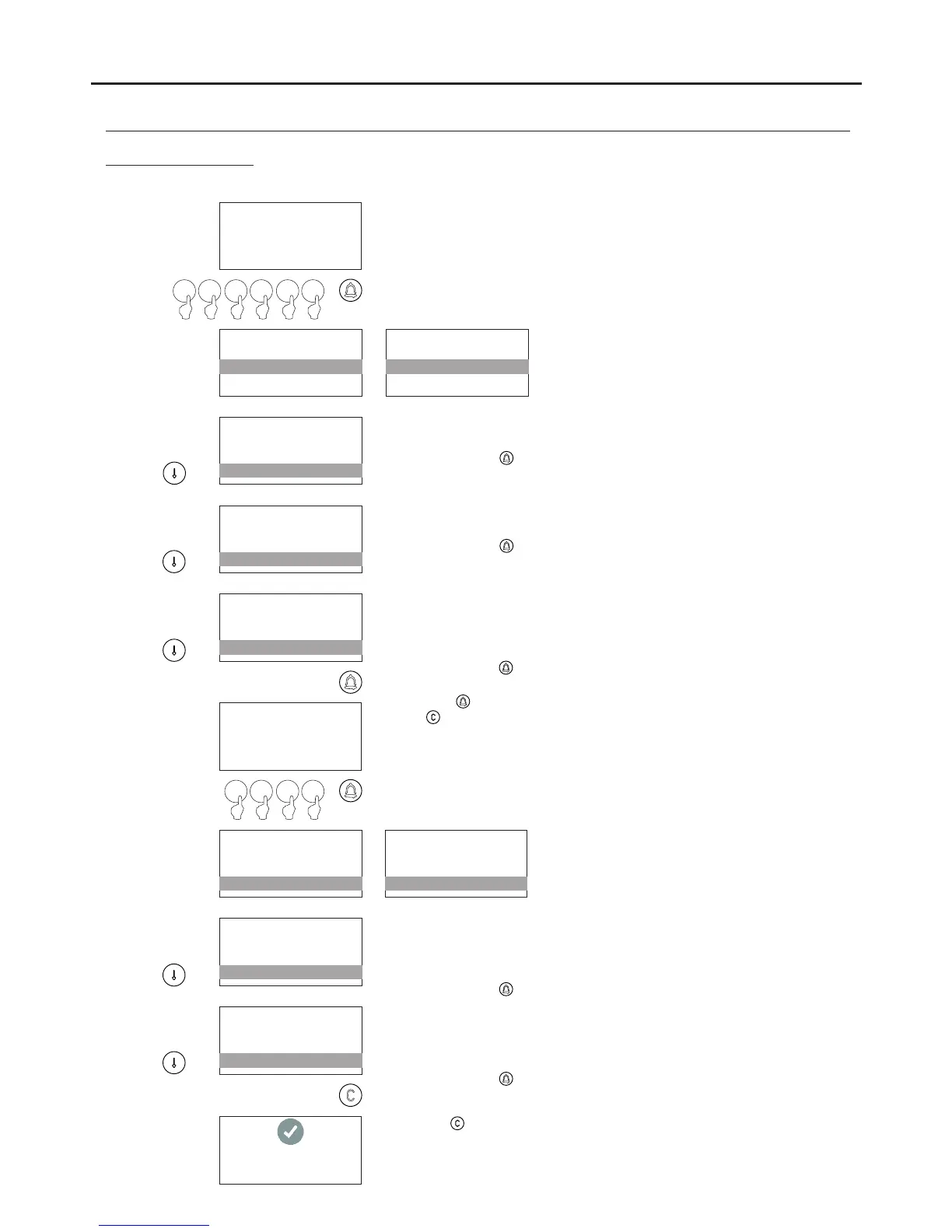
Enables the contact to be made visible in the CONTACTS RESIDENT
LIST. The factory default setting is YES.
To change, press .
CALL CODE
VISIBLE
ACCESS ENABLED?
BUS CODE
Enables ACCESS CONTROL to be activated for the user. The factory
default setting is .YES
To change, press .
VISIBLE
ACCESS ENABLED?
ACCESS CODE
CALL CODE
Enables the code that the user will have to activate(from 0001 to 9999)
ACCESS CONTROL to be defined (see p. 136). Using this code, the
user can activate the relay outputs configured in the ACTIVE
OUTPUTS option.
To change, press and the message ACCESS CODE will appear; enter
the access code for the user using the numeric keypad and confirm by
pressing . This must be di ferent for each user.f
Press to restore the previous value.
( ) Bear in mind the number of digits in the configured code (factory
setting= 4 )., it will be from 0001 to 9999
ACCESS CODE
:0000
3 41 2
VISIBLE
ACCESS ENABLED?
ACCESS CODE
CALL CODE
VISIBLE
ACCESS ENABLED?
1234
CALL CODE
Enables the outputs that the user will activate when entering the
ACCESS CODE to be defined. The R1, R2 and P outputs located on
the N3301/AL module, the R3 output corresponds to the output to the
CV1 lock release relay, CV2 of the EL632/EL642 sound module.
To change, press until the required setting is reached.
ACCESS ENABLED?
ACCESS CODE
ACTIVE OUTPUTS
VISIBLE
Enables one of the 8 time slots during which the user will have access
using the ACCESS CODE to be defined.
To change the time slots, go to the ACCESS CONTROL option: TIME
SLOT 1..8 on p. 140.
To change, press until the required setting is reached.
ACCESS CODE
ACTIVE OUTPUTS
TIME FRAME
ACCESS ENABLED?
SETTING RECORDED
Press the button to save the contact if changes have been made,
otherwise the process will be cancelled.
Resident list menu:
Continued from previous page
AUDIO AND VIDEO DOOR ENTRY SYSTEM - CODED PANEL WITH DISPLAY
Continued overleaf
*
*



 To Next Page