15
MODULE PROGRAMMING
Programming fields:
Continued overleaf
Continued from previous page
3
Field “3”: Deleting user pins.
Press “3” to select field “3”.
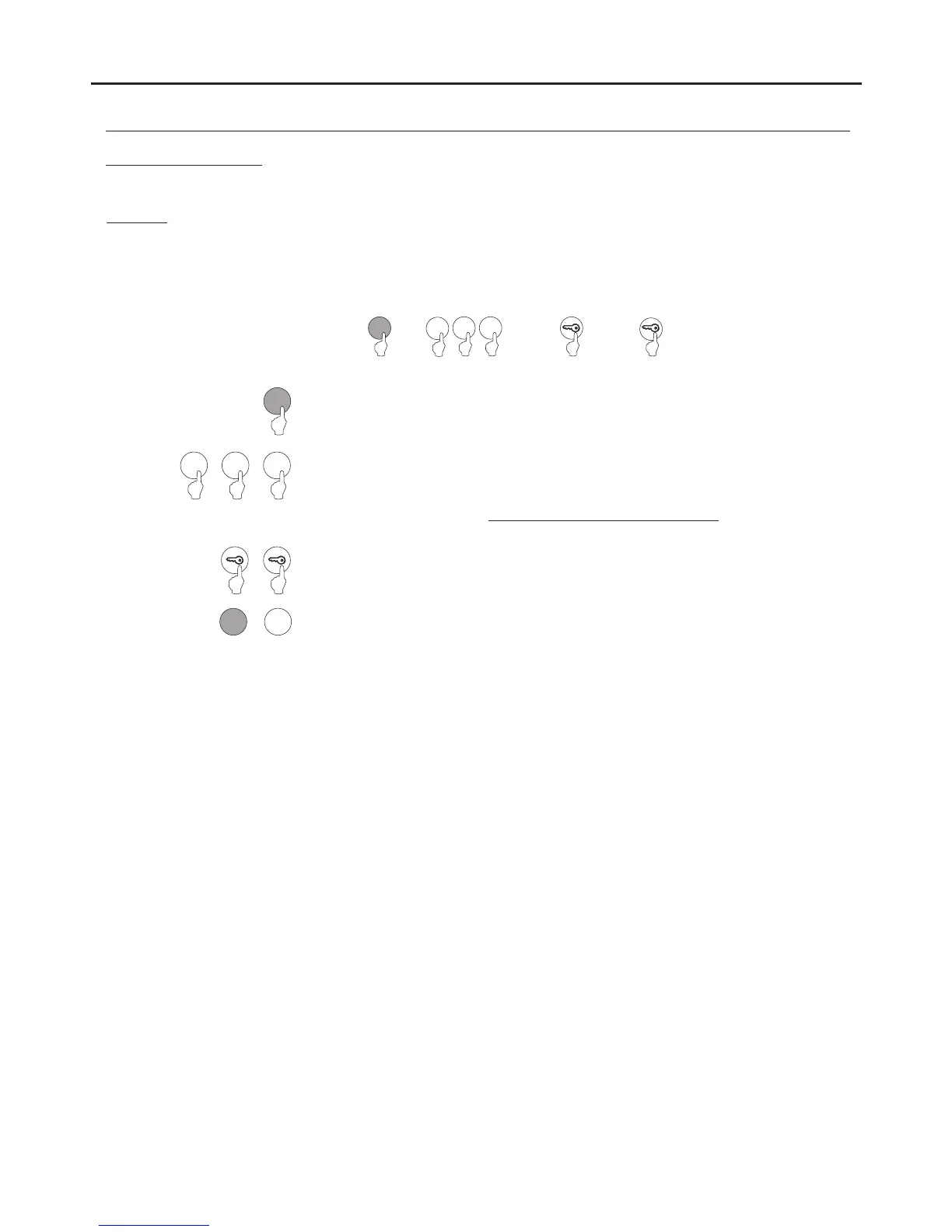
Steps: Field + memory position + key button + key button.
4 C
or
(Step )1
(Step )4
Set the existing memory position number to select for deletion.
Note: Possible memory positions: “001” to “999”.
Enter an existing memory position to be deleted.
If the value “000” is entered, .all memory positions will be deleted
Allows the deletion of existing user pins.
Note: Possible memory positions: “001” to “999”.
(Step 3)
Then press the number of the next field to configure or press the C button (cancel) to exit
programming mode.
3
0
0 1
(Step )2
0 1
0
Press the key button twice to confirm the deletion and to finish programming the field.
AUDIO AND VIDEO DOOR ENTRY SYSTEM - ACCESS CONTROL



 To Next Page