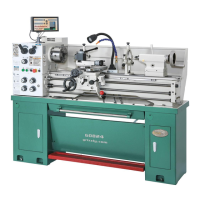
Model G0776 (Mfd. Since 7/14)
-27-
— Investigate and correct strange or unusu-
al noises or vibrations before operat-
ing machine further. Always disconnect
machine from power when investigat-
ing or correcting potential problems. If
problem is not readily apparent, refer to
Troubleshooting on Page 74.
12. Press the EMERGENCY STOP button to
turn lathe OFF, then without resetting the
EMERGENCY STOP button, try to reset
spindle rotation, as instructed in Step 9.
Spindle should not start.
— If spindle rotation does start with the
EMERGENCY STOP button pressed in,
the EMERGENCY STOP button safety is
not operating correctly. This safety feature
must operate properly before continuing
operation. Use the spindle lever to stop the
lathe, disconnect it from power, and call
Tech Support for help.
13. Move spindle lever to middle (OFF) position,
and reset EMERGENCY STOP button by
twisting it clockwise until it pops out.
11. Move spindle lever (see Figure 22 on Page
26) downward to start lathe. Spindle will
rotate at 70 RPM. Top of chuck should rotate
down toward front of lathe.
—When operating correctly, machine runs
smoothly with little or no vibration or rub-
bing noises.
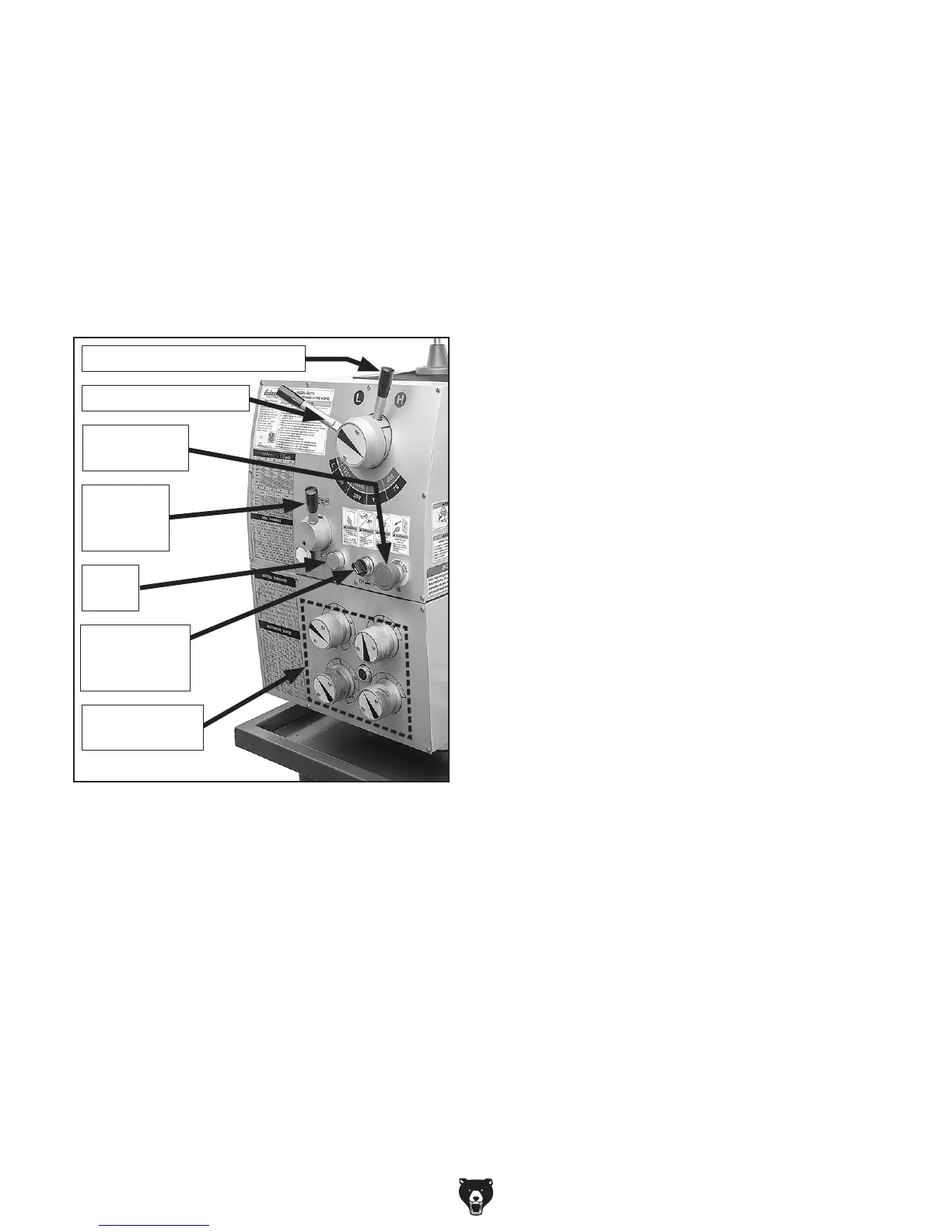
9. Move feed direction lever (see Figure 23) to
middle position. This will disengage spindle.
10. Move spindle speed range lever to "L" posi-
tion and move spindle speed lever to "70"
position.
Note: As long as the feed direction lever
shown in Figure 23 is disengaged, no torque
will be transmitted to the quick-change gear-
box or any other gear-driven component.
As a result, the quick change gearbox dials
shown in Figure 23 can be left engaged or
disengaged for the test run.
Figure 23. Headstock controls.
Feed
Direction
Lever
Spindle Speed Range Lever
Spindle Speed Lever
Cutting Fluid
ON/OFF
Switch
Jog
Button
Quick Change
Gearbox Dials
Emergency
Stop Button
6. Make sure spindle lever is in the OFF (mid-
dle) position (see Figure 22).
7. Make sure cutting fluid pump switch is OFF,
and point cutting fluid nozzle into lathe chip
pan.
8. Turn the main power switch ON and reset
the EMERGENCY STOP button by twisting
it clockwise until it pops out. The power lamp
on the control panel should illuminate (see
Figure 23).
14. Make sure lamp works.
15. Point cutting fluid nozzle at chip pan. Use
cutting fluid pump switch on control panel to
start pump (see Figure 6 on Page 7). Verify
that cutting fluid flows from nozzle, then turn
pump OFF.
16. Restart spindle rotation.
17. Step on foot brake.
—If brake pedal has no effect on lathe, push
the EMERGENCY STOP button and call
tech support for help.
Congratulations! The test run is complete. Perform
the following Spindle Break-In procedure.


 To Next Page