-58-
Model G0776 (Mfd. Since 7/14)
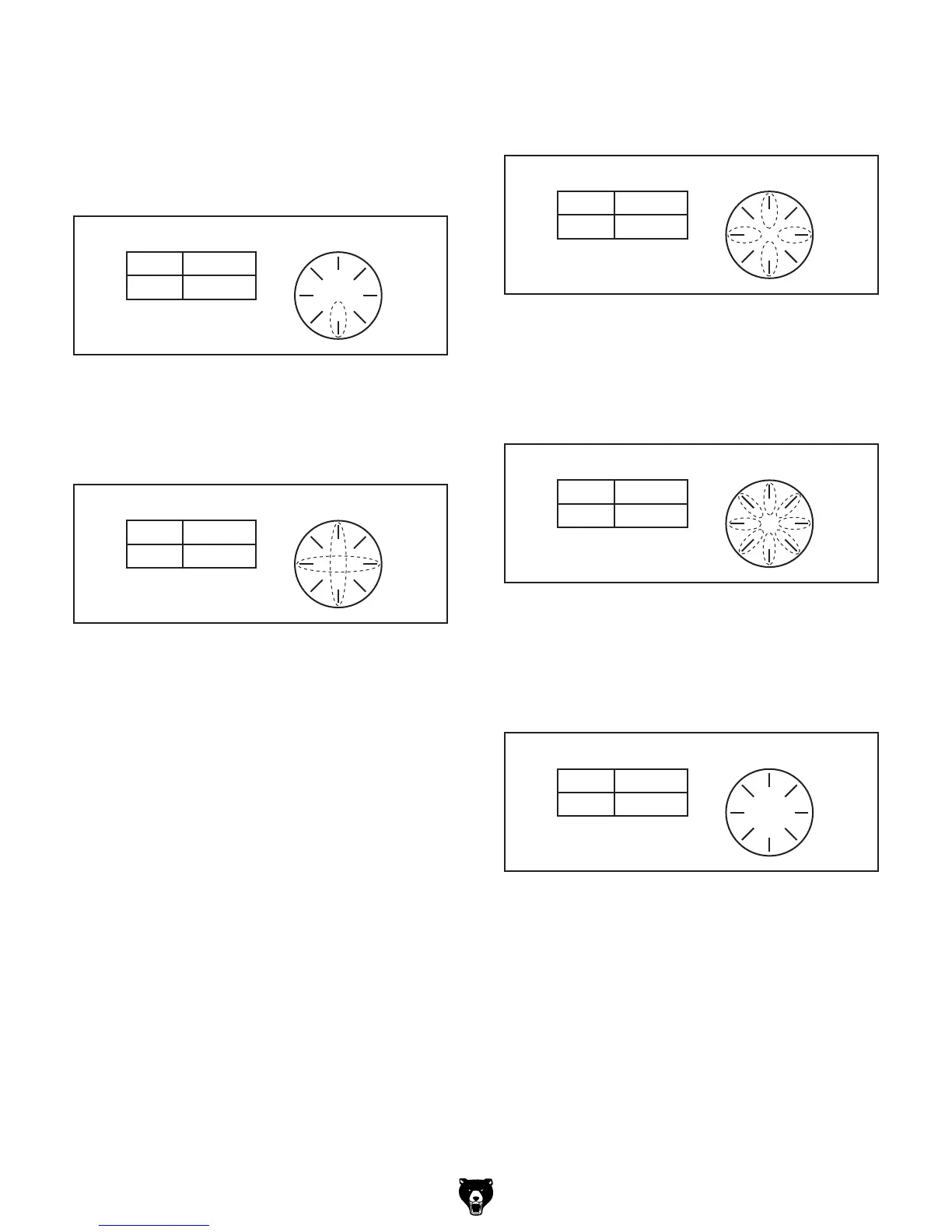
The following examples explain how to use
the thread dial and the thread dial chart.
TPI Ending in
1
⁄2: For threading TPI ending in
1
⁄2,
use only the number 1 on the thread dial (see the
example in Figure 85).
TPI Divisible by 2: For threading a TPI divisible
by two, use any numbered line on the thread dial
(see the example in Figure 87).
T.P.I. SCALE
6 2, 4, 6, 8
1
3
5
7
Table Thread Dial
Figure 87. Thread dial positions for TPI divisible
by two.
Odd Numbered TPI: For odd numbered TPI, use
any pair of opposite numbers on the thread dial
(see the example in Figure 86).
T.P.I. SCALE
5 4, 8
1
3
5
7
Table Thread Dial
Figure 86. Example of odd numbered TPI.
T.P.I. SCALE
6-1/2 8
1
3
5
7
Table Thread Dial
Figure 85. Example of TPI ending in
1
⁄2.
Important: Once a number has been selected,
continue using that number or its opposite on the
dial.
For example:
• If you make the first threading pass and select
1, then all following passes you must select
the 1 or its opposite, number 5.
• If you make the first threading pass and select
3, then all following passes you must select
either the 3 or its opposite, number 7.
T.P.I. SCALE
4 1–8
1
3
5
7
Table Thread Dial
Figure 88. Any mark on dial for threading TPI
divisible by 4.
TPI Divisible by 4: For threading a TPI divisible
by four, use any line on the thread dial (see the
example in Figure 88).
TPI Divisible by 8: For threading a TPI divisible
by eight, any position on the thread dial may be
used, even in-between the marks (see Figure 89).
T.P.I. SCALE
8
1
3
5
7
Table Thread Dial
(Blank)
Figure 89. Any position on dial for threading TPI
divisible by 8.



 To Next Page