ENGLISH
59
INFORMATION
__________________________________________________________________________
Resetting components to the original state
Caution
The system is shut down completely and must then be installed again. See the
section entitled ”Connecting and installing the first pair of loudspeakers”
starting on page 16.
Resetting the HiFi system
1 Switch on the HiFi by pressing the »OI« switch.
2 Keep pressing »SOUND MODE« on the HiFi until the word
»HORIZONTAL« appears in the display.
3 Switch off the HiFi by pressing the »OI« button.
Resetting the remote control
1 Press the »CONTROL« button on the remote control.
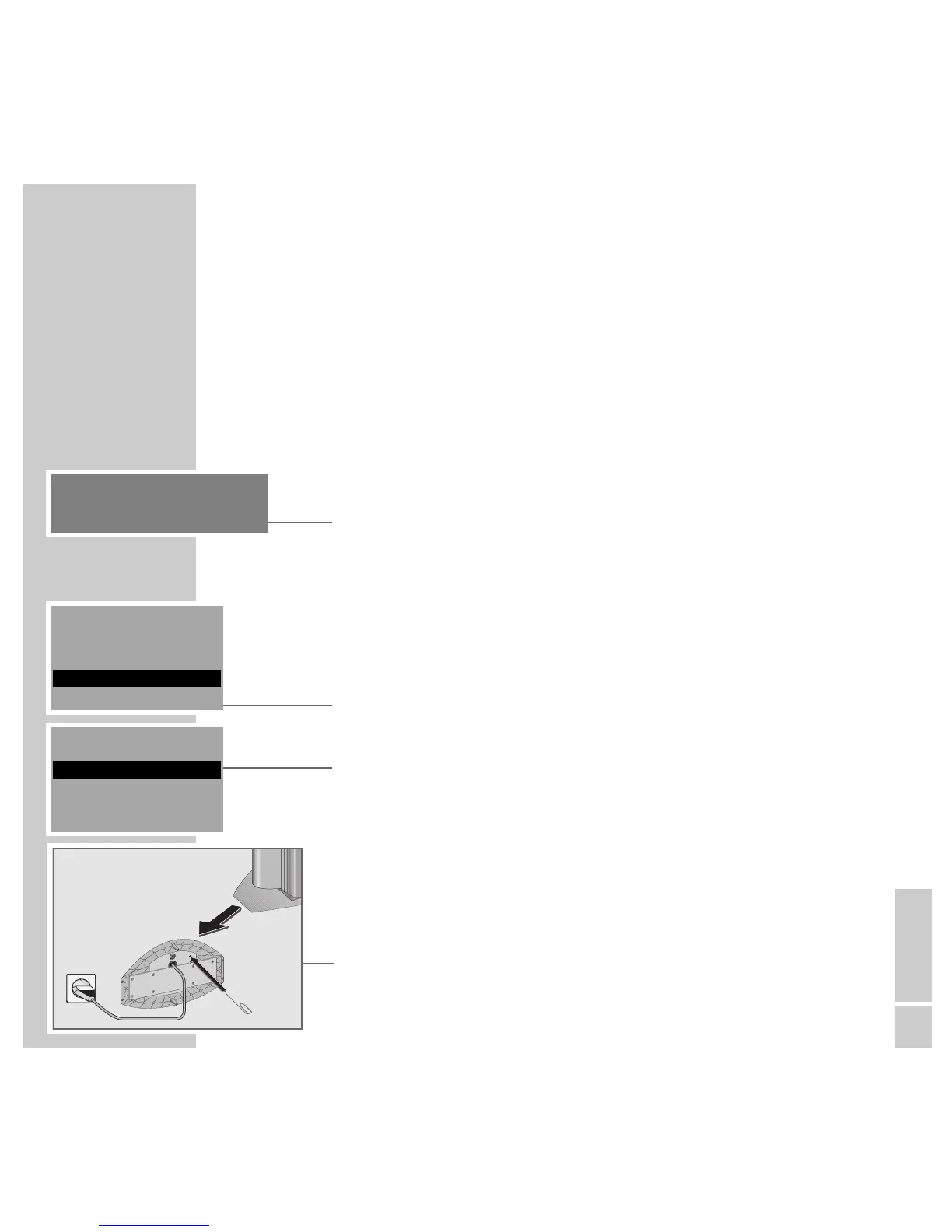
2 From the »CONTROL« menu select the »INSTALL« item by pressing
»A« or »S« and then »OK« to confirm.
3 From the »INSTALL« menu, select the »ALL NEW« item by pressing
»A« and then »OK« to confirm.
– Display: »INSTALL ALL SETS ON«.
4 Remove and replace the batteries.
Resetting the loudspeakers
1 Switch on the loudspeakers using the »POWER« buttons.
2 Press the »RESET« button on the bottom of the casing using an implement
such as a paper clip.
– The indicators in the »POWER« buttons flash green and orange.
3 Switch off the loudspeakers using the »POWER« buttons.
INSTALL 1
ALL NEW
HORIZONTAL
CONTROL
AUDIO CHANNEL
INSTALL









 To Next Page