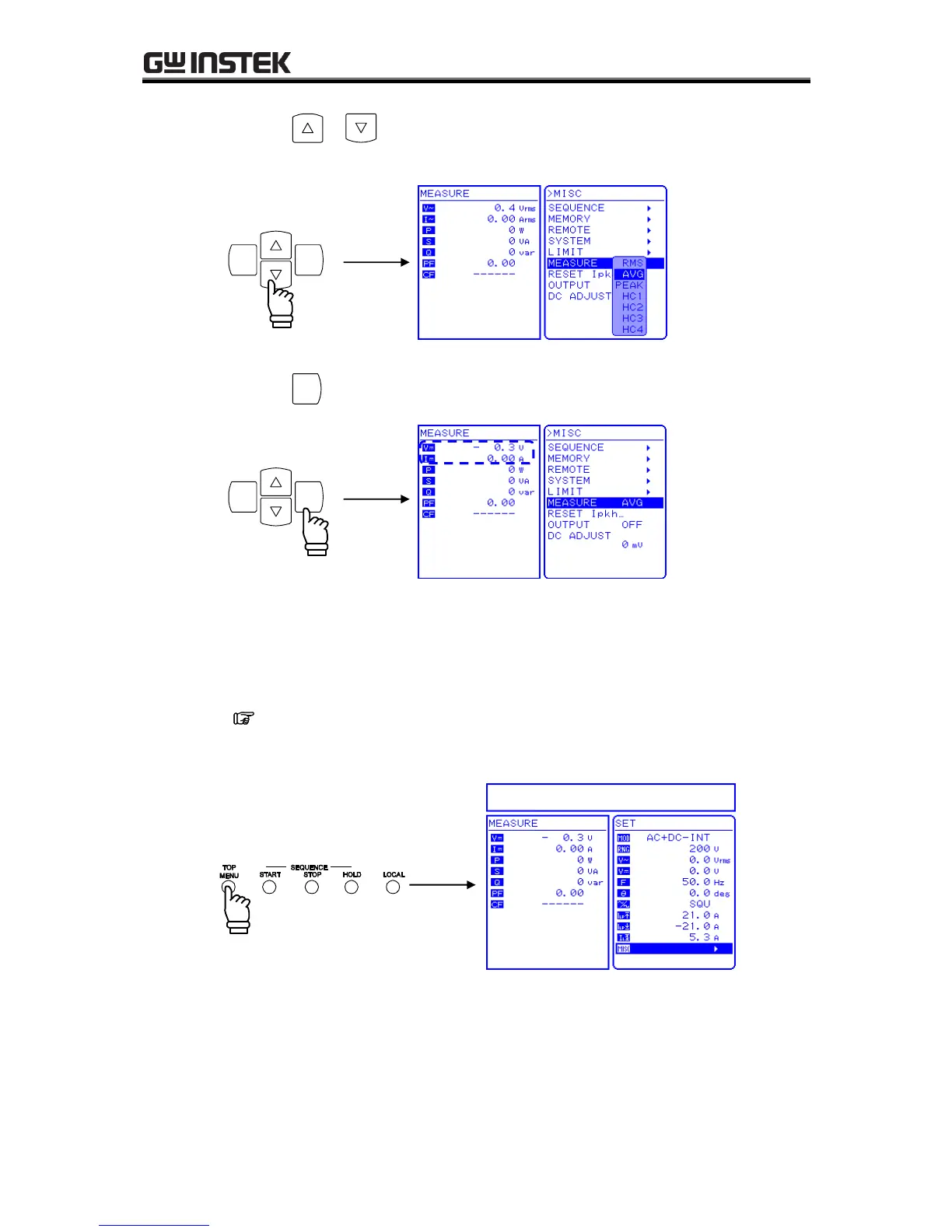
4. Press the or key to move the cursor to the desired measurement display.
Select “AVG” to measure only the DC power source.
Although harmonic current measurement (HC1 to HC4) is also displayed in the selection box,
this cannot be selected when in AC+DC mode. When in AC internal mode (AC-INT),
harmonic current measurement can be selected only when the frequency setting is 50.0 Hz or
60.0 Hz.
See “4.3 Measurement of Harmonic Current”.
6. Press the TOP MENU key or CANCEL key to return to the SET menu screen.



 To Next Page