36
Operating Manual
POWER CLAMP
English
Quality Wins.
© 2021/09 Haimer POWER CLAMP
Operation
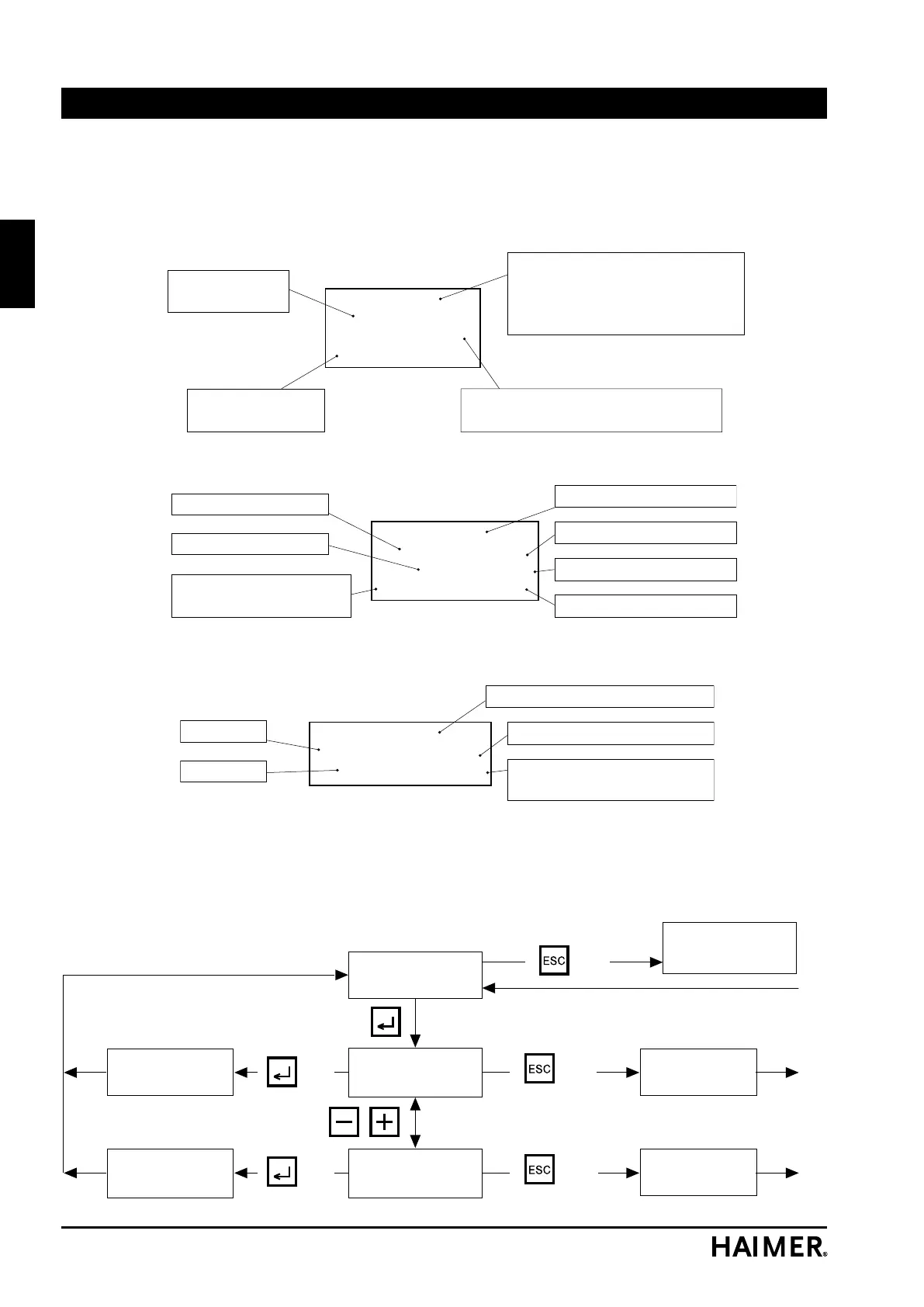
5.2.7 Restoring the factory default settings
Default Parameter
Back to
Shrink Fit menu
BackBack
Default Parameter
Yes/No: No
Default Parameter
Yes/No: Yes
key
key
key
key
key
Back
Reset to
Default Parameter
key
key
The shrink fit parameters can be reset back to the original factory settings with this function. The
parameters that had been set before are lost when doing this.
Event:
Error-ID:
Idle Time:
Tot. Events:
0
0
4 sec
10
Displayed process (0 to 100)
0 =
Last process
Scroll between processes
using +/- keys
Down time since the previous process
(0 to 3600 sec.)
Error code:
0 =
No error
Total number of
shrink processes
Results
1.9 sec
34 %
523 - 532 V
5 sec
325 m
22ϒC
0
Actual data for process 0
Pause time
Measured control value
Temperature in housing
Actual heating time
Controller load
Min – Max intermediate
circuit voltage
Parameter
7,0 kHz
465 E
2.5 sec
323 ± 45
0
Shrink parameters for process 0
Max. heating time
Setpoint control value
with tolerance
Frequency
Power
Window 1
Window 2
Window 3
A PC with suitable software is required to do this. The update operation should therefore only be
carried out by suitably trained persons.
It is essential that you remove the USB cable before starting any new shrinking operations.


 To Next Page