Operating Manual
25
POWER CLAMP
English
Quality Wins.
© 2021/09 Haimer POWER CLAMP
Start-up
Cooling manager
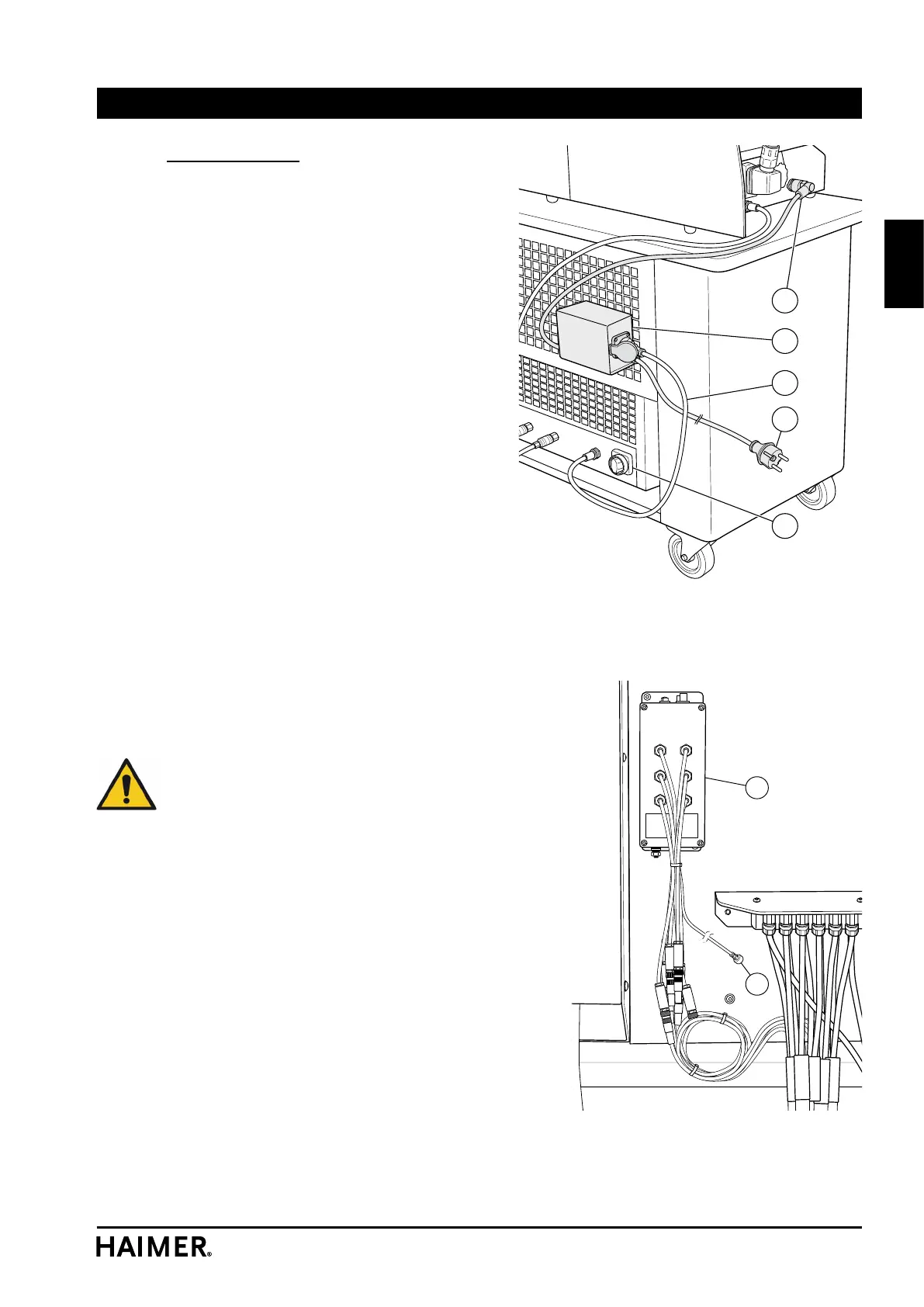
The cooling manager switches the SPEED
COOLER on and off automatically. This means
the user will not forget to switch the cooler on,
nor will he leave it running continuously. This
protects the cooler and reduces the need for
maintenance.
• Hang the cooling manager (54) on the per-
forated plate at the rear.
• Insert the plug (55) into the POWER CLAMP
housing.
• Plug the mains cable (56) of the SPEED
COOLER into the socket of the switching unit
(54).
• The main switch (1) of the SPEED COOLER
must be permanently switched to ON.
• The mains cable (57) of the cooling manager
(54) is then plugged into a mains socket.
4.2.3 Cooling body temperature display
(option)
There is an LED at each cooling body. The
cooling body is cold if the LED lights up green.
If the LED lights up red then the cooling process
has not been completed yet.
Attention! The display is not always reliable.
Above all, there can still be residual heat in
the chuck even if the LED is green in the case
of chucks with a small cooling area, when
using cooling adapters and if the cooling
circuit has been switched off or is blocked.
The shrink fit chuck must always be handled
with care even after cooling down.
• Connect the power supply (37) of the con-
troller (34) to the cooling manager (54).
54
55
56
1
57
X4 X5 X6
X1 X2 X3
34
37


 To Next Page