46
Operating Manual
POWER CLAMP
English
Quality Wins.
© 2021/09 Haimer POWER CLAMP
Clamping the tool:
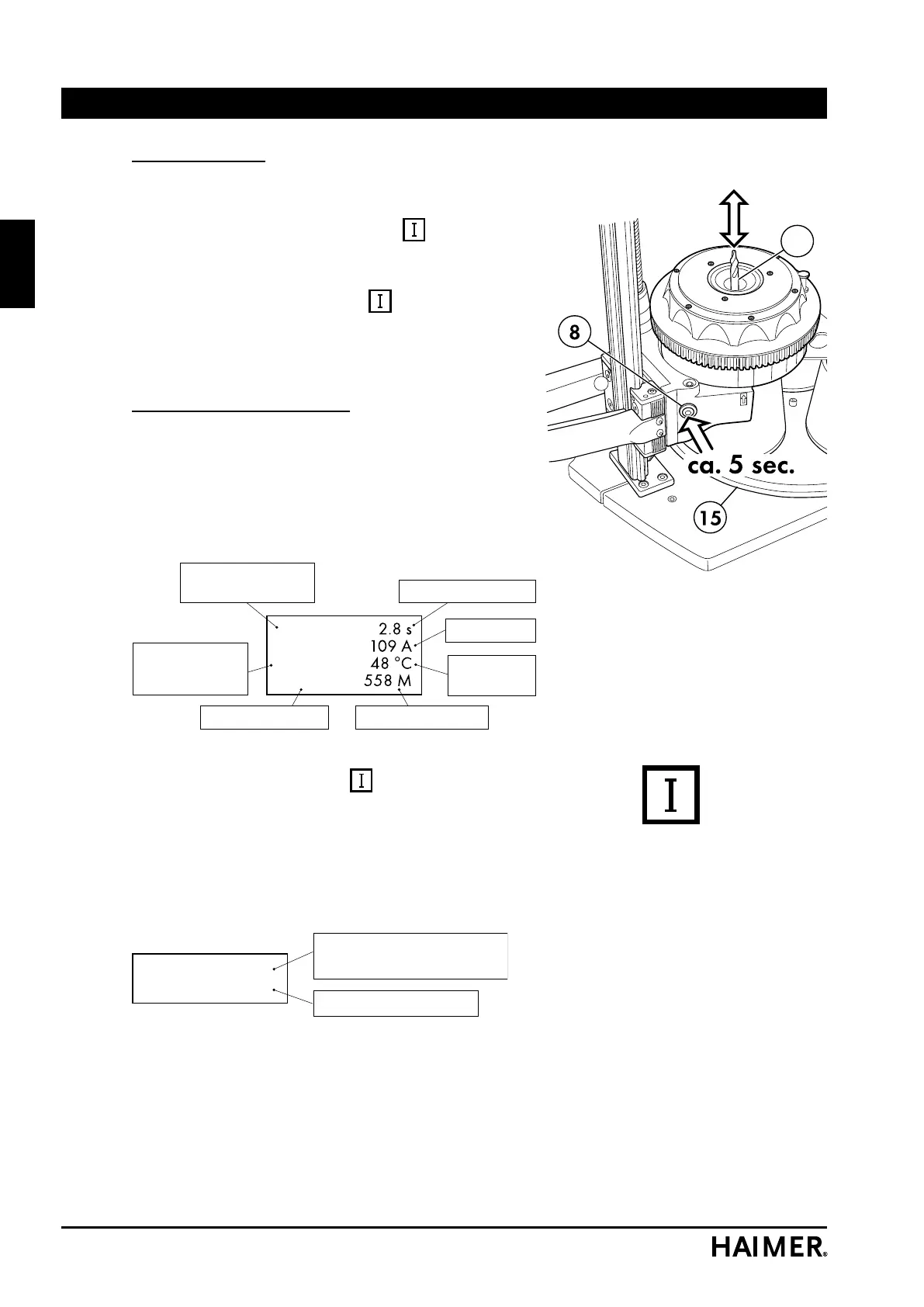
• Hold the tool (57) at the chuck hole with your right
hand.
• Press the start key (8) or hold the
key down until
the tool can be inserted. The procedure takes about 5
seconds.
As long as the start key (8) or
key is pressed, the
operational display lamp (11) lights up. However, the
maximum duration of the heating process is restricted for
safety reasons.
Devices with SPEED COOLER:
As soon as the shrink fit process is started, the cooling
manager switches on the SPEED COOLER. The cooling
must kick in audibly. If this does not happen, refer to the
„Troubleshooting“ section.
The following is shown on the display during the shrinking
process:
80 %
410 Int.
510 V
565 r
Spare heating time
Temperature
Electronics
Coil current
Load on power
controller
Voltage in
intermediate
circuit
Check value set Check value actual
If a fault occurs, an error message is displayed here.
• Press the start key (8) or
key no longer than is
necessary. The device allows the process to run only
once for the maximum duration of shrinking. Another
shrinking procedure is only allowed again after a pause
of around 5 seconds.
The pause time and the remaining shrinking time that is
still available are displayed.
Pause: 1.2 s
Spare time: 2.4 s
Waiting time until next
shrink fit process
Spare heating time
Before the same shrink fit chuck can be heated again,
it must first be cooled completely. Otherwise the
chuck could become overheated and be destroyed
as a result.
Operation


 To Next Page